32 | USER GUIDE ProColor 652U, 702U, 752U 862U
Android System Settings
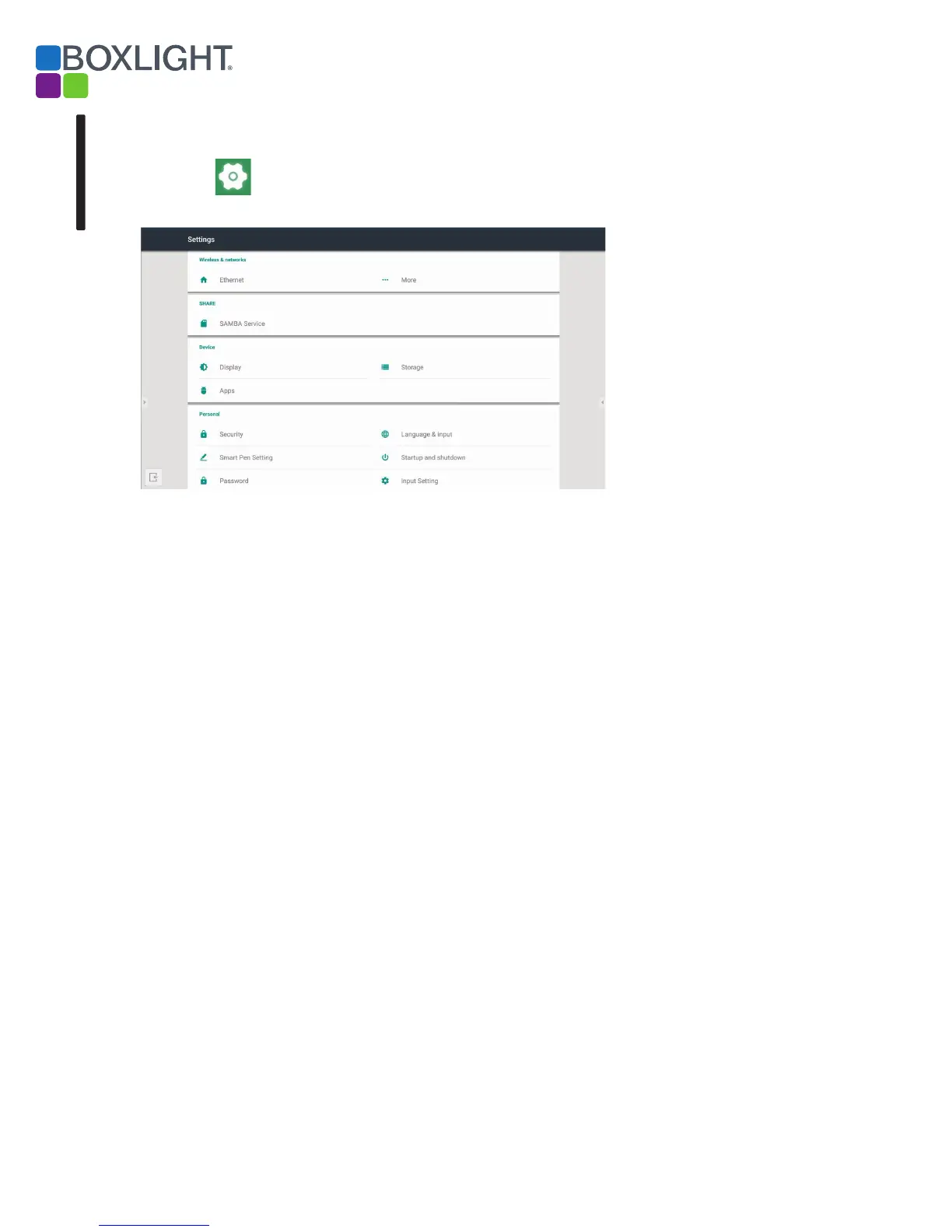
Click to open the Android System Settings menu.
Fig 6-1 Setting menu
Wireless & Networks
Enable/disable the network, and view network parameters including MAC
address, IP address, mask, and gateway.
Share
For configuring the SAMBA sharing service that enables Android file
sharing and access to Cloud storage services.
Device
For selecting background wallpaper and Anti-burn-in time (how long
before the screen blanks to prevent burn-in).
Personal
Language & Input: Setting language and input method.
Smart Pen Setting: Smart pen pairing.
Startup and shutdown: Set Startup channel
Password - Set the password of ScreenLock
Input Setting: Path renaming.
Other Settings: Setting the Slide Toolbar and FloatBar; setting the single
finger and multi-finger of Note writing.
Android
Setting menu


 To Next Page