USER GUIDE ProColor 652U, 702U, 752U 862U | 9
BOXLIGHT.COM
Setup
For safety reasons do not connect power until all connections are complete.
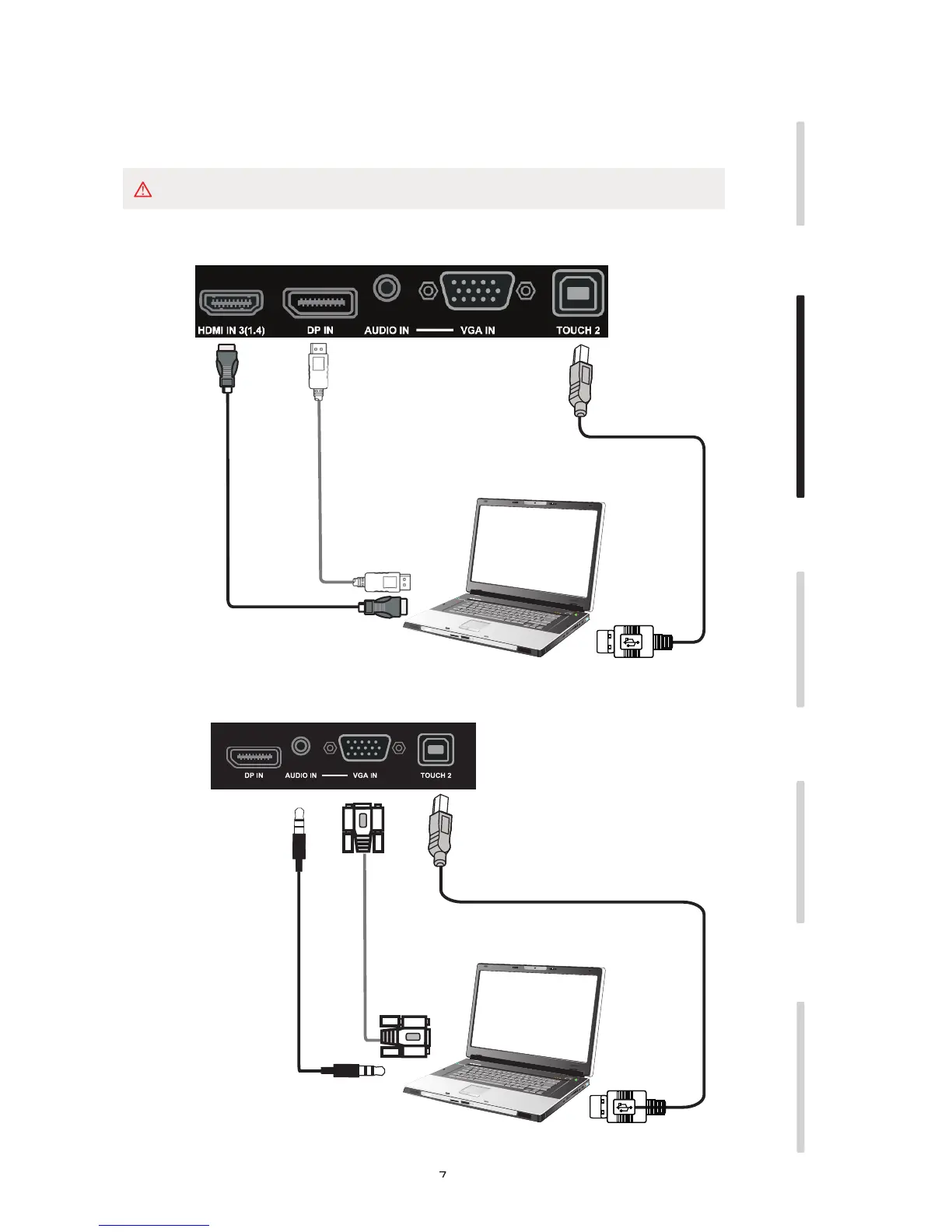
1.A. External Computer Digital Audio/Video plus Touch Connection
1.B. External Computer Analog Audio/Video plus Touch Connection
Installation Connecting and Setting Menu Operation Troubleshooting Care Maintenance
Audio Cable
VGA Cable
USB Cable
Computer
DisplayPort Cable
USB Cable
HDMI Cable
Computer
Use only one cable
HDMI or DP
The best image and sound quality will be through digital connection using HDMI or DisplayPort


 To Next Page