4 | USER GUIDE ProColor 652U, 702U, 752U 862U
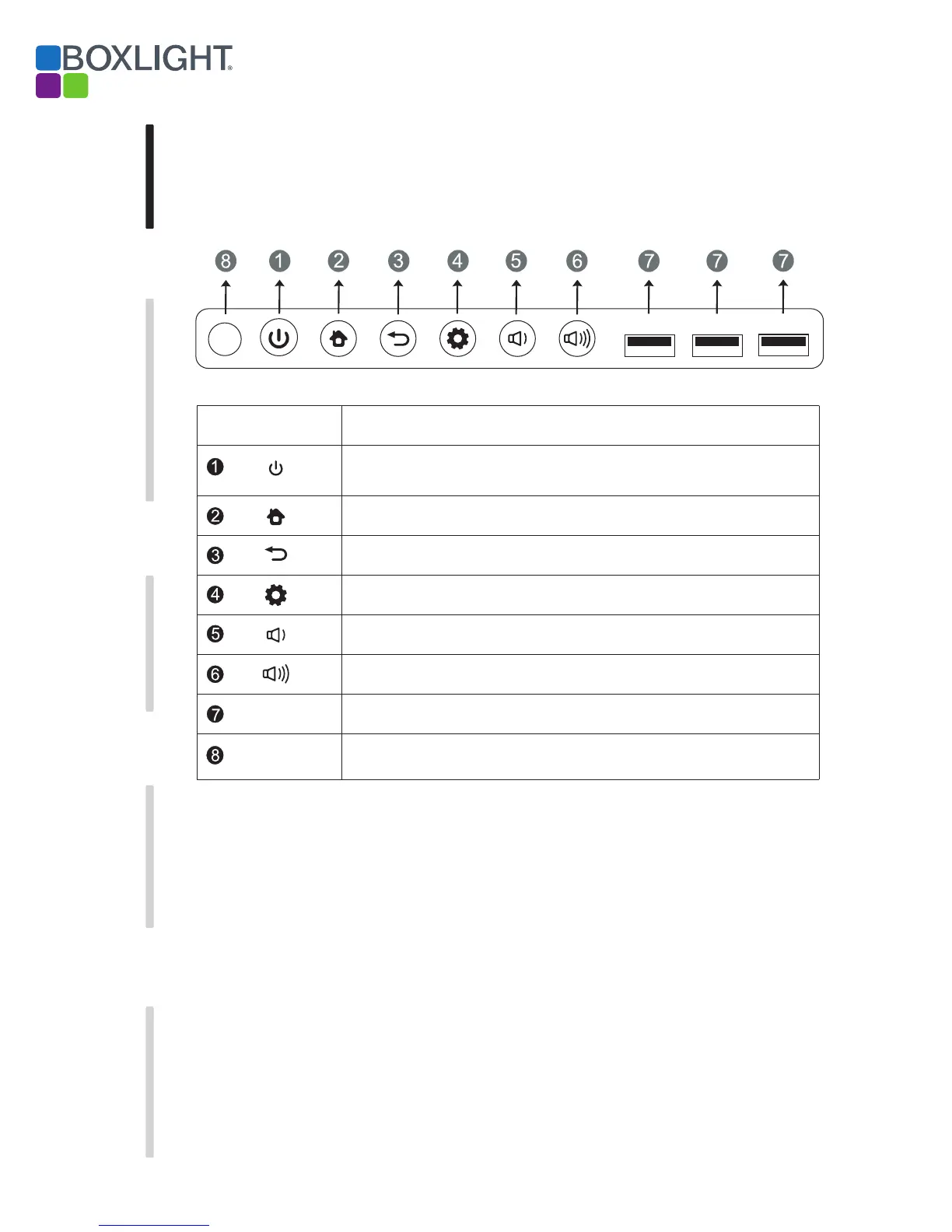
1. Control Panel
Prepare to Install
Installation Connecting and Setting Menu Operation Troubleshooting Care Maintenance
HOME button: displays home page
Return button: return to previous level menu
Menu button: brings up function menu
Volume down button: lowers volume
USB interface to Android & PC system
InfraRed receive port for remote control. Do not block or obstruct.
Volume up button: raises volume
Items Function description
Remote control
signal receiver
Tap to enter EnergySaving function
Press at least 2 seconds to enter standby mode
USB
USB USB
USB


 To Next Page