USER GUIDE ProColor 652U, 702U, 752U 862U | 7
BOXLIGHT.COM
Installation Connecting and Setting Menu Operation Troubleshooting Care Maintenance
Detailed Function Description
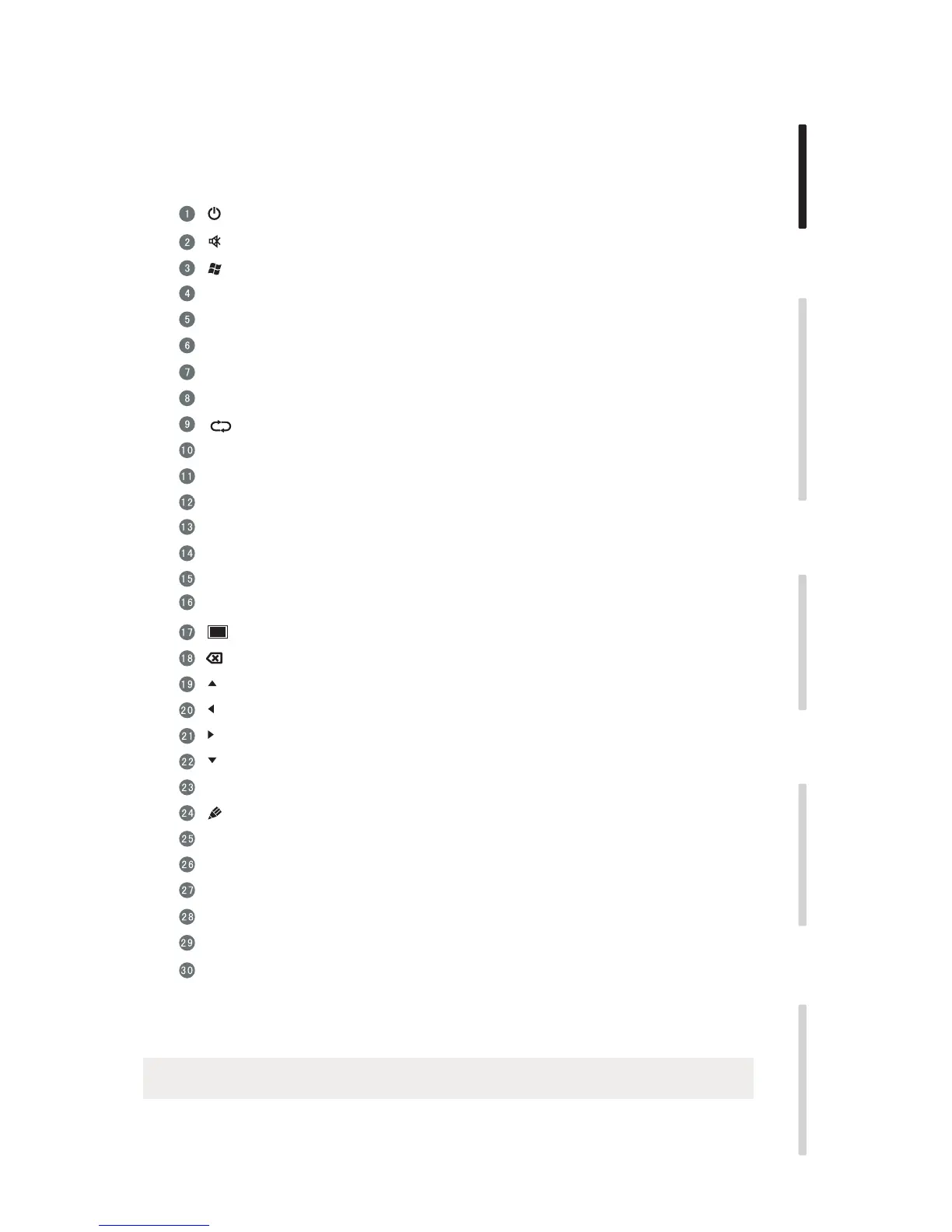
Power on/off
Mute audio
(Built-in computer Windows key
Built-in computer Space key
Built-in computer spacebar Alt + Tab
Built-in computer program window close button
Numeric keys
Numeric input keys
Shows the name of the currently selected input and its resolution
Input signal source select
Android system Home
Settings menu
Disables touch and control panel functions
Disables control panel functions
Disables touch function
Activates zoom function, use buttons to adjust
Blanks the screen
Backspace key
Up key
Left key
Right key
Down key
Confirmation key
Starts annotation app
Return key
Built-in computer page (previous page)
Built-in computer page (next page)
Volume raise/lower
Built-in computer F1 - F12 function keys
NOTE: If there is no built-in computer all related function keys will have no operating function.
No function at this time
Display
Input
Home
Menu
Red
Green
Yellow
Blue
Enter
Back
PgUp
PgDn
CH.+ \ CH-.
VOL+ \ VOL-
F1-F12
No function at this time
Alt+Tab
Space
Alt+F4


 To Next Page