- 5 -
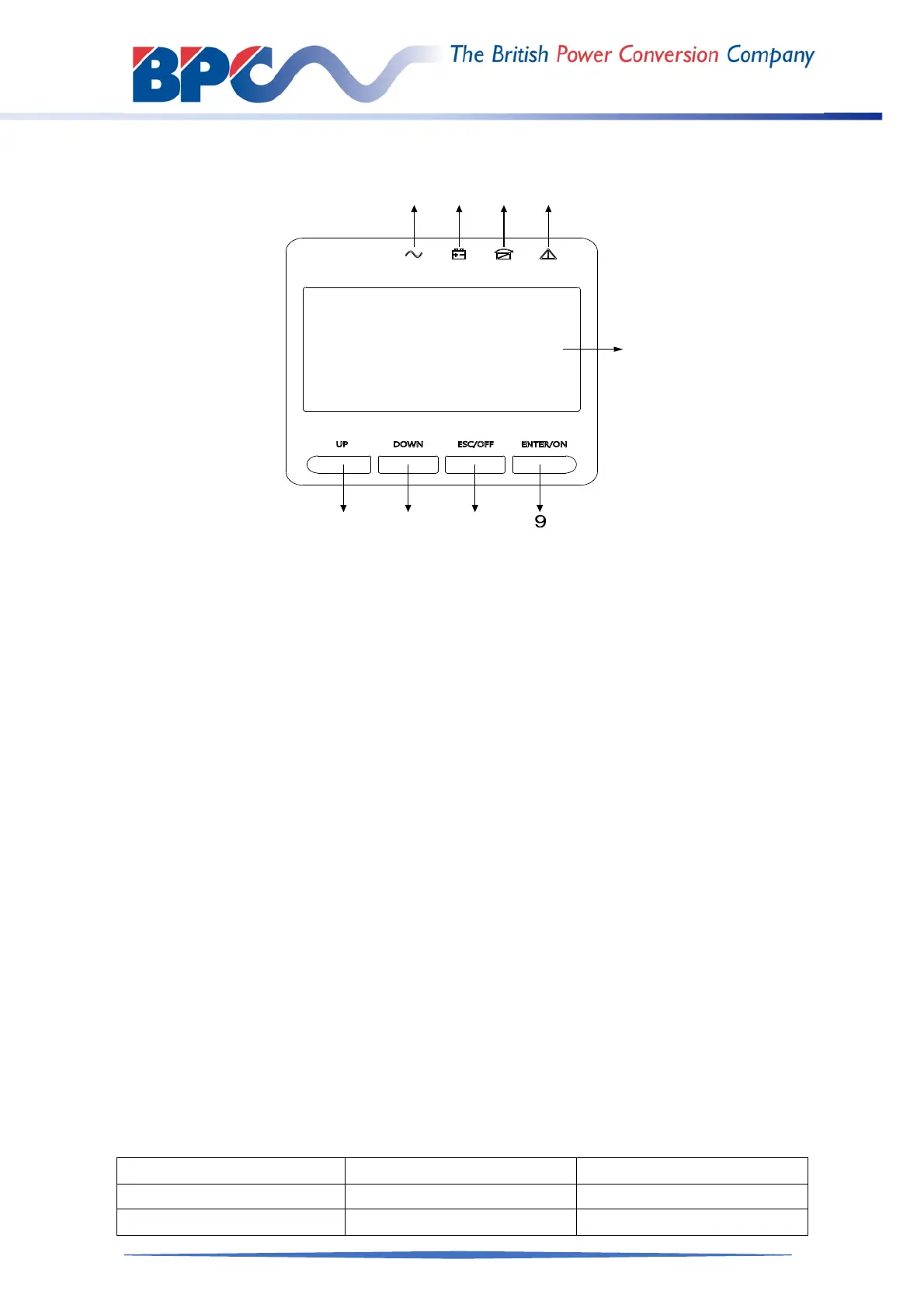
3.3 LCD control panel
(1) INVERTER LED (5) LCD display
(2) BATTERY LED (6) UP button
(3) BYPASS LED (7) DOWN button
(4) ALARM LED (8) ESC /OFF button
(9) ENTER/ON button
3.4 Installation notes
◆ Please place the UPS in a clean, stable environment, avoid vibration, dust, humidity,
flammable gas and liquid, corrosive objects. To avoid high room temperature, air
cooling or extractor is recommended to be installed. Optional air filters are available if
the UPS operates in a dusty environment.
◆ Please allow minimum of 100mm clearance to the front and rear of the UPS system
for acceptable air flow of internal parts.
◆ The environment temperature around the UPS should keep in a range of 0°C~40°C.
If the environment temperature exceeds 40°C, the rated load capacity should be
reduced by 12% per 5°C. The max temperature can't be higher than 50°C.
◆ If the UPS is dismantled under low temperature, it might be in a condensing condition.
The UPS can't be installed unless the internal and external parts of the equipment
are fully dry. Otherwise, there will be danger of electric shock.
◆ Batteries should be mounted in an environment where the temperature is within the
required specs. Temperature is a major factor in determining battery life and capacity.
In a normal installation, the battery temperature is maintained between 15°C and
20°C. Keep batteries away from heat sources or main air ventilation area, etc.
Before storing, allow the UPS to charge the batteries for 5 hours. Store the UPS covered and
upright in a cool, dry location. During storage, recharge the battery in accordance with the
following table:
Storage Temperature Recharge Frequency Charging Duration
-25°C - 40°C Every 3 months 1-2 hours
40°C - 45°C Every 2 months 1-2 hours



 To Next Page