- 22 -
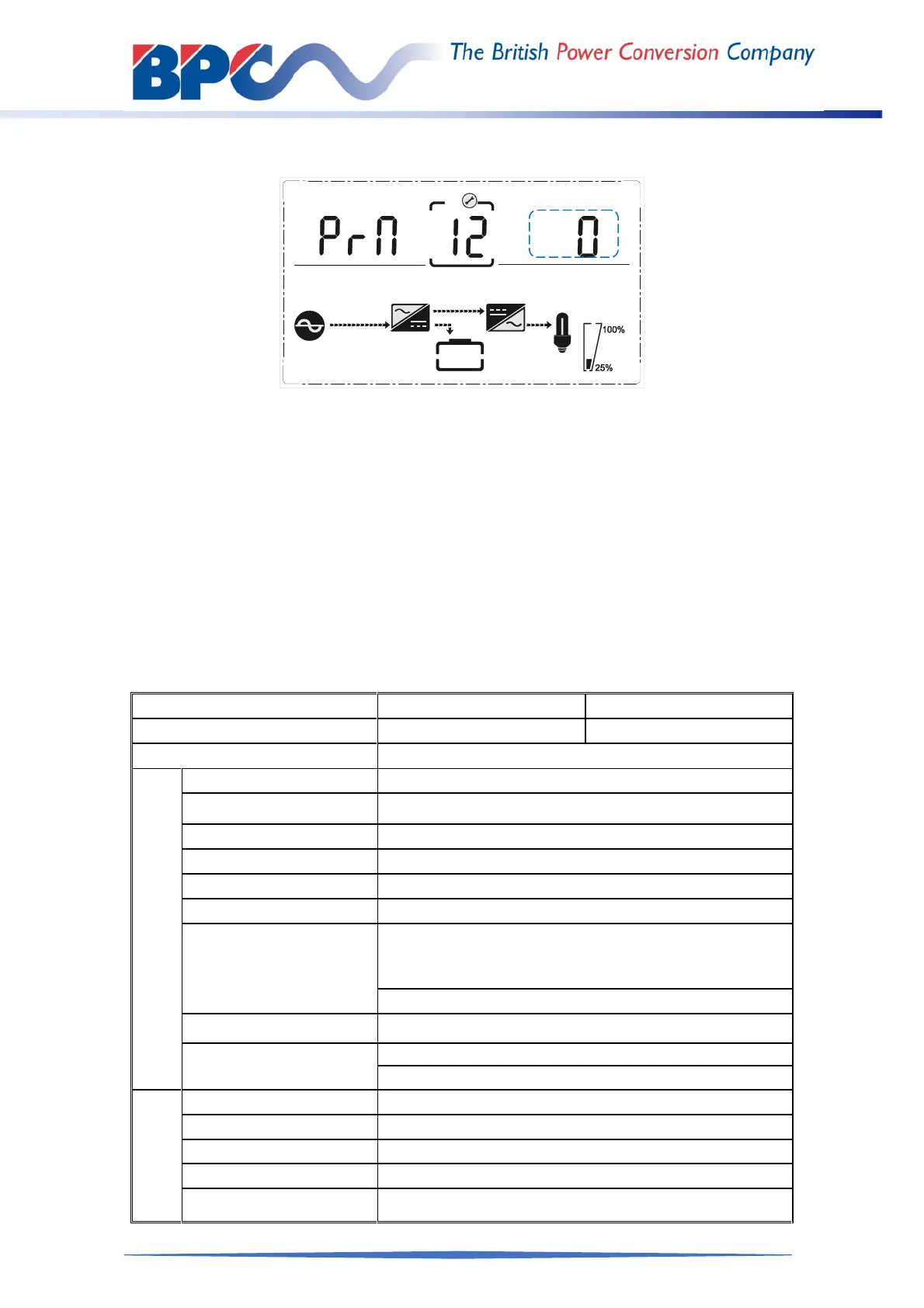
4.4.12 Parallel redundancy quantity setting
Parallel redundancy quantity setting
(NOTE: Inside the broken-line is the flashing part.)
When under the parallel quantity setting press DOWN, it goes to the parallel redundancy
quantity setting. The parallel redundancy quantity flashes as in above picture.
Use button ENTER/ON to set the parallel redundancy quantity. The parallel
redundancy quantity range is 0~1
Press UP& DOWN to go to parallel quantity setting, or ESC/OFF button to exit the
mode setting. Then UPS LCD panel setting is accomplished.
Appendix 1 Specifications
System PGPRT 6000 PGPRT 10000
Capacity 6kVA/6kW 10kVA/10kW
Type 6kVA;10kVA
Input
Input mode Single phase + Ground
Power factor ≥0.99
rating voltage 208/220/230/240Vac(can be set)
rating frequency 50Hz/60Hz(auto sensing)
Voltage range 120~276Vac
Frequency range 45~55Hz/54~66Hz
Bypass voltage range
220Vac max:10%,15%,20% or 25%,default :25%
230Vac max:10%,15% or 20%,default +20%
240Vac max:+10% or 15%,default +15%
min:20%, 30% or 45%, default 45%
Bypass frequency range
±1%、±2%、±4%、±5%、±10%
THDI
≤3%(100% linear load,input THDV ≤1%)
≤5% (100% non liner load,input THDV ≤1%)
Battery
Battery number 16/18/20pcs(can be set)
Battery type VRLA
Charge model Boost charge or float charge auto switch
Charge time Boost charge up to 20Hr(Max)
Charge current(A) 1A(S)/10A(H)



 To Next Page