Levelling Guide
5
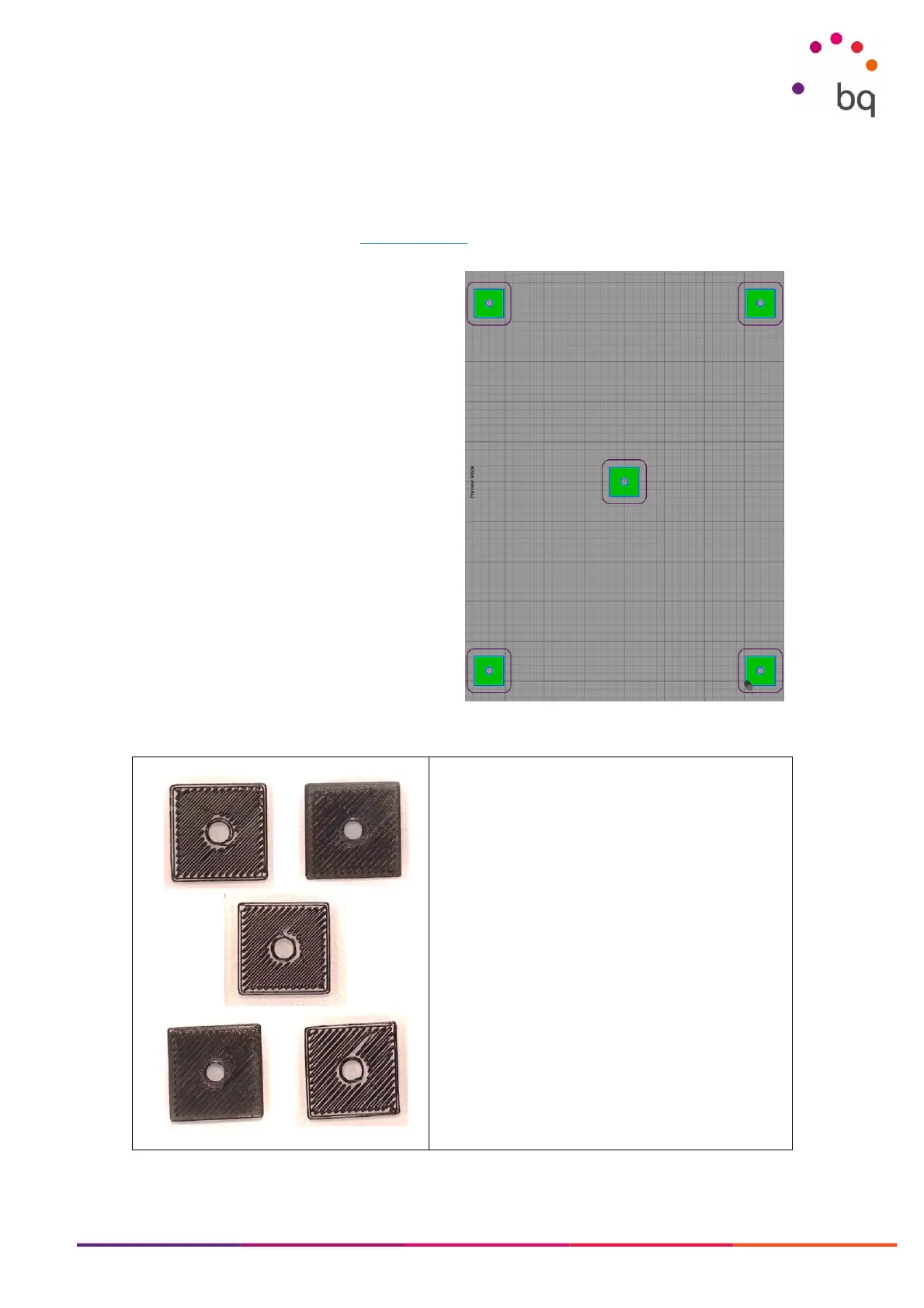
Test Gcode
When making changes to the printer’s mechanics, it is important to always print the same pattern.
This way, we can evaluate if the change had the desired effect.
You can download BQ’s standard test Gcode here.
Before printing the Test Gcode:
• Run the Offset calibration routine so the
nozzle height is correct.
• Make sure that Autolevelling is ON in the
settings menu
• Leave the manual levelling knobs at the
same height (about halfway).
• DO NOT touch the manual knobs when
the Gcode is printing! We need to see the
result without human intervention in the
levelling process.
Sample print of the Test Gcode on a printer with
levelling issues. Each picture corresponds to a
square from the Gcode shown above.
The bottom-left and top-right corners have proper
adhesion to the print bed.
The diagonal form the top-left to the bottom-right is
too high, so filament sticks but longer prints will
probably fail.



 To Next Page