Levelling Guide
6
Basic mechanical checks
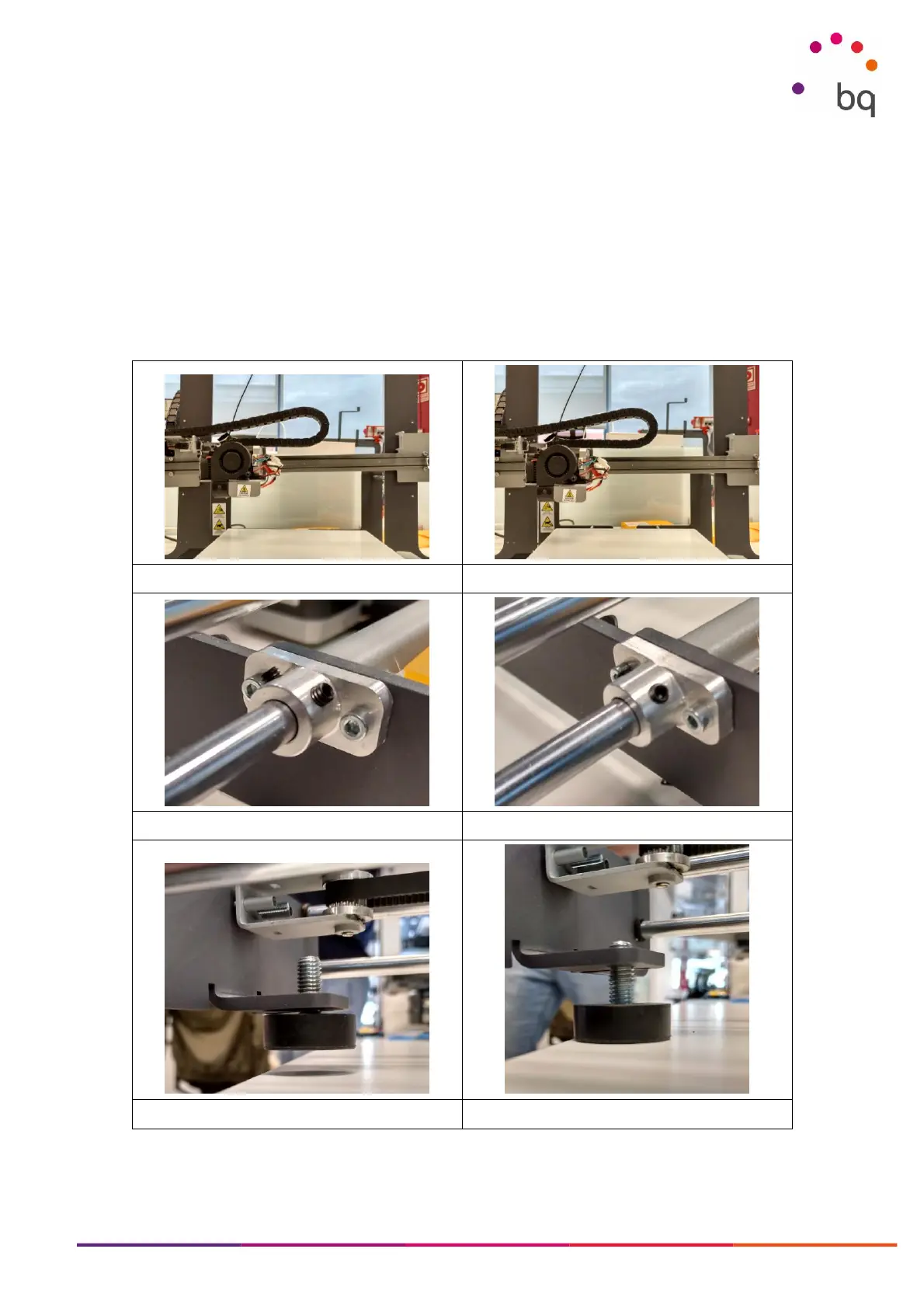
1) Make sure the X-axis is parallel to the print bed. Picture 1a shows an X-axis that is not
leveled because the right side is higher than the left. Adjust the height of one side by turning
the Z-coupling while holding the other in place (picture 1b).
2) Adjust the set screws that hold the Y axis to the printer frame (picture 2a). Do not use
excessive torque but make sure they are firmly in place (picture 2b).
3) Adjust the rubber foot so the front of the printer is properly supported. Start with the foot
above its normal position (picture 3a) and screw it in until you feel the weight that it is
holding (picture 3b)



 To Next Page