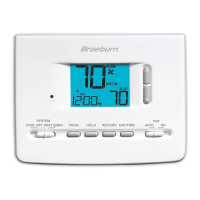
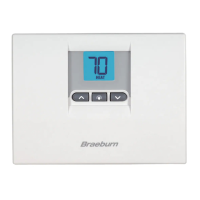
Status Indicators
Statusindicatorsappearinthedisplaytoletyouknowifyoursystemis
heating,coolingoroff.
HEAT ON Indicatesthatyourheatingsystem
isrunning.
COOL ON Indicatesthatyourcoolingsystem
isrunning.
SERVICE Indicatesthatauserselectable
servicereminderwasselected
(see“ServiceFilterMonitor,page8).
Additional status indicators (Model 2220NC Only):
AUX Indicatesthattheauxiliarystageofheatingisrunning
(multi-stagesystemsonly).
EMER Indicatesthattheemergencyheatingsystemisrunning(heat
pumpsystemsonly).
Program Event Indicators
ProgramEventIndicatorsappearinthedisplaytoletyouknowwhatpart
ofyourcurrentprogramisactive.The4differentprogrameventindicators
areMORN,DAY,EVEandNIGHT.
Whentheprogrameventindicatorisashing,yourprogramhasbeen
temporarilybypassedandwillresumeatthenextscheduledevent.
Note: You will not see a program event indicator while in HOLD Mode.
Resetting the Thermostat
Thisthermostatprovidesyouwitharesetbuttonthatwilleraseallofyour
usersettingsandprogramming.
Toresetthethermostat,useasmallobjectsuchasatoothpickorpaper-
clipandgentlypressthebuttonlocatedinsidethesmallholeonthefrontof
thethermostathousinglabeled“reset”.
8
Additional Operation Features
Compressor Protection
Thisthermostatincludesanautomaticcompressorprotectiondelayto
avoidpotentialdamagetoyoursystemfromshortcycling.Thisfeature
activatesashortdelayafterturningoffthesystemcompressor.
11



 To Next Page
 Loading...