6
Thermostat Maintenance
Changing the Batteries
Depending on your installation, this thermostat may be equipped with
two (2) “AA” type alkaline batteries.
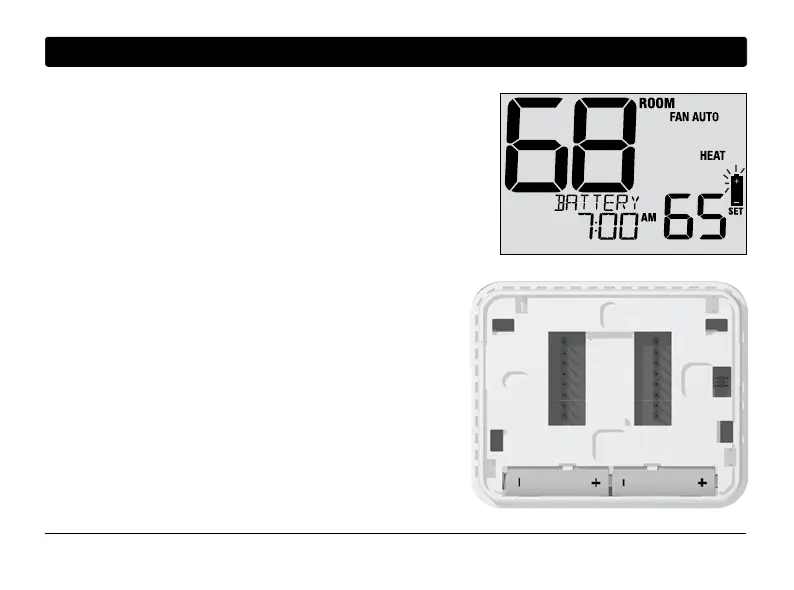
If batteries are installed and they become low, the battery symbol
appears in the display. When the batteries become critically low,
the battery symbol will flash, and CHANGE / BATTERY will alternate
in the display.
To change your batteries:
1. Remove thermostat body by gently pulling it from base.
2. Remove old batteries and replace with new batteries.
3. Make sure to correctly position the (+) and (-) symbols.
4. Gently push thermostat body back onto base.
NOTE: We recommend replacing the thermostat batteries
annually or if the thermostat will be unattended for
an extended period of time.
Thermostat Cleaning
Never spray any liquid directly on the thermostat. Spray
your
cleaning liquid on a soft cloth and then proceed to
clean the screen
with the damp cloth. Only use water or
household glass cleaner. Never use any abrasive cleansers
to clean your thermostat.
35 User Manual



 To Next Page