EasyManua.ls Logo

Braeburn 4235 - User Manual

Braeburn 4235
36 pages
Print Icon
To Next Page IconTo Next Page
Loading...
Store this manual for future reference
4030-110-03
®
Programmable Thermostats
User Manual
Read all instructions before proceeding.
PREMIER
SERIES
4030
Up to 2 Heat / 1 Cool Heat Pump
1 Heat / 1 Cool Conventional
Up to 3 Heat / 2 Cool Heat Pump
Up to 2 Heat / 2 Cool Conventional
with Humidity Control
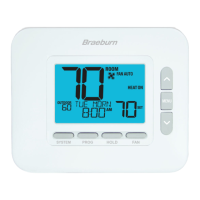
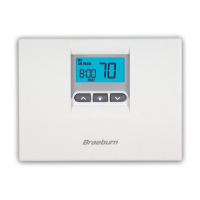
4235
This manual covers the following thermostat models:
Question and Answer IconNeed help?

Do you have a question about the Braeburn 4235 and is the answer not in the manual?

Braeburn 4235 Specifications

General IconGeneral
BrandBraeburn
Model4235
CategoryThermostat
LanguageEnglish

Summary

About Your Thermostat

Thermostat Buttons and Controls

Details on the function of each button on the thermostat control panel.

Thermostat Display Overview

Explanation of all icons, indicators, and readings on the thermostat display.

User Settings

Accessing and Navigating User Settings

How to enter and move through the thermostat's user settings menu.

Setting Your Program Schedule

Programming a 7-Day Schedule

Instructions for setting a 7-day program all at once or individually.

Programming a 5-2 Day Schedule

Instructions for setting a 5-2 day program for weekdays and weekends.

Operating Your Thermostat

Setting the System Control Mode

Select operating modes: COOL, OFF, HEAT, AUTO, EMERGENCY.

Setting the Fan Control Mode

Choose fan operation modes: AUTO, ON, CIRC, PROG.

Temperature Adjustment Methods

How to perform temporary (OVERRIDE) and extended (HOLD) temperature adjustments.

System Status and Maintenance Indicators

Interpreting various system status, maintenance, and error messages on the display.

Related product manuals