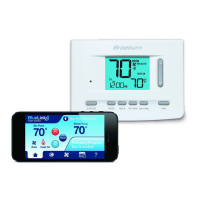
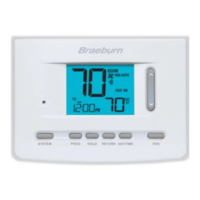
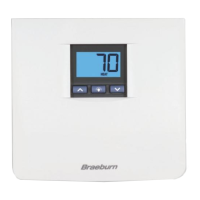
15 Installer Guide
Wireless Remote Sensor Communication Loss
Ifcommunicationbetweentheremotesensorandthermostatislost,theredLEDontheremotesensor
willbegintoashonceevery10seconds.Thesensorwillattempttoreconnecttothethermostatseveral
timesautomatically.
NOTE: To attempt to reconnect manually, press and hold the CONNECT button for 3 seconds.
Thethermostatdisplaywillalsoindicatewhichwirelessremotesensorhaslostcommunicationbyashing
COMMLOSSalongwiththeremotesensorthathaslostcommunication(seeTable2).
Wireless Remote Sensor Low Battery
Ifthebatteriesinawirelessremotesensorarelow,theredLEDwillash3timesevery30seconds.The
thermostatdisplaywillalsoindicatewhichwirelessremotesensorhasalowbatterybyashingLOWBATT
alongwiththeremotesensorthathasthelowbatterycondition(seeTable2).Replacetheremotesensor
batteriesimmediately.
NOTE: If Audible Tone is enabled in User Options (see User Manual), the thermostat will also sound a beep every
60 seconds when communication has been lost. You can press RETURN to cancel the beeping sound.
IDS1, IDS2, IDS3orIDS4 RemoteIndoorSensor1-4
HMS RemoteHumiditySensor
ODS RemoteOutdoorSensor
Warning
Read Before Testing
• Donotshort(orjumper)acrossterminalsonthegasvalveorattheheatingorcoolingsystemcontrolboard
totestthethermostatinstallation.Thiscoulddamagethethermostatandvoidthewarranty.
• DonotselecttheCOOLmodeofoperationiftheoutsidetemperatureisbelow50ºF(10ºC).Thiscould
possiblydamagethecontrolledcoolingsystemandmaycausepersonalinjury.
• Thisthermostatincludesanautomaticcompressorprotectionfeaturetoavoidpotentialdamagetothe
compressorfromshortcycling.Whentestingthesystem,makesuretotakethisdelayintoaccount.
NOTE: The compressor delay can be bypassed by pressing the reset button on the front of the thermostat.
All user settings will be returned to factory default, however all Installer settings will remain as originally
programmed in section 4.
1 TouchtheSYSTEMTouchPaduntilthethermostatisinHEATmode.
2 UsingtheSpeedBar®raisethesettemperatureaminimumof3degreesabovethecurrentroom
temperature.Thesystemshouldstartwithinafewseconds.Withagasheatingsystem,thefanmay
notstartrightaway.
3 TouchSYSTEMuntilthethermostatisintheOFFmode.Allowtheheatingsystemtofullyshutdown.
4 TouchSYSTEMuntilthethermostatisintheCOOLmode.
5 UsingtheSpeedBarlowerthesettemperatureaminimumof3degreesbelowthecurrentroom
temperature.Thesystemshouldstartwithinafewseconds(unlesscompressorshortcycleprotection
isactive–Seenoteabove).
6 TouchSYSTEMuntilthethermostatisintheOFFmode.Allowthecoolingsystemtofullyshutdown.
7 TouchFANuntilthethermostatisinFANONmode.Thesystemfanshouldstartwithinafewseconds.
8 TouchFANuntilthethermostatisinFANAUTOmode.Allowthesystemfantoturnoff.
9 Ifthethermostatiscontrollingauxiliaryequipmentsuchasaneconomizeretc.,adjustthethermostat
settingstotestthesedevices.
6
System Testing
Table 2



 To Next Page
 Loading...