5
Control programming is now complete. Press the extra cycle button, and the control will
exit from the programming mode and resume normal operation.
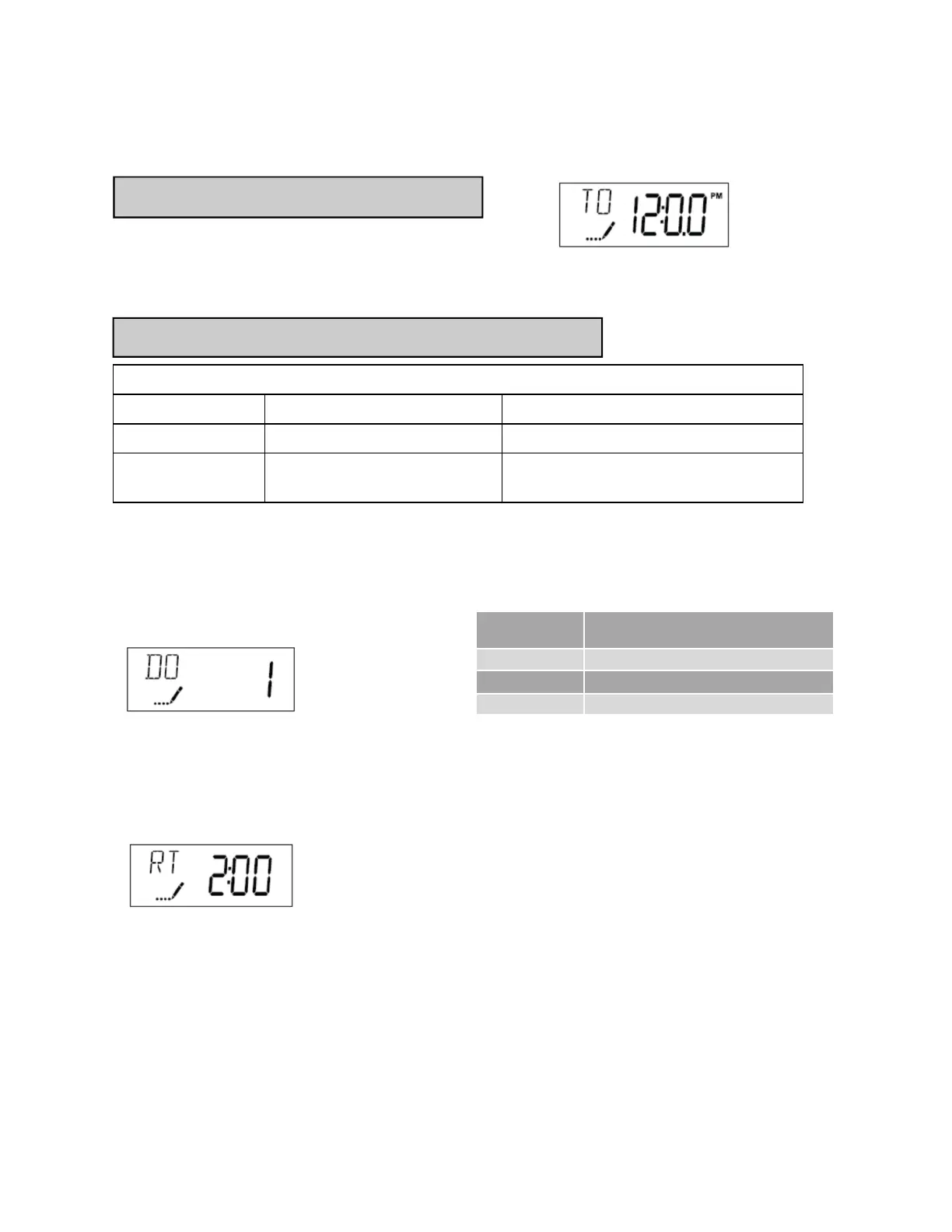
3. Adjust Regeneration Time: Press the Extra Cycle button to advance to next option. This
setting determines the time of day that the unit will enter the regeneration cycle. The most
common / default setting is 12:30 AM. IMPORTANT: this regeneration time should be offset
from any water softener’s regeneration time by at least 2 hours to insure adequate regenera-
tion pressure.
Start-Up Procedure (continued)
User programming
User Programming Mode Steps (Refer to chart above for user mode indications)
1. Press the Up and Down buttons for five seconds while valve is in service. Display will enter
programming mode. (Note: Timer will discard any changes and exit programming mode if
any button is not pressed for sixty seconds.)
2. Set Day Override: This setting specifies the maximum number of days between regenera-
tion cycles. System will regenerate regardless of usage if the days since last regeneration
cycle equals the day override setting. This ensures regular regeneration periods. The pre-
programmed factory recommended setting is 2 days. Additional recommendations, based on
iron levels, are shown in the table above.
User Programming Mode Options
Abbreviation Parameter Description
DO Day Override The timer’s day override setting
RT Regeneration Time The time of day that the system will
regenerate.
Setting Current Time / Day
1. Press either the Up or Down buttons to adjust current time of day by one digit. Push and
hold either up or down set button to adjust current time of day display by several digits.
Setting current time of day
Iron Content
Recommended Day Override
0-3 3 Days
4-5 2 Days
6+ 1 Day



 To Next Page