COMPETINO Manual
- 3 -
2 Operation
2.1 Turning the Unit On and Off
The unit is switched on by pressing the key. In order to avoid turning it on
unintentionally, you must confirm by pressing the “Enter” key.To switch it off, you need to
press the same key for three seconds. The unit will then display the question ‘Really
switch off?’ Confirm by pressing “Enter”. After a long flight with short recording intervals,
the calculation of the digital signature can take up to one or two minutes. Please wait until
this process is finished. Press the ESC/o key again to turn off the unit.
2.2 Keypad
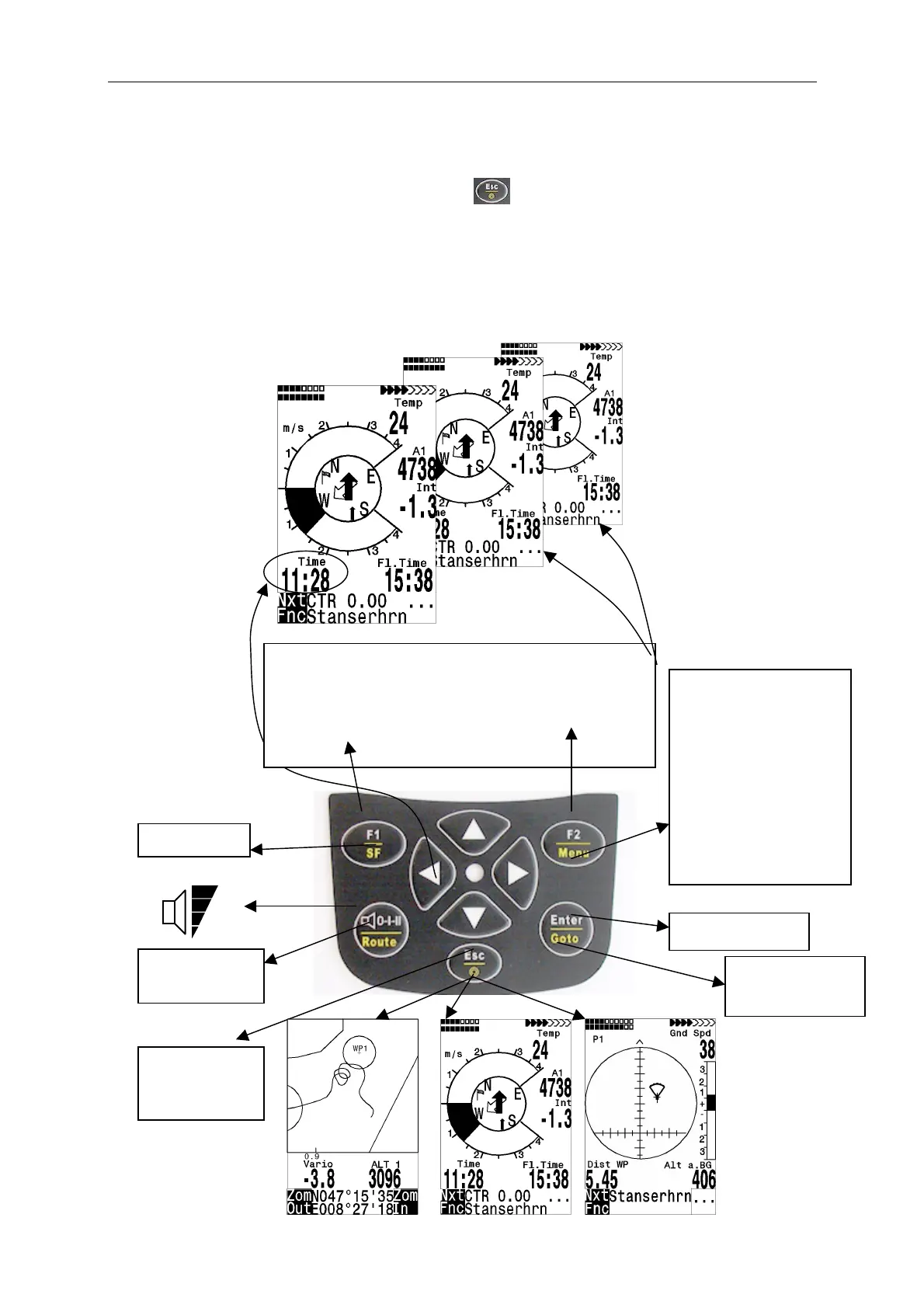
Keyboard: Funct.below
Funct.ab.line line:
Press briefly press 2 sec
0%
25%
50%
75%
100%
Choose a
route
Chose a
Esc→Quit
Map displ.
Enter, accept
Set Marker
User Screen 1
Choose a user
selectable field
Main Setup Menu
===============
Flightmemory
Waypoints
Routes
Restricted Areas
Simulation
Basic Settings
Factory Settings
Optional SW packages
================↓
Nxt ↓ ----
Fnc ↓ Mod Alt1↑↓ QNH/Gps
↓ Mod Alt2↑↓ Set 0
↓ S.Thr –0,8 SNK OFF/ON
↓ HT auto Man Wind
User Screen 2
User Screen 3


 To Next Page