COMPETINO Manual
- 4 -
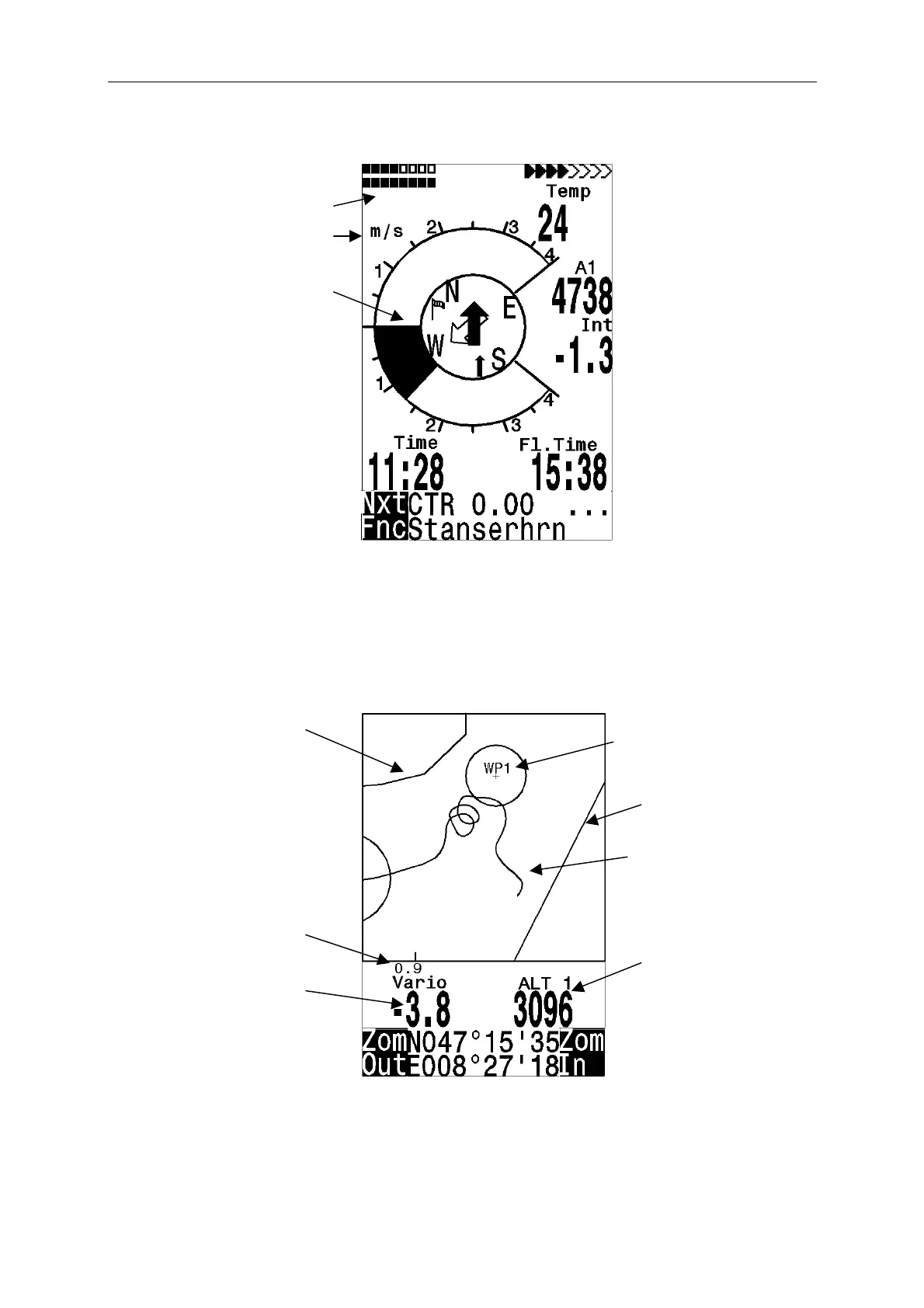
2.3 Main Screen
To toggle between the screens press briefly Esc / O
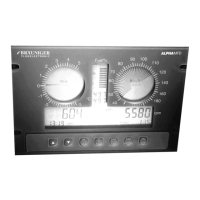
2.4 Map Screen
The flight track of saved flights in the memory also can be viewed on the display. The “Show
Map” function is reached by pressing F1 starting from the Flight Analysis . A screen-
optimized flight route is shown on the display (North is located at the top). Additionally, stored
waypoints are plotted with a cross and name. The map scale is displayed as well.
Function of F2
Digital
Scale
Track of
the actual
Restricted area
Waypoint of a
route with cylinder
Restricted area
Waypoint of a route
and Bank 2
Number of received
satellites from the
GPS system
User selectable field
Altitude
User selectable field Us
Mode
Dig. Variometer
Function of F2
Information lines


 To Next Page