12 B140 Counting Scale User Instructions
2.2 Front Panel
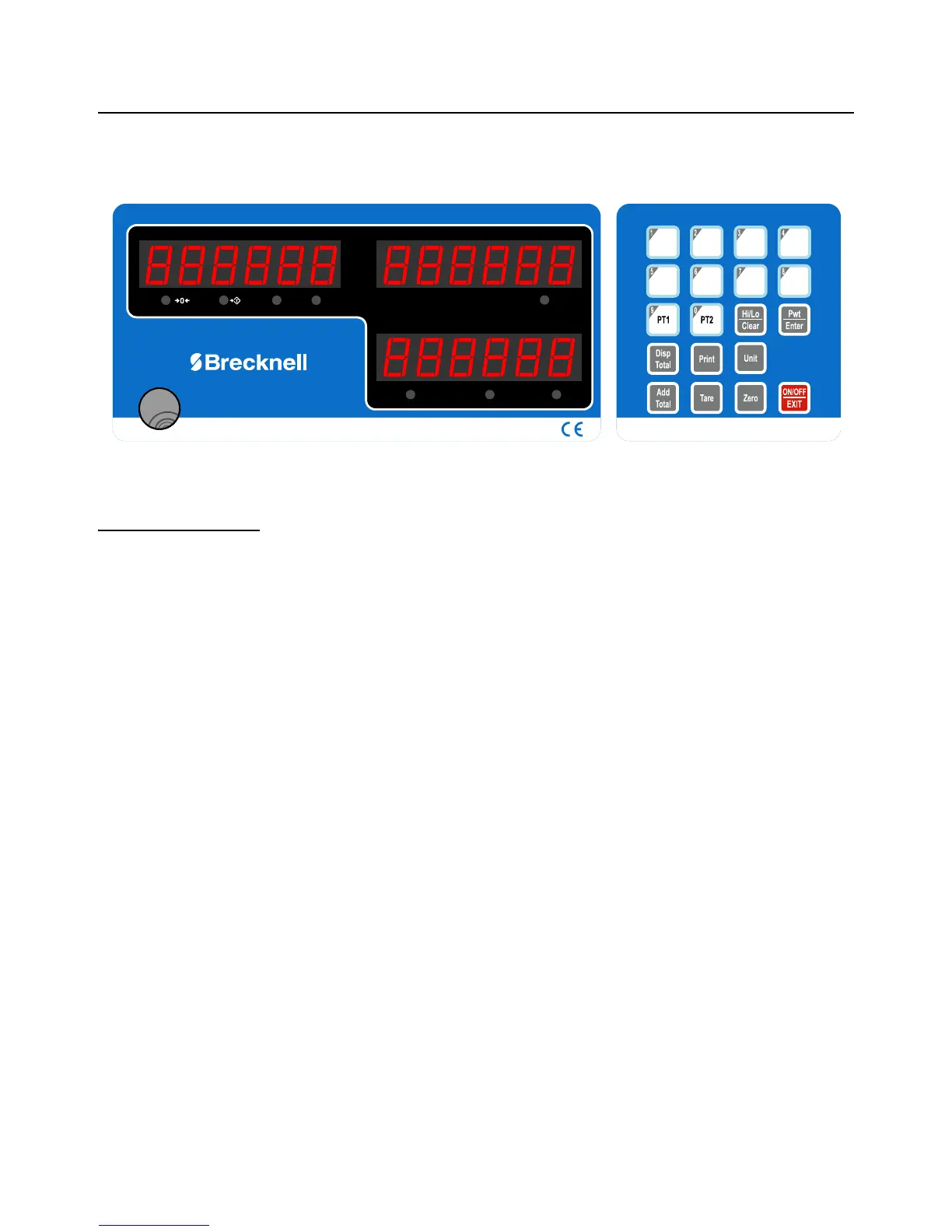
The front panel, shown in Figure 2.4, consists of three display windows:
COIN TYPE / PIECE WEIGHT, COUNT and VALUE / WEIGHT, the keypad, ten
annunciators and the bubble level window.
Figure 2.4 B140 Front Panel
2.2.1 Annunciators
Annunciators are bright LEDs next to symbols or text. They appear below the three
displays and each is explained below.
Under the COIN TYPE/PIECE WEIGHT display:
Zero This lights when the weight on the scale is at 0.
Tare This lights when a tare is in effect. Weight displayed is net weight.
kg This lights when the unit of measure in the WEIGHT display is kilograms.
lb This lights when the unit of measure in the WEIGHT display is pounds.
Under the COUNT display:
Total This lights when total value or counts is displayed
Under the VALUE/WEIGHT display:
STABLE This lights when the scale is stable.
AC This lights when the AC power is connected to the scale.
CHG This lights when the battery is charging.
WEIGHT
STABLE
AC CHG
Total
lb
kgTareZero
PIECE WEIGHT
PLU1 PLU3 PLU4PLU2
PLU5 PLU7
PLU8
PLU6



 To Next Page