31
English
EN
Step 3: Basic settings
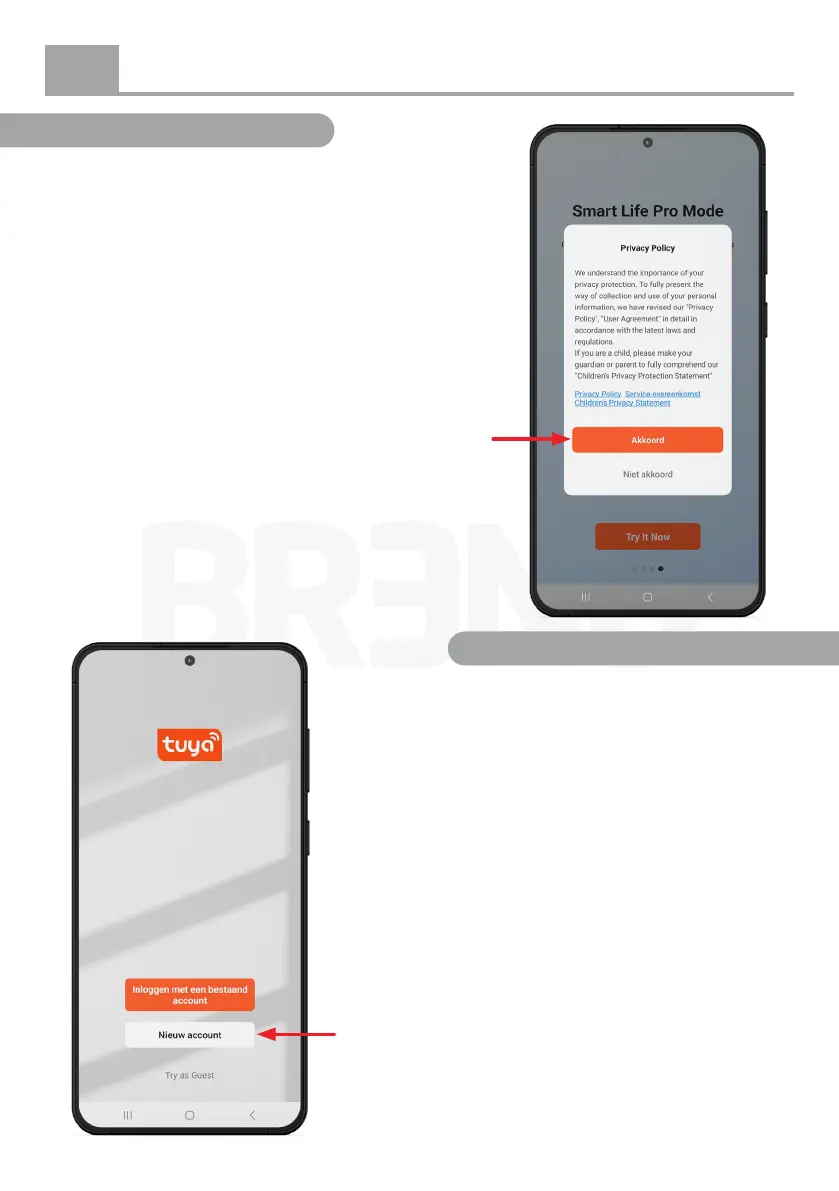
After tapping the “Try It Now” button, a pop-up will
appear asking you to agree to the Privacy Policy. Tap
“Agree” (Akkoord) to continue.
Tap here
Step 4: Create an account
Next, the following screen will appear, where you can
select the option “New Account” (Nieuw account)
By tapping “New Account” (Nieuw account), you can
create an account to log in to the Tuya Smart app.
Enter your email address and tap “Get Verication
Code.” You will then receive an email containing a
code, which you will need to enter in the app to verify
your account and log in.
Haven’t received an email? Please also check your spam
or junk mail folder.
Tap here


 To Next Page