32
English
EN
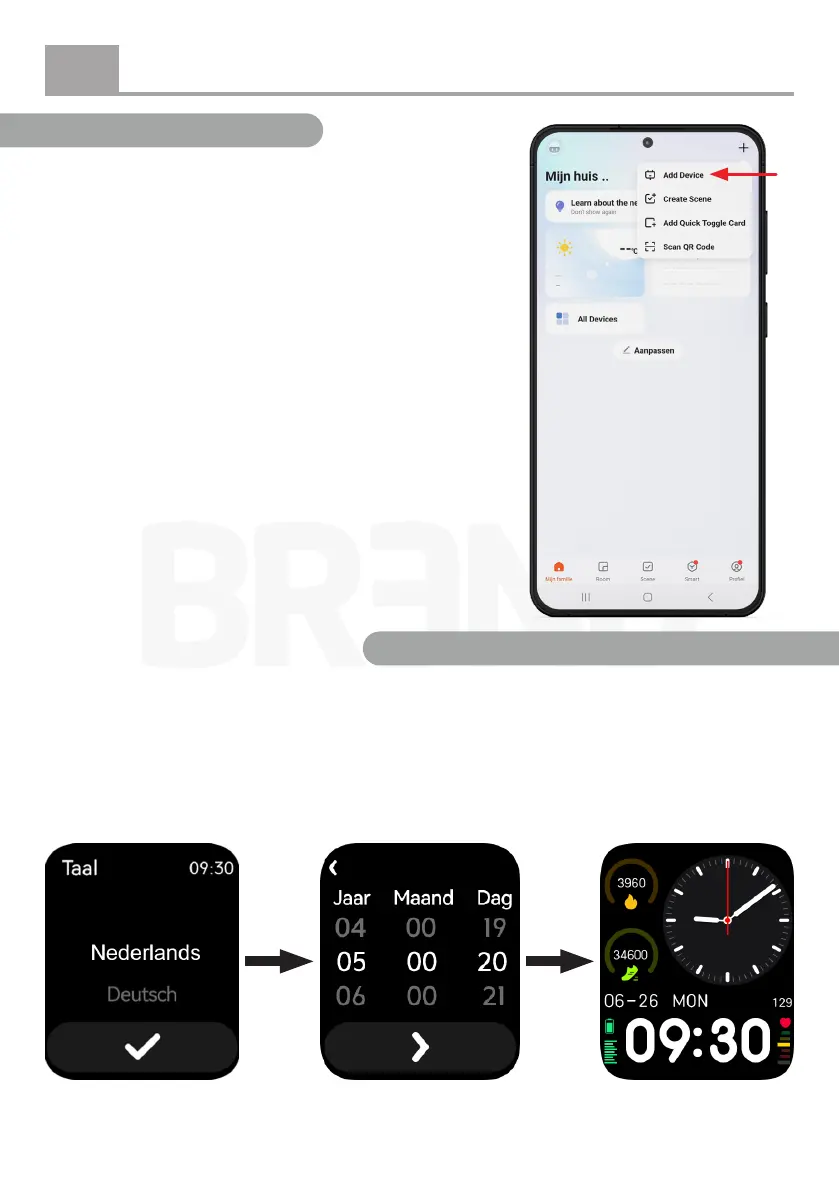
Step 5: Home screen
After logging into the app, the home screen will be
displayed.
Tap the “+” icon in the top right corner and select “Add
Device.”
The app will now automatically begin searching for a
smartwatch nearby.
Step 6: Power on the smartwatch
Press and hold the button on the side of the smartwatch to turn it on.
Tap
here
Step 7: Pair the smartwatch with the app
Select your preferred
language and conrm
your selection by
tapping the checkmark.
Set the date and time
when prompted.
After completing
these settings, you
will be taken to the
smartwatch’s main
screen.


 To Next Page