39
English
EN
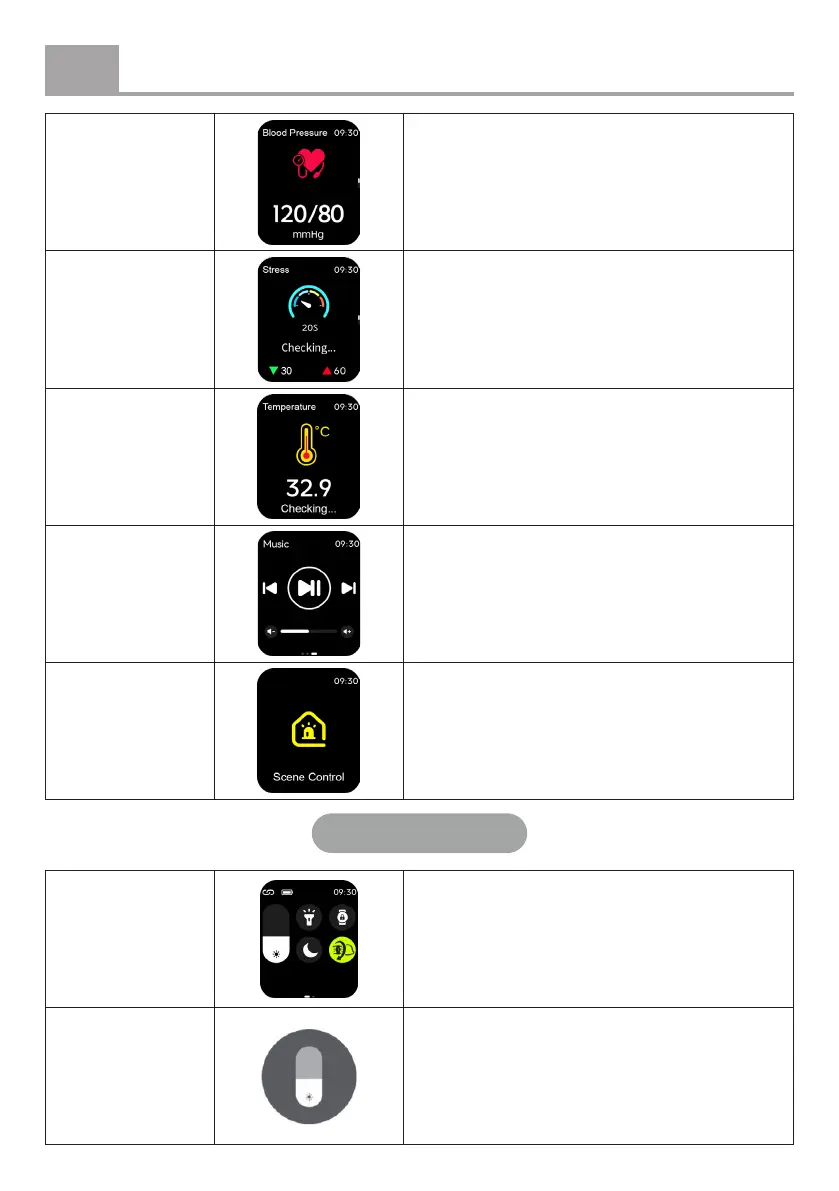
Blood pressure
Displays your measured blood pressure. For
continuous monitoring, adjust the settings in
the settings menu > Auto Detection.
Stress level
Provides insights into your stress levels
throughout the day, helping you understand
how various activities and situations aect
your stress.
Temperature
For continuous monitoring, open the TUYA
app, add Temperature via Fitness Record
> Edit Card, and enable the feature under
Detection Settings > Temperature.
Music control
Allows you to play, pause, or skip tracks on
your phone.
Scene control
Manage connected smart devices directly
from your smartwatch.
Quick menu
View menu Swipe down and then to the left.
Screen
brightness
Adjust the screen brightness to your
preference.


 To Next Page