30
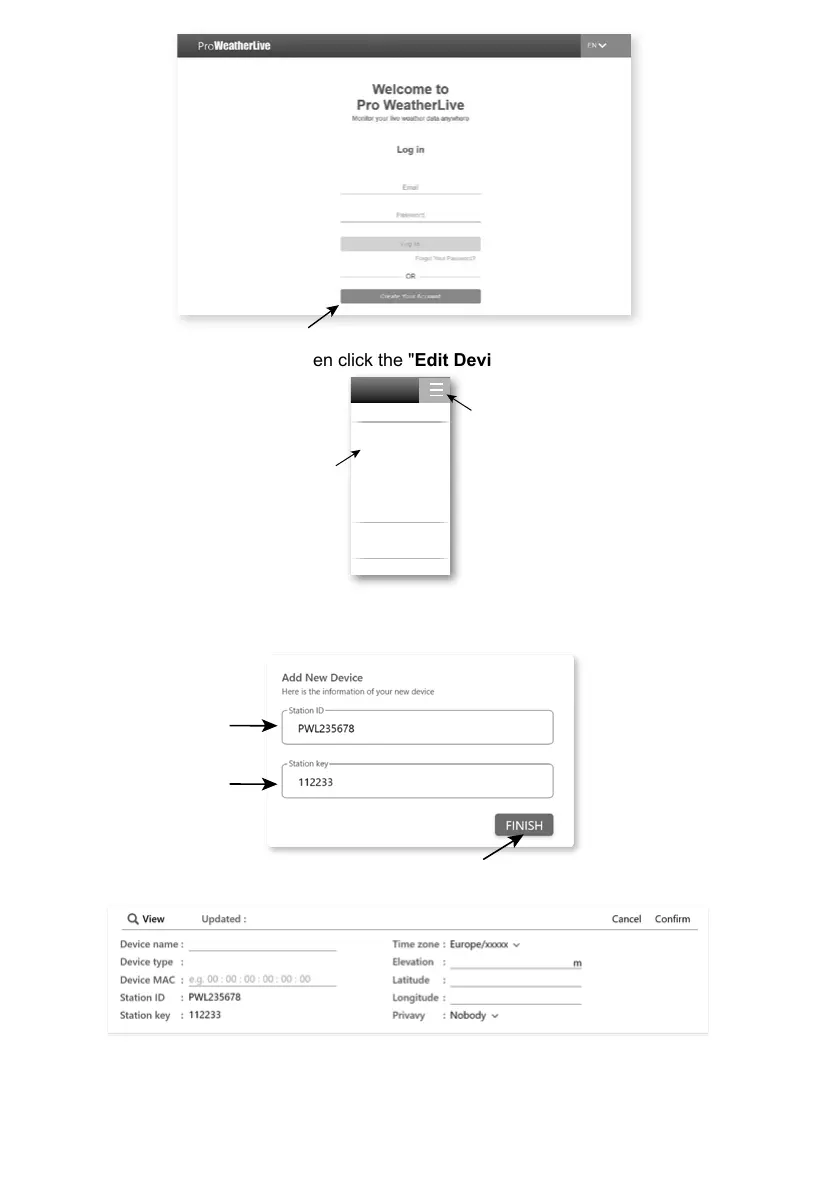
2. Log in the ProWeatherLive and then click the "Edit Devices" in the pull down menu.
Account
Edit Devices
Dashboard
Unit & Display
Alert Setting
Help
FAQ
Weather Server
Data Export
Log Out
Step 1
Step 2
3. In "Edit Devices" page, click the " +Add " on the top right corner to create a new device, it will
generate the station ID and key instantly, jot down both and then click " FINISH " to create
the station tab.
4. Click the " Edit " on the top right corner of the station tab.



 To Next Page