15
Footnotes for the Cooking Table
* Cooking results may vary depending on
the brand of food used.
** If the cooking time takes more than
60 minutes, increase the timer to the
remaining cooking time required before
cooking time elapses.
*** When dehydrating, produce drying times
can vary. Drying times are aected by the
quantity, thickness of the sliced produce
and the moisture content of the food
itself. (Therefore, broad drying times have
been given in the table above).
Do not dry lighter foods like kale, parsley,
herbs as the force of the fan may blow
them into the fan and heating element,
which could become a hazard.
CAUTION
• Never overfill the basket with ingredients.
Ensure that the food inserted into the basket
fits well, allowing good heat flow.
• Always wear protective, insulated oven mitts
when inserting, removing or handling items
from the air fryer.
REHEAT FUNCTION
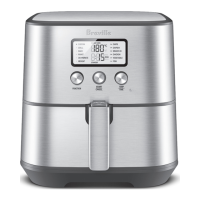
The reheat function is designed for reheating
pre-cooked foods. To use the REHEAT
function, turn the FUNCTION dial to scroll
through the preset menu options until you
have reached REHEAT. Adjust the temperature
and time as required. Press START/CANCEL
button to start reheating.
PRESET
TIME
TIME
RANGE
PRESET
TEMP
(°C)
TEMP
RANGE
(°C)
REHEAT mins min-
hrs
-
When the reheat time has elapsed the air fryer
will beep times to indicate cooking cycle
finished. The fan will continue to run for
seconds after reheating has ended to cool the
air fryer.
CUSTOM FUNCTION
One of your favourite cooking settings can be
saved using the CUSTOM option. Turn the
FUNCTION dial on the preset menu choices
until you reach CUSTOM. Adjust the time and
temperature to your liking, then press and hold
the START/CANCEL button for seconds.
The air fryer will automatically save your
preferred cooking settings and sound a lengthy
beep. To update and save a new custom
temperature and time, repeat the above steps.
Only one custom temperature and time setting
may be saved at any given time.




 To Next Page