EasyManua.ls Logo

Brew Express BEC-110 - User Manual

Brew Express BEC-110
20 pages
Print Icon
To Next Page IconTo Next Page
Loading...
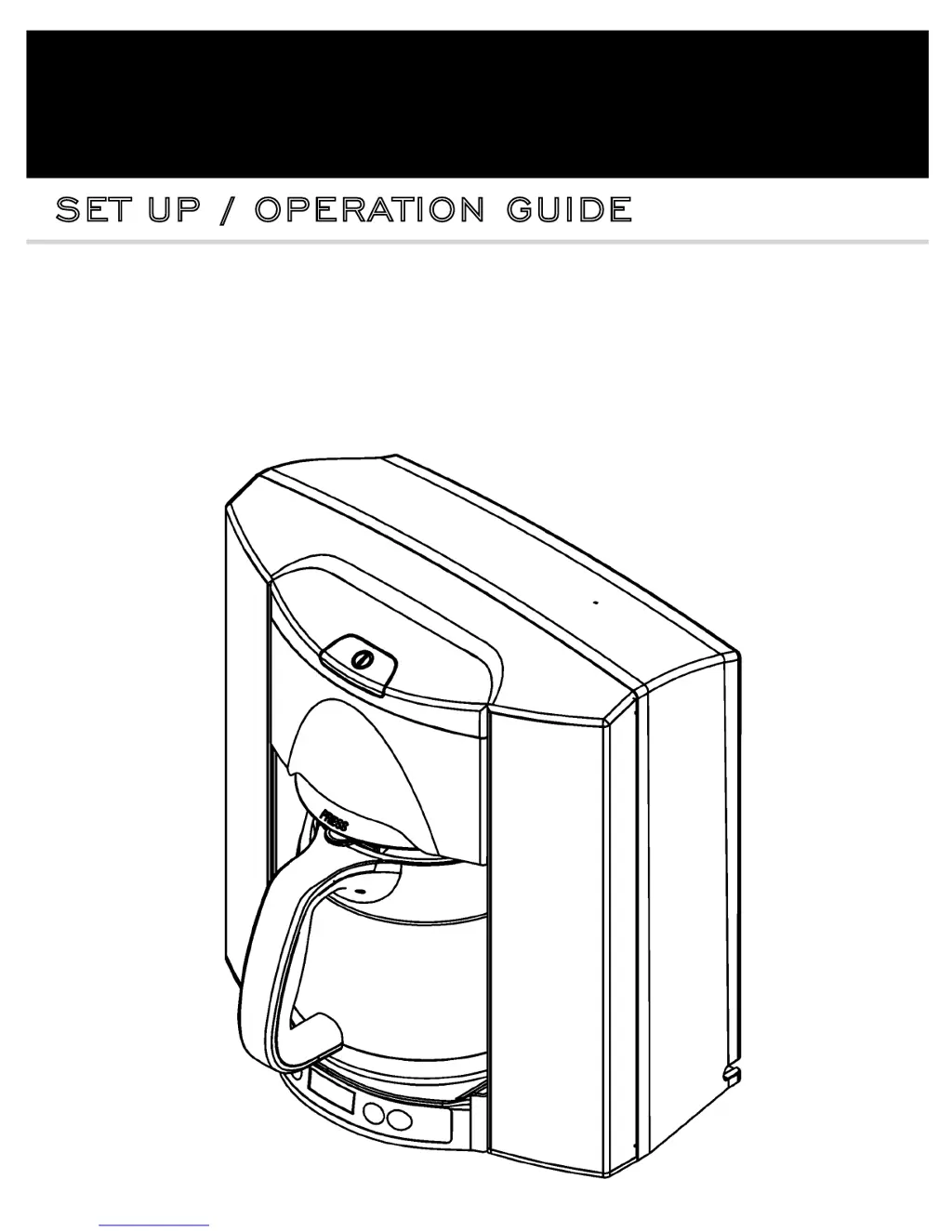
model no. BEC-110
BREW EXPRESS
®
SET UP / OPERATION GUIDE
IMPORTANT NOTE:
For more information see our instructional video online at www.BrewExpress.com.
Do not return this product to place of purchase without authorization.
For return authorization or service call 866.268.5953

Questions and Answers

  • J
    Joel StrongSep 12, 2025
    What to do if my Brew Express Coffee Maker overflows?
    • B
      bbanksSep 12, 2025
      If your Brew Express Coffee Maker is overflowing, make sure that the carafe was emptied before the brew cycle started. Also, the flow rate might be too high; confirm this by running 2-3 pots of water.
  • H
    hhenrySep 13, 2025
    Why is the water volume in the carafe of my Brew Express Coffee Maker too low?
    • R
      Roger BurchSep 13, 2025
      If the water volume in the carafe of your Brew Express Coffee Maker is too low, check the spray head for any blockages.
  • K
    Kayla WhiteSep 16, 2025
    What to do if my Brew Express Coffee Maker doesn't detect cup or mug?
    • B
      brownalexanderSep 16, 2025
      If your Brew Express Coffee Maker isn't detecting the cup or mug (indicated by a flashing brew light), the mug might not be close enough to the sensor. Try moving it further into the brewer.
  • B
    Bradley SmithNov 20, 2025
    Why water does not flow from spray head in Brew Express Coffee Maker?
    • R
      Randy HernandezNov 20, 2025
      If water isn't flowing from the spray head of your Brew Express Coffee Maker, consider the following possibilities: First, the brewer preheats the water before brewing, so wait for the preheat cycle to finish. Second, ensure the carafe or mug is centered under the brew basket; the brewer won't start if the sensor doesn't detect it. If using a mug, move it further inside the brewer. Also, the brewer will not operate if there is no water; the LED display will flash EEEE if this is the case. Confirm that the water is connected to the brewer and turned on. Check the water line connection inside the rough-in box, ensuring the quick connectors are firmly pressed together and the line isn't pinched or kinked. Check the quick connections to ensure they are snapped together and that water is on. In...

Summary

SAFETY

IMPORTANT SAFEGUARDS

Basic safety precautions for electrical appliances.

WARNING

Hot liquids dispensed by the BREW EXPRESS can cause severe burns. Keep hands away.

SPECIFICATIONS AND REQUIREMENTS

BEC-110 SPECIFICATIONS

Details overall dimensions, electrical, and water requirements for the coffee system.

Water Requirements Details

Specifies water supply line, pressure, and type required for operation.

HARDWARE;TOOLS;PARTS

Included Items and Tools

Lists brewer components, tools, and recommended parts for setup.

Hardware Notice

Filter requirement for hard water sources to prevent clogs and voided warranties.

SET UP

Unpack Product

Instructions for removing the coffee maker from packaging and locating the hardware kit.

Select Location

Guidance on choosing a suitable location near power and water supply.

Connect Water Line

Steps for connecting the water supply to the brewer via tap or ice maker line.

Run Water Line to Brewer

How to route the water line from the source to the brewer's location.

Waterline Connection to Brewer

Detailed steps for connecting the water line to the brewer using a quick connector.

Connect Power

Instructions for plugging the coffee maker into an electrical outlet.

FEATURES

Design and Convenience Features

Highlights Euro design, in-wall mounting, and plumbed water supply.

Brewing and Usability Features

Details brew basket, carafe, cup selector, display, and timer functions.

Lighting and Carafe Features

Describes accent lighting and the easy-clean carafe with a cool carafe pad.

CONTROL FUNCTIONS

Display Panel Overview

Explains the functions of the brew button, status light, and indicators on the display.

Control Button Functions

Details the purpose of the cup selector, clock, timer, and accent lighting buttons.

START UP

Pre-Startup Warnings

Important warnings regarding water line debris and hot water hazards before starting.

Initial Startup Steps

Guides through ensuring water/power, turning on, flushing, and initial cleaning.

Important Reminders

Key points to remember before starting, like emptying the carafe and using the correct basket.

OPERATION

Power Switch and Clock Setting

How to turn the brewer on and set the current time using the control buttons.

Brew Basket and Filter Setup

Guides on selecting and setting up the brew basket and appropriate coffee filter.

Positioning and Cup Selection

Instructions for placing the carafe/mug and selecting the desired water volume.

Manual and Automatic Brewing

How to initiate brewing manually or schedule it using the timer function.

Special Features

Explains Pause-N-Brew, accent lights, beeper settings, and the optional carafe lock.

MAINTENANCE

Cleaning Procedures

Instructions for cleaning the carafe, brew basket, spray head, and exterior.

TROUBLESHOOTING

Power and Water Flow Issues

Solutions for when the display is off or water doesn't flow from the spray head.

Water Overflow and Volume Problems

Addresses issues like carafe overflow and insufficient water volume in the carafe.

Steam, Taste, and Temperature Issues

Troubleshooting for excessive steam, poor coffee taste, and incorrect coffee temperature.

Detection and Timing Problems

Resolves issues with cup detection, water dripping, and programmed start time failures.

PARTS & SERVICE

Spare Parts Availability

Lists available spare parts and contact information for purchase and service.

WARRANTY

I Year Limited Warranty Details

Outlines the warranty period, coverage for parts and labor, and exclusions.

Return;Repair Policy and Limitations

Explains the process for returns, repairs, and limitations on what the warranty covers.

Requesting Warranty Service

Provides instructions on how to contact support and what information is needed for warranty claims.

Warranty Registration Card

Form to register the product for warranty, including purchase details and satisfaction rating.

Brew Express BEC-110 Specifications

General IconGeneral
TypeCoffee Maker
ModelBEC-110
BrandBrew Express
Capacity10 cups
ColorBlack
MaterialPlastic
Power SourceElectric
Voltage120V
Special FeatureProgrammable
InstallationCountertop
Included ComponentsCarafe
Wattage900 Watts