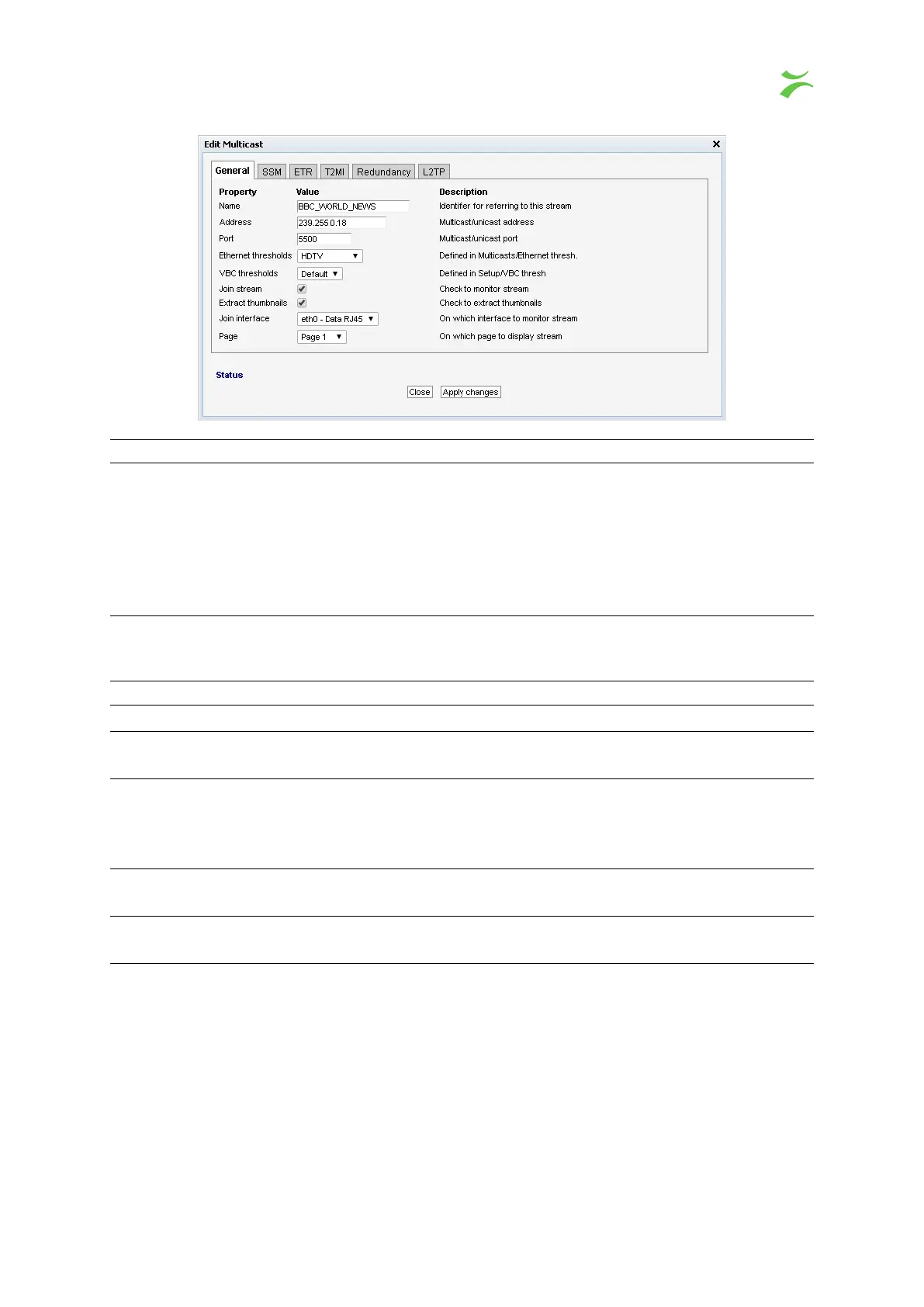
General
Name:
A name should be assigned to each unicast/multicast. The name will be used
throughout the VB440 user interface when referring to this stream. It may
also be used by an external management system like the VBC Controller. To
add copy of one stream for use with 2022-7, give the two streams the same
name, but add a different class to them. The class is everything added after @
in the name. The probe will know that two streams are related, if they have
the same name, only differing by the class.
Group Names:
A comma separated list of groups this stream belongs to. All streams with the
same group will be bundled together into a service, easily selectable in the
Instrument View.
Address: The IP address of the unicast or multicast.
Port: The port number of the unicast or multicast.
Ethernet thresholds:
The Ethernet thresholds specify various error limits. Selectable Ethernet
thresholds templates are defined in the
Multicasts — Ethernet thresh.
view.
Join stream:
Check the ‘Join stream’ check box to join a multicast or unicast. Only joined
streams are analyzed. A stream may also be joined from the
Multicasts —
Join
or
Multicasts — Streams
views, and the status of this check box will
be updated accordingly.
Join interface:
Select which interface to join the selected multicast. The data interface(s) are
listed, as well as any enabled VLAN interface (defined in
Setup — VLANs
).
Page:
For easy navigation, each stream can be assigned a specific page. The names
of the pages are defined in Setup — Pages.
VB440 Studio Probe User’s Manual v6.0 © Bridge Technologies Co AS 49



 To Next Page