Timestamp:
Indicates whether the network interface supports hardware timestamping for precise
measurements, or if kernel timestamping is used.
5.0.2 Multicasts — Streams
In this view the operator can define multicasts available to the probe and associate a name with each
multicast address. This name will be used by the probe when referring to the multicast. If no name has
been defined the probe will use the multicast address:port notation.
It is possible to add, delete or edit several entries simultaneously. Several entries are selected by using the
regular Ctrl + click or Shift + click functionality. When adding new entries the current dialogue values
will be used as the template with the values for Name and Address incremented for each.
Note that both multicast and unicast addresses can be entered here.
The search field in the upper right corner of the view allows the user to type a text string, and the multicast
list is updated to display only streams matching the specified text.
Clicking
Add new
or selecting one or more multicasts and clicking
Edit selected
will open the
Multicast
— Streams — Edit
pop-up view. When multicasts have been defined, clicking
Join selected
will join the
selected multicasts and enable monitoring. The probe will only analyze joined multicasts. Clicking
Join
all
will join all multicasts in the list (up to the licensed maximum number of channels). Unjoining one or
more multicasts is done by selecting multicasts and clicking Unjoin selected or by clicking Unjoin all.
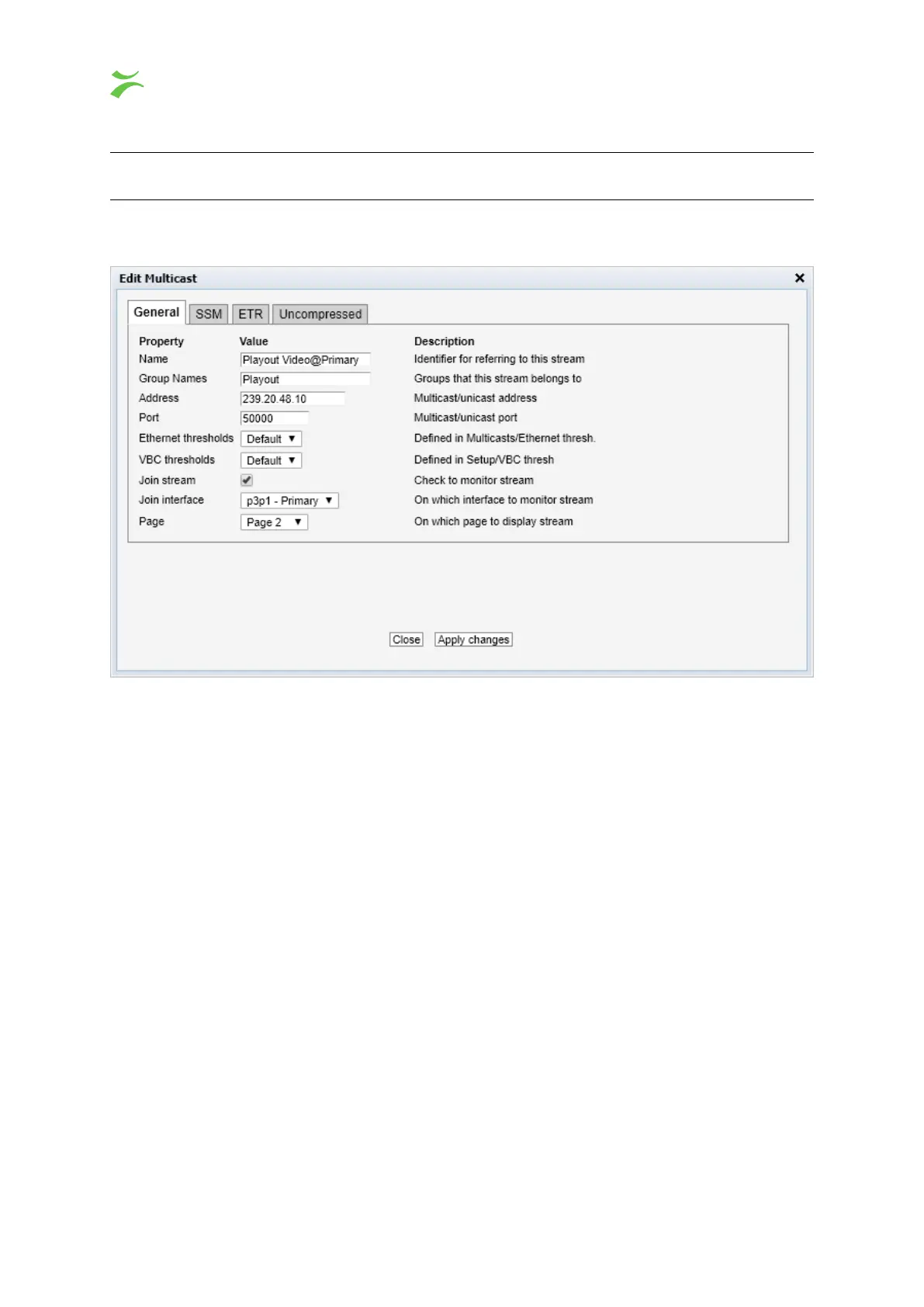
When the Edit button is clicked it is possible to define the following multicast parameters (note that some
parameters are only relevant and selectable when the probe is equipped with the correct options):
48 VB440 Studio Probe User’s Manual v6.0 © Bridge Technologies Co AS



 To Next Page