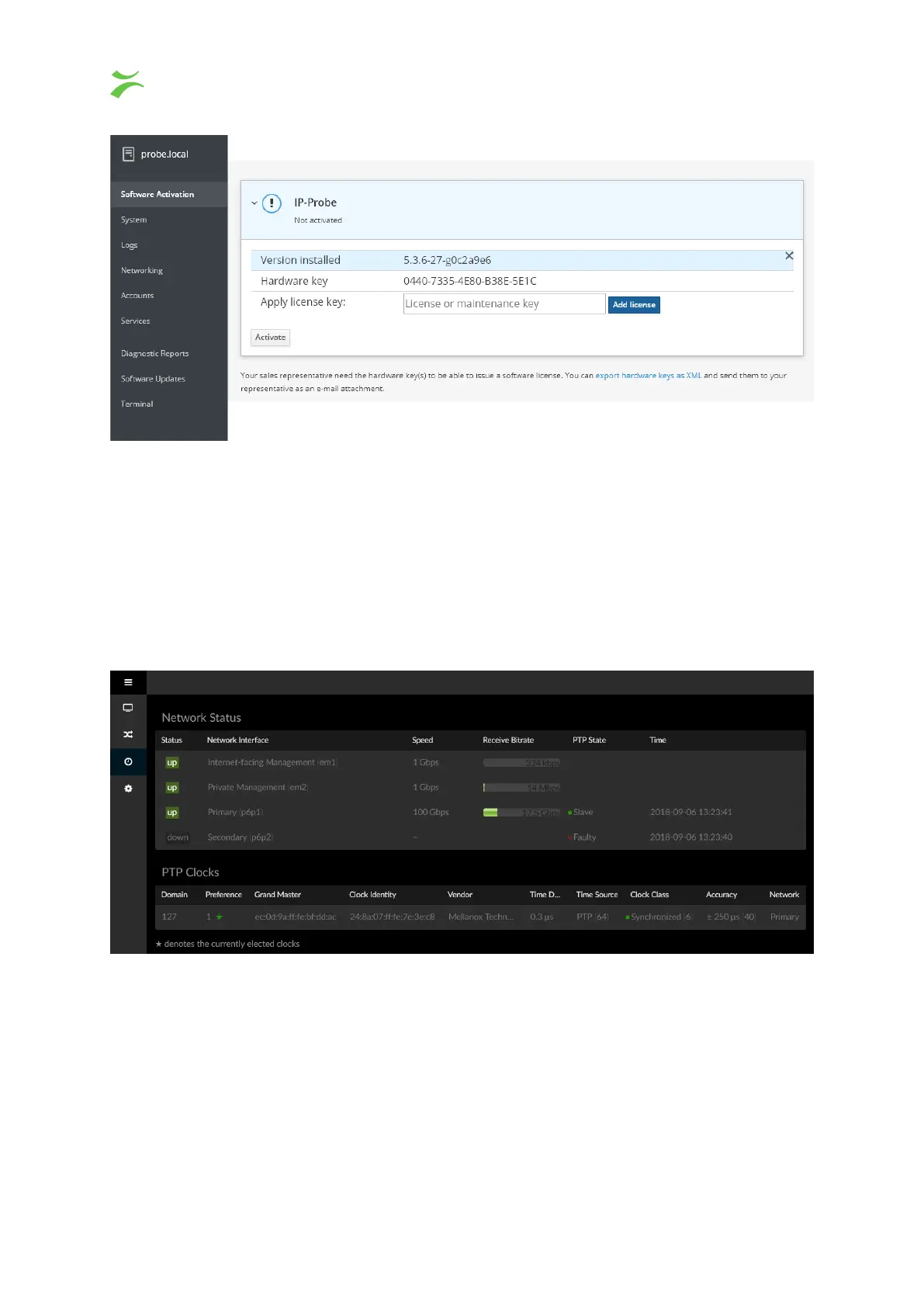
On the
Software activation
screen, expand the IP-Probe menu and input both the software license, and
the software maintenance license, pressing
Add license
after each license. When all the licenses have
been accepted, press the
Activate
button. You can now access the regular probe UI by going straight to
the IP again.
To get back into the system admin dashboard, go to http://IP/admin/.
3.4 Graphical User Interface
The default GUI should look similar to the following picture. For more information, refer to chapter 4.
3.5 Configuring Ethernet settings
The VB440 comes with built in support for editing the network interface settings. To access the system
admin interface, point your browser to http://IP/admin/ and log in using the default system username
root
and the password elvis.
This is described in more detail in the System Administration part of the manual.
8 VB440 Studio Probe User’s Manual v6.0 © Bridge Technologies Co AS



 To Next Page