3 Installation and initial setup
3.1 Prerequisite
To connect the appliance you need the following:
• Two power cables for the redundant PSU
• 1 or 2 RJ45 1 Gbps Ethernet ports for management
• QSFP28 connectors for the data ports, or a QSFP cage + supported SFP module
Supported QSFP28 protocols:
• 100GBASE-CR4
• 100GBASE-KR4
• 100GBASE-SR4
• 56GBASE-R4
• 50G Ethernet Consortium
• 40GBASE-CR4
• 40GBASE-SR4
• 40GBASEL-R4
• 40GBASE-ER4
• 25GBASE-CR/CR-S
• 25GBASE-SR
• 25GBASE-LR
• 25G Ethernet Consortium
• 10GBASE-SR
• 10GBASE-LR
• 10GBASE-ER
• 10GBASE-CX4
• SGMII
• 1000BASE-X
3.2 Quick Installation Guide
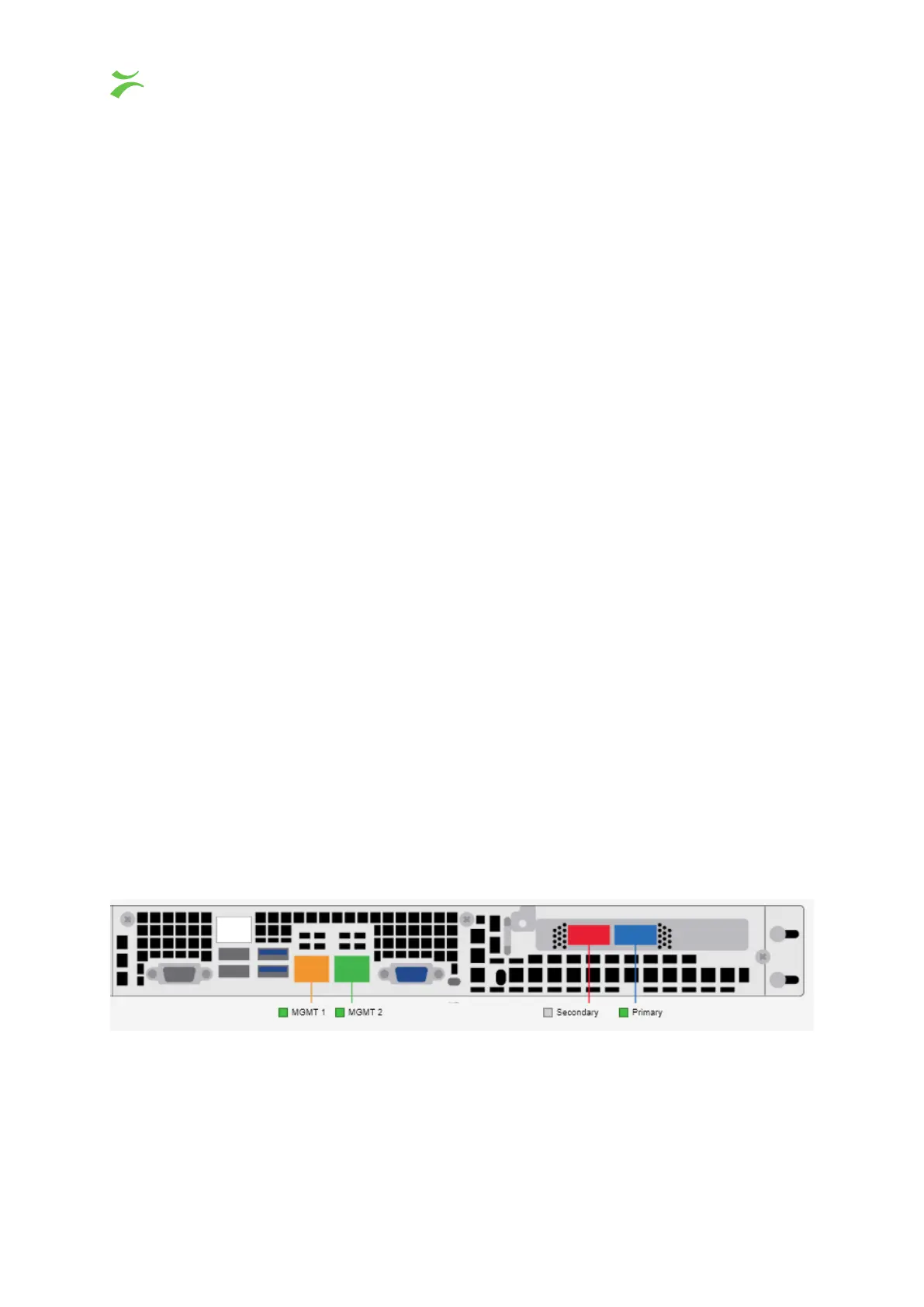
Connect one or both of the management cables. Please note that with the default configuration MGMT 1
(Orange) is configured with a static IP, and MGMT 2 (Green) is configured using DHCP. If you choose to
use the static port, the pre-configured address will be 10.0.20.101/16.
The server also has an IPMI port that can be connected if wanted. It is configured to use DHCP and the
username and password is ADMIN / ADMIN.
6 VB440 Studio Probe User’s Manual v6.0 © Bridge Technologies Co AS



 To Next Page