10
OPERATIONS
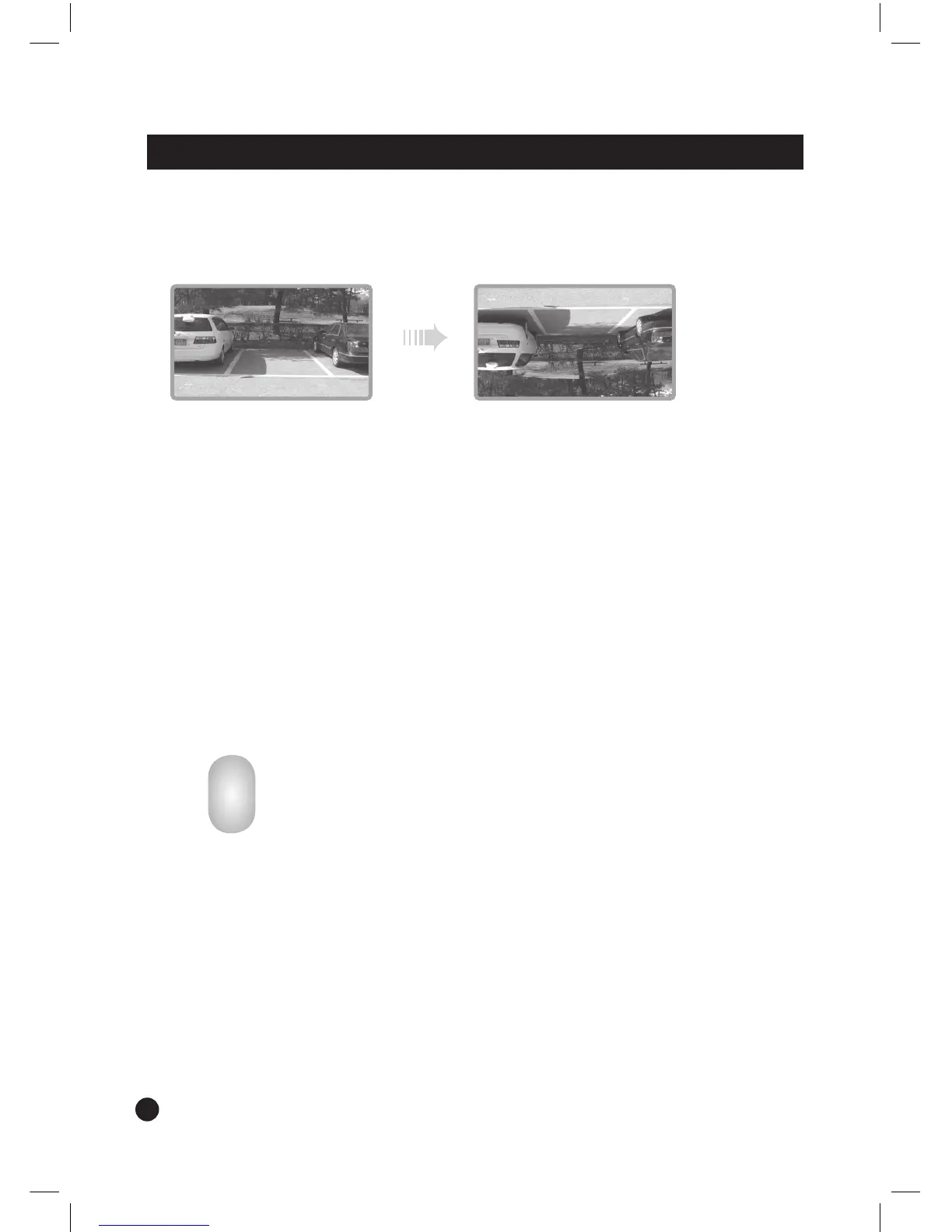
5.2. UP/DOWN
- Converted image display (top and bottom)
5.3. DAY/NIGHT CONTROL
- DAY/NIGHT: Select DAY/NIGHT ON/OFF/AUTO.
- DAY/NIGHT LEVEL: Adjust the sensitiveness of DAY/NIGHT LEVEL.
- DAY/NIGHT BRIGHT: Adjust the BRIGHTNESS level.
5.4. AUTO POWER
- When ‘ON’ is selected, turning the ignition key on turns the monitor to POWER-ON
mode.
- When ‘
OFF’ is selected, turning the ignition key on turns the monitor to STAND-BY
mode.
6. BRIGHTNESS SENSOR
- The brightness of the monitor will be adjusted automatically,
according to the circumstances.
This function above only works when the DAY/NIGHT switch is on.
7. REMOTE CONTROLLER SENSOR
- The monitor is operated by a remote controller.
- Point the remote controller towards the sensor on the front of the monitor, to operate it.


 To Next Page