66
3. SELECT
• Utilice el botón SELECIONAR para seleccionar la imagen que
desee visualizar.
(CAM1
➞
CAM2
➞
CAM1
➞
CAM2...)
• Utilice el botón SELECT
para seleccionar los elementos de
SETUP MENU que tengan submenús.
4. UP/DN
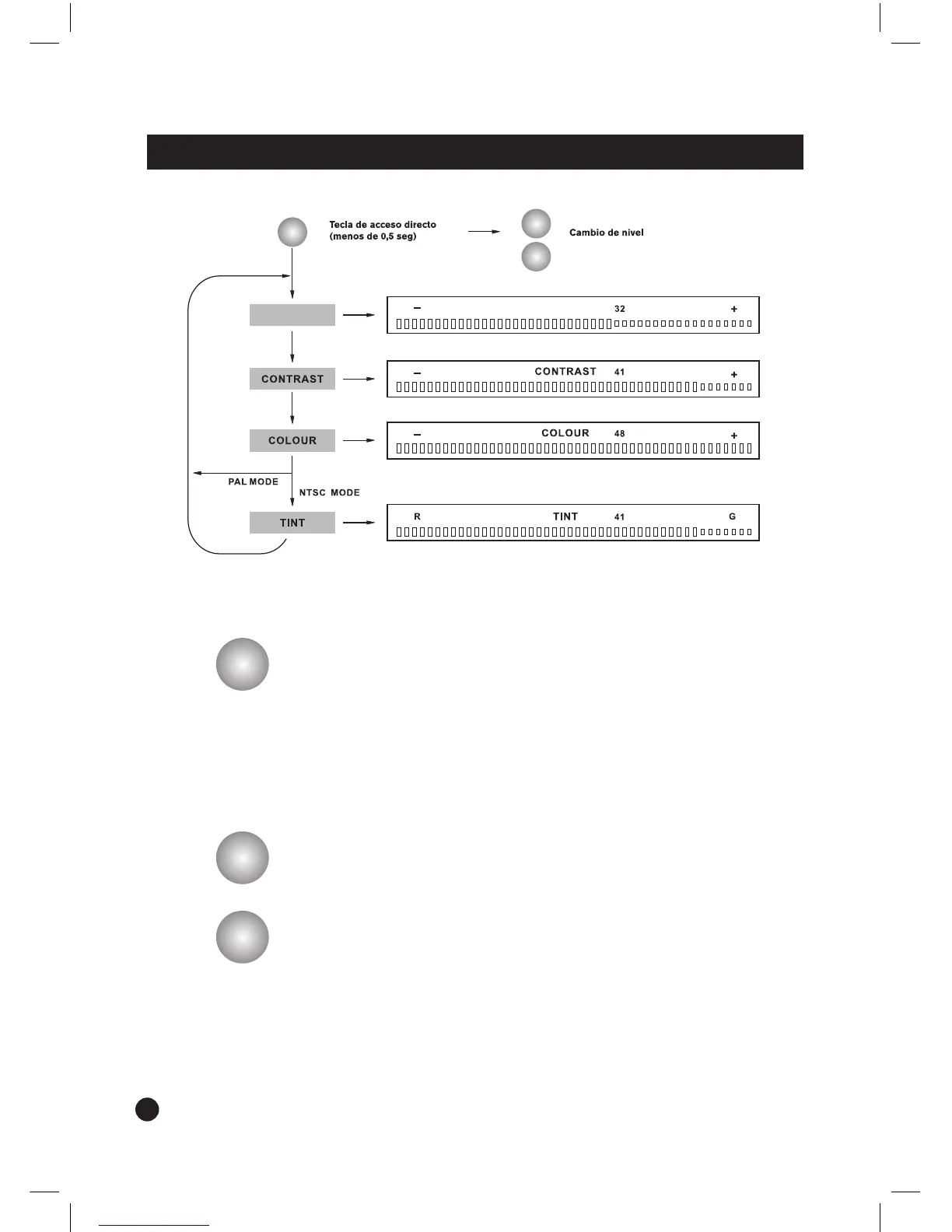
• Utilice el botón UP/DN para ajustar el nivel de brillo, contraste,
color o tono.
• Utilice el botón UP para aumentar el nivel de brillo, contraste,
color o tono.
• Utilice el botón DN
para reducir el nivel de brillo, contraste, color
o tono.
• Utilice el botónUP/DN
para mover el cursor hacia arriba o hacia
abajo en el modo SETUP MENU.


 To Next Page