17
PC Viewer Manager
7
2
Configuration settings
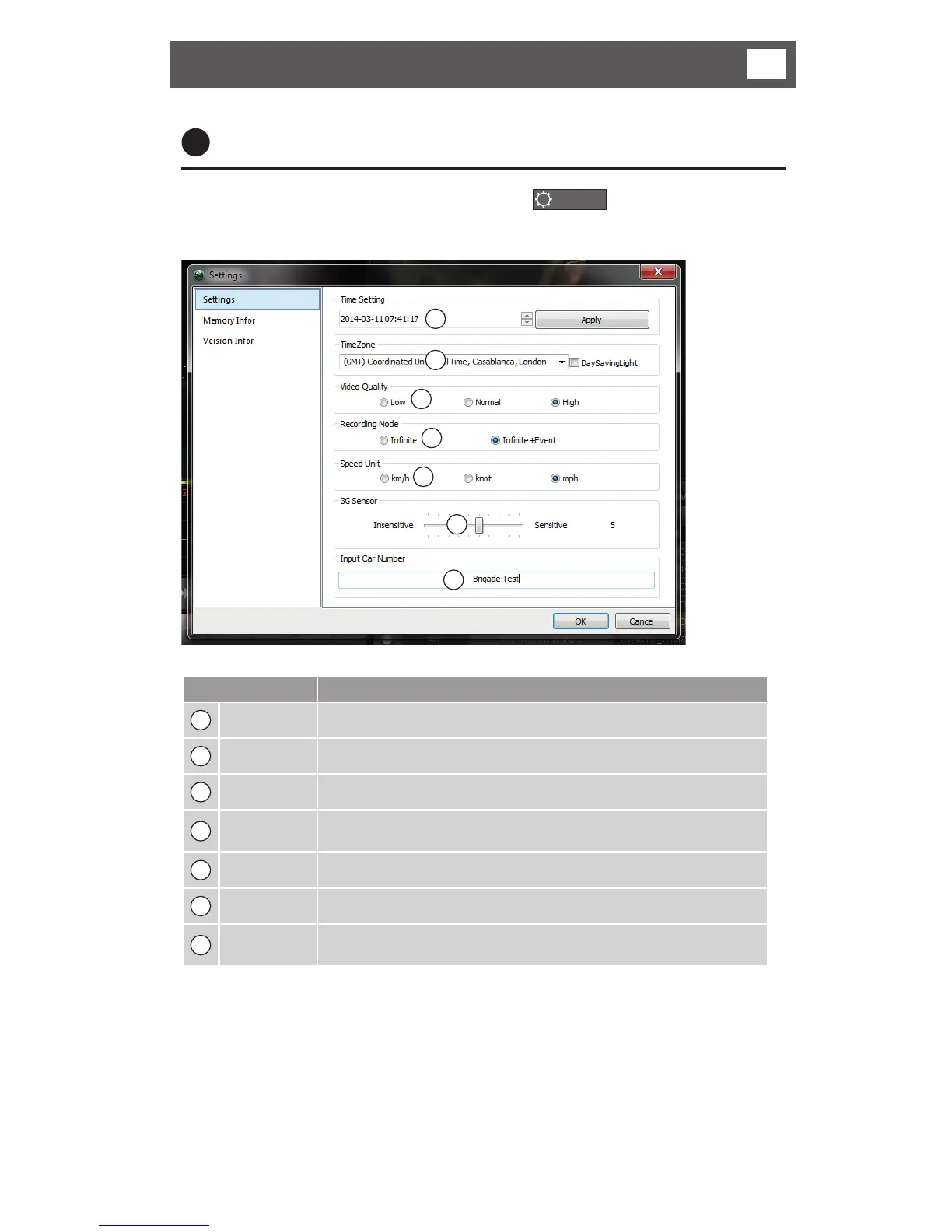
When the Configuration Set button is selected
CONFIG
, the Settings window
as shown below opens.
1
2
3
4
5
6
7
Function Description
1
Date/Time Choose the current date and time
2
Standard time Select the standard time zone (summer time) daylight saving
3
Video Quality Set up the video quality (default : HIGH 1280 x 720p)
4
Recording
Mode
Select the recording mode. ( default : infinite mode + event mode)
5
Speed Unit Select the speed unit
6
3G-SENSOR Adjust the sensitivity levelsv
7
Input car
number
Register a vehicle number and it will be shown in playback
• Apply button: Apply time setting to recorder (a _time_INI.cfg file will be created
on the micro SD Card).
• After time settings are loaded to the recorder the files will be deleted
automatically.



 To Next Page