19
4
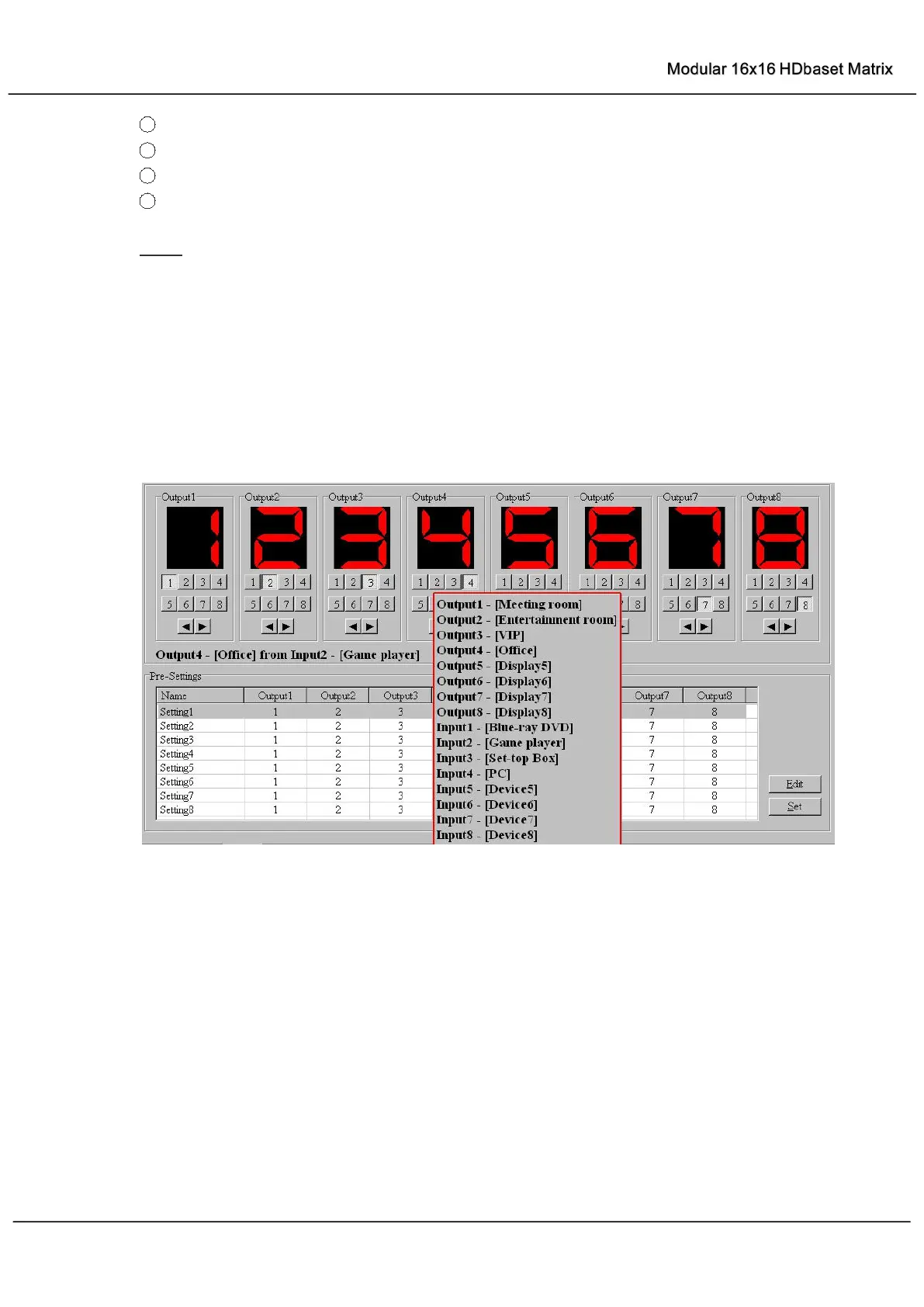
Display Output from Input with tag information when mouse moves over ② buttons
5
Pre-Setting items: Default is Port to Port
6
Click to edit selected pre-setting item
7
Set selected pre-setting item to Matrix
NOTE: When Change to this “Setting” page, software will try to refresh source selection status
of Output port.
Pop-up tag messages
When “Display Input, Output tags when focus setting buttons” checkbox on “General” page is
checked and Input/output port tag has been defined, tag messages will pop up like as:



 To Next Page