PROGRAM & OPERATION GUIDE
(
Continued
)
5
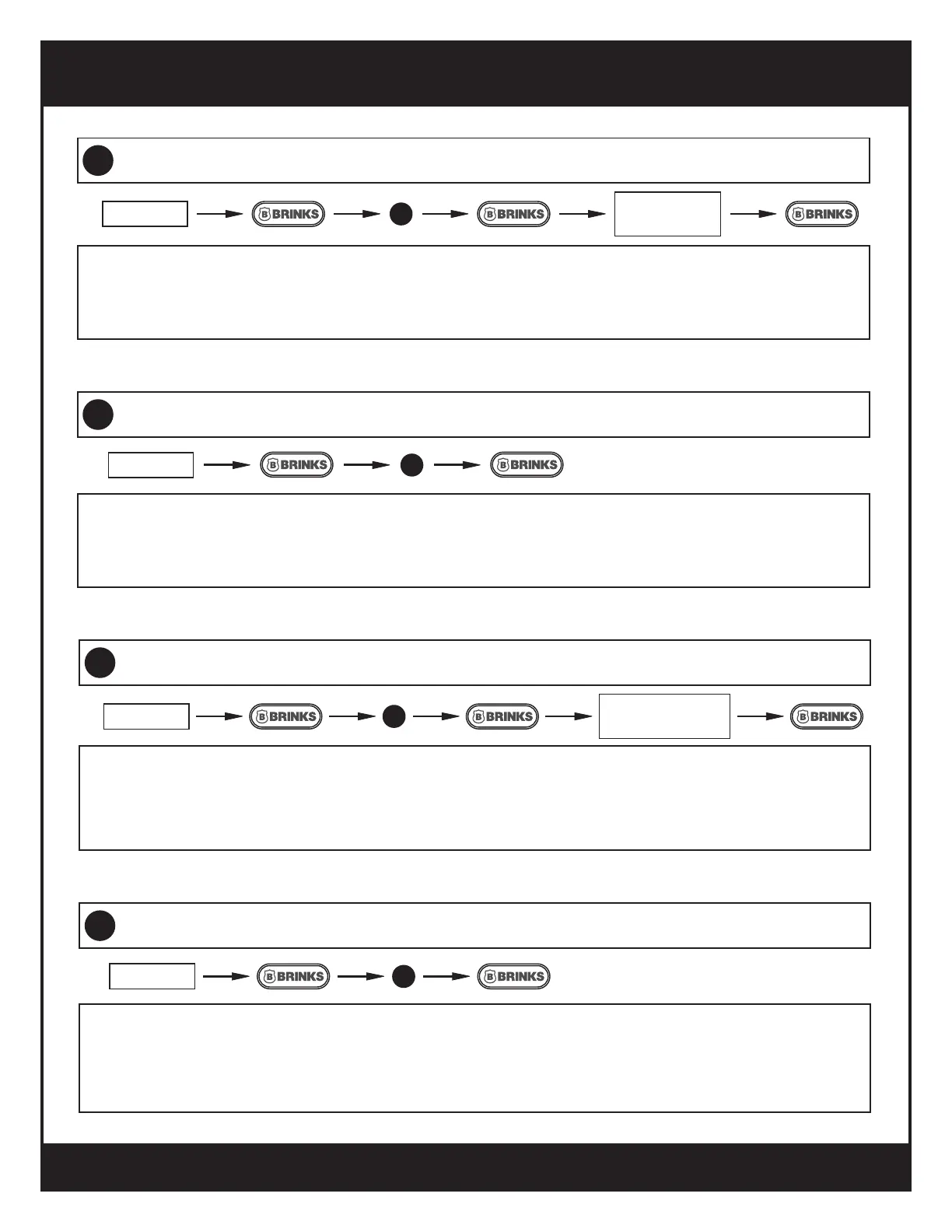
Toggle Autolock On/Off
16
The Autolock feature automatically locks the deadbolt after a specied time delay.
a.
The default time delay is 30 seconds.
b.
Enter the programming sequence again to turn Autolock OFF.
c.
ENTER PC
4
Changing Programming Code
15
PC is 4-10 digits.
a.
It is recommended to change the default 0000 PC.
b.
Test new PC by using it to enter another function.
c.
ENTER PC
ENTER NEW
PC
7
In normal operation, the lock gives audio feedback for almost every action. This function will mute those
sounds.
a.
The LED indicator lights will still give visual feedback if the sound is muted.
b.
The sound can be turned back on by entering this sequence again.
c.
Toggle Mute ON/OFF
18
ENTER PC
6
Set Autolock Time Delay
17
ENTER PC
ENTER
NUMBER 10-99
The Autolock time delay can be set between 10 and 99 seconds.
a.
The default time delay is 30 seconds.
b.
Entering a new time delay does not automatically turn on the Autolock function.
c.
10


 To Next Page