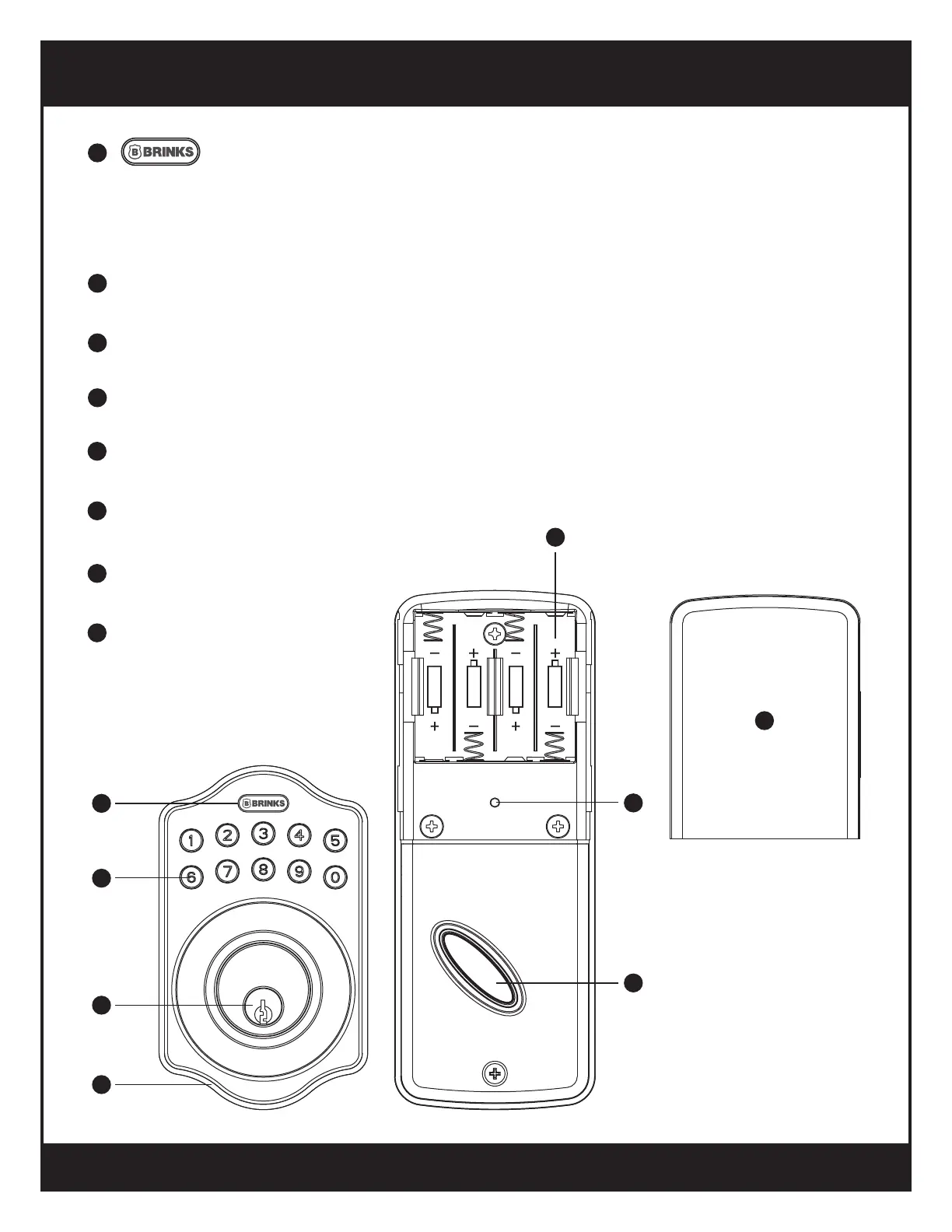
CONTROL DESCRIPTIONS
Used for entering codes, clearing errors and setting functions.
Also used to lock the digital deadbolt.
LED’s light up this button for visual feedback.
Press this button before entering codes to light up number pad.
Programming Button
1
Used to enter codes and data.
Number Buttons
2
Retract/Extend the latch bolt into unit.
Cylinder
3
Prevents water leakage into unit.
Gasket
4
Remove the cover to replace batteries or restore default settings.
Battery Cover
5
Holds 4 AA 1.5V Alkaline batteries.
Battery Compartment
6
Restores default settings.
R Button
7
Retract/Extend the latch
bolt from interior.
Turnpiece
8
1
2
3
4
5
6
7
8
R
6


 To Next Page