EasyManua.ls Logo

BRINKS BC40107 - User Manual

BRINKS BC40107
16 pages
Print Icon
To Next Page IconTo Next Page
Loading...
Optional Optional Optional Optional Optional
CAUTION:
Please use four alkaline batteries for the best performance.
A. Please change programming code before operating this lockset.
The following instructions should be followed to protect and maintain
your lockset:
A. Do not use any chemical products containing alcohol, benzene,
hydrochloric acid or nitric acid, and avoid using sharp or abrasive
objects to clean this lockset.
B. Periodically clean with mild soap and a soft cloth only.
CARE and MAINTENANCE
Pre-installation — Tools Required / Hardware Included
To view these instructions
online or for a Spanish
version, scan this QR code.
Table of Contents
Parts List ..................................................................... 2
INSTALLATION INSTRUCTIONS .................................... 3
Step 1 Door Preparation ......................................................... 3
Step 2 Door Jamb Preparation ............................................. 3
Step 3 Select the Proper Latch Backset................................. 4
Step 4 Install the Latch ......................................................... 4
Step 5 Preparation for Installation.......................................... 5
Step 6A Setting the Exterior Spindle (Right Hand Door) ......... 6
Step 6B Setting the Interior Spindle (Right Hand Door)............ 6
Step 6C Setting the Exterior Spindle (Left Hand Door) ............ 7
Step 6D Setting the Interior Spindle (Left Hand Door) ............ 7
Step 7 Installing the Exterior Assembly ................................. 8
Step 8 Installing the Interior Assembly ................................. 8
Step 9 Locking & Unlocking ................................................... 10
Step 10 Programming ............................................................ 11
Step 11 Restoring to Factory Settings .................................... 12
Step 12 Troubleshooting ......................................................... 13
APPENDICES
Appendix A Removing Levers for Rekeying or Re-Handing ......... 15
Appendix B Removing & Replacing the Cylinder and Collar ......... 16
INSTALLATION INSTRUCTIONS FOR
KEYPAD ENTRY MODEL: BC40107
999-00823
PAGE 1

Questions and Answers

Summary

Door Preparation and Latch Installation

Door Preparation

Marks and drills holes for the lockset on the door face and edge.

Door Jamb Preparation

Prepares the door jamb for the strike plate, ensuring a flush fit.

Select Proper Latch Backset

Adjusts the latch to the correct backset distance for the door.

Install the Latch

Inserts and secures the latch into the door edge with screws.

Assembly and Spindle Setup

Determine Door Handing

Identifies if the door is left or right handed to ensure correct spindle orientation.

Set Exterior Spindle (Right Hand)

Rotates the exterior spindle 90 degrees clockwise for right-hand door installation.

Set Interior Spindle (Right Hand)

Rotates the interior spindle 90 degrees counter-clockwise for right-hand door installation.

Set Exterior Spindle (Left Hand)

Rotates the exterior spindle 90 degrees counter-clockwise for left-hand door installation.

Set Interior Spindle (Left Hand)

Rotates the interior spindle 90 degrees clockwise for left-hand door installation.

Install Exterior Assembly

Places and secures the exterior assembly onto the door.

Install Interior Assembly

Connects the power cable and secures the interior assembly to the door.

Operation and Programming

Auto-Lock and Passage Mode

Sets the lockset to auto-lock or passage mode using the interior turn switch.

Unlock the Lockset

Unlocks the lockset using a user code or a mechanical key.

Basic Programming Settings

Guides on changing programming code, adding, and deleting user codes.

Advanced Programming Settings

Covers vacation mode, volume control, and auto-lock delay timer settings.

Restoring to Factory Settings

Resets the lockset to its original factory default settings.

Troubleshooting Guide

Installation Problems

Addresses issues like latch operation and key removal after installation.

Operation Problems

Resolves issues with battery indicators, keypad response, and programming.

Advanced Operation Troubleshooting

Covers problems with user codes, auto-lock, and indicator lights.

Appendices

Removing Levers for Rekeying or Re-Handing

Step-by-step guide for removing exterior and interior levers.

Removing & Replacing Cylinder and Collar

Instructions for accessing and handling the lock cylinder and collar.

Overview

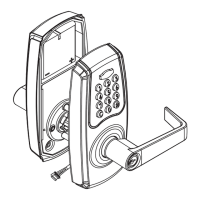
This document outlines the installation and operational instructions for the Brinks Commercial Keypad Entry Model BC40107. It serves as a comprehensive guide for setting up, programming, and maintaining the lockset, ensuring proper functionality and security.

The Brinks Commercial Keypad Entry Model BC40107 is a sophisticated lockset designed for secure access control, featuring both keypad entry and mechanical key override. Its primary function is to provide a convenient and secure way to lock and unlock doors, suitable for various commercial applications. The lockset offers multiple user codes and a programmable master code, allowing for flexible access management.

Function Description

The core function of the BC40107 is to secure a door using a keypad for entry, supplemented by a traditional mechanical key for override. Users can enter a pre-programmed code on the keypad to unlock the door, which then allows the lever to be turned. The lockset supports multiple user codes, making it ideal for environments where various individuals require access. A master programming code is used to manage these user codes, including adding, deleting, and modifying them.

The lockset features an auto-lock mode, which automatically re-locks the door after a set delay, enhancing security by preventing accidental unlatched doors. This delay can be adjusted to suit specific needs. For situations where the door needs to remain unlocked for extended periods, a passage mode can be activated, disabling the auto-lock function. This is particularly useful in high-traffic areas or during specific hours when constant access is required without needing to enter a code repeatedly.

In the event of battery depletion or electronic malfunction, the mechanical key override ensures that access is always possible. This dual-entry system provides a robust security solution, combining the convenience of keyless entry with the reliability of traditional locking mechanisms. The lockset also incorporates visual and auditory indicators to communicate its status, such as successful code entry, low battery warnings, and programming mode activation.

Usage Features

The BC40107 offers a range of features designed to enhance usability and security:

  • Keypad Entry: The primary method of entry is via a backlit keypad, allowing for easy code input even in low-light conditions. The keypad supports 4-8 digit user codes, providing a good balance between security and memorability.
  • Programming Code: A 6-digit programming code (defaulting to "123456") is used to manage all other lockset settings. This code is essential for adding or deleting user codes, changing the auto-lock delay, and activating vacation mode. It also functions as an unlock code.
  • User Codes: Up to 99 unique user codes can be stored, each 4-8 digits long. This high capacity makes the lockset suitable for businesses with numerous employees or residents. User codes can be easily added or deleted as needed, providing flexible access control.
  • Auto-Lock Mode: By default, the lockset is in auto-lock mode, meaning it will automatically re-lock after a short delay once unlocked. This feature can be toggled on or off using the interior turn switch.
  • Passage Mode: When the interior turn switch is rotated to the horizontal position, the lockset enters passage mode. In this mode, the auto-lock function is deactivated, and the door remains unlocked, allowing free entry and exit without requiring a code. This is ideal for periods of high traffic or when temporary unrestricted access is desired.
  • Auto-Lock Delay Timer: The auto-lock delay can be adjusted from 5 to 90 seconds, allowing users to customize how quickly the door re-locks after being opened. This is useful for accommodating different operational needs.
  • Volume Control: The lockset includes a volume control feature for the door lock operation, which can be adjusted or muted. This is particularly useful in quiet environments where audible feedback might be disruptive.
  • Vacation Mode: This advanced setting allows users to temporarily disable all user codes, providing an extra layer of security when the premises are unoccupied for an extended period. The programming code remains active to reactivate user codes.
  • Mechanical Key Override: A traditional key cylinder is integrated into the exterior lever, providing a reliable backup entry method. This ensures access even if batteries fail or codes are forgotten. When using the key, the lock functions as a storeroom lock, meaning the exterior lever remains locked when the key is removed.
  • Error Indicators: The lockset provides visual and auditory feedback for various states. For instance, a green indicator light and a short beep confirm successful code entry, while a red blinking light and an alarm beep indicate incorrect entries or a lockout state after multiple failed attempts.
  • Temporary Keypad Disable: After four consecutive incorrect entries, the keypad is temporarily disabled for 60 seconds, and an alarm sounds for 10 seconds. This feature helps deter unauthorized access attempts.
  • Handing Adjustment: The lockset is designed to be handed during installation, ensuring proper spindle orientation for both right-hand and left-hand doors. This adaptability makes it versatile for various door configurations.
  • Easy Installation: The instructions provide clear, step-by-step guidance for door preparation, latch installation, and assembly of both exterior and interior components. This includes detailed diagrams and cautions to ensure correct setup.
  • Rekeying and Cylinder Replacement: The manual includes appendices detailing how to remove levers for rekeying and how to remove and replace the cylinder and collar, allowing for maintenance and security upgrades without replacing the entire lockset.

Maintenance Features

Proper maintenance is crucial for the longevity and optimal performance of the Brinks Commercial Keypad Entry Model BC40107. The manual provides specific guidelines to ensure the lockset remains in good working condition:

  • Battery Management: The lockset operates on four AA alkaline batteries. The manual strongly recommends using alkaline batteries for best performance. A low battery indicator light will flash when batteries are running low, prompting replacement. Regular battery checks and timely replacement are essential to prevent lockouts.
  • Cleaning Instructions: To preserve the finish and functionality of the lockset, users are advised to avoid harsh chemical products containing alcohol, benzene, hydrochloric acid, or nitric acid. Similarly, abrasive objects should not be used for cleaning. Instead, the lockset should be periodically cleaned with mild soap and a soft cloth only. This prevents damage to the keypad, finish, and internal components.
  • Restoring to Factory Settings: In cases of programming issues or when a complete reset is desired, the lockset can be restored to its factory settings. This process involves removing one battery, rotating the interior turn switch, and then reinserting the battery while pressing a specific button. This action erases all stored information, including user codes, and resets the programming code to its default "1-2-3-4-5-6". This feature is invaluable for troubleshooting and for reconfiguring the lockset for new users or applications.
  • Troubleshooting Guide: The manual includes a comprehensive troubleshooting section that addresses common problems, such as the latch not operating correctly, inability to remove the key, keypad unresponsiveness, programming issues, and auto-lock malfunction. Each problem is accompanied by a corrective action, guiding users through simple fixes before requiring professional assistance.
  • Spindle Orientation: The installation process emphasizes correctly setting the exterior and interior spindles according to the door's handing (right-hand or left-hand). This ensures that the levers operate correctly and the lockset functions as intended. Incorrect spindle orientation can lead to operational issues and potential damage.
  • Secure Cable Management: During installation, the power cable must be properly routed and secured through the mounting plate slot. This prevents pinching or damage to the cable, which could lead to electronic malfunctions.
  • Firm Tightening of Screws: The instructions stress the importance of firmly tightening all mounting screws to ensure the lockset is securely attached to the door and does not appear crooked. This contributes to both the aesthetic appeal and the structural integrity of the installation.

By adhering to these usage and maintenance guidelines, users can maximize the security, convenience, and lifespan of their Brinks Commercial Keypad Entry Model BC40107 lockset.

BRINKS BC40107 Specifications

General IconGeneral
BrandBRINKS
ModelBC40107
TypeElectronic Deadbolt
KeypadYes
KeywayKW1
FinishSatin Nickel
Adjustable LatchYes
Reversible HandingYes
Grade2
Backset2-3/8" or 2-3/4"
Door Thickness1-3/8" to 1-3/4"

Related product manuals