4
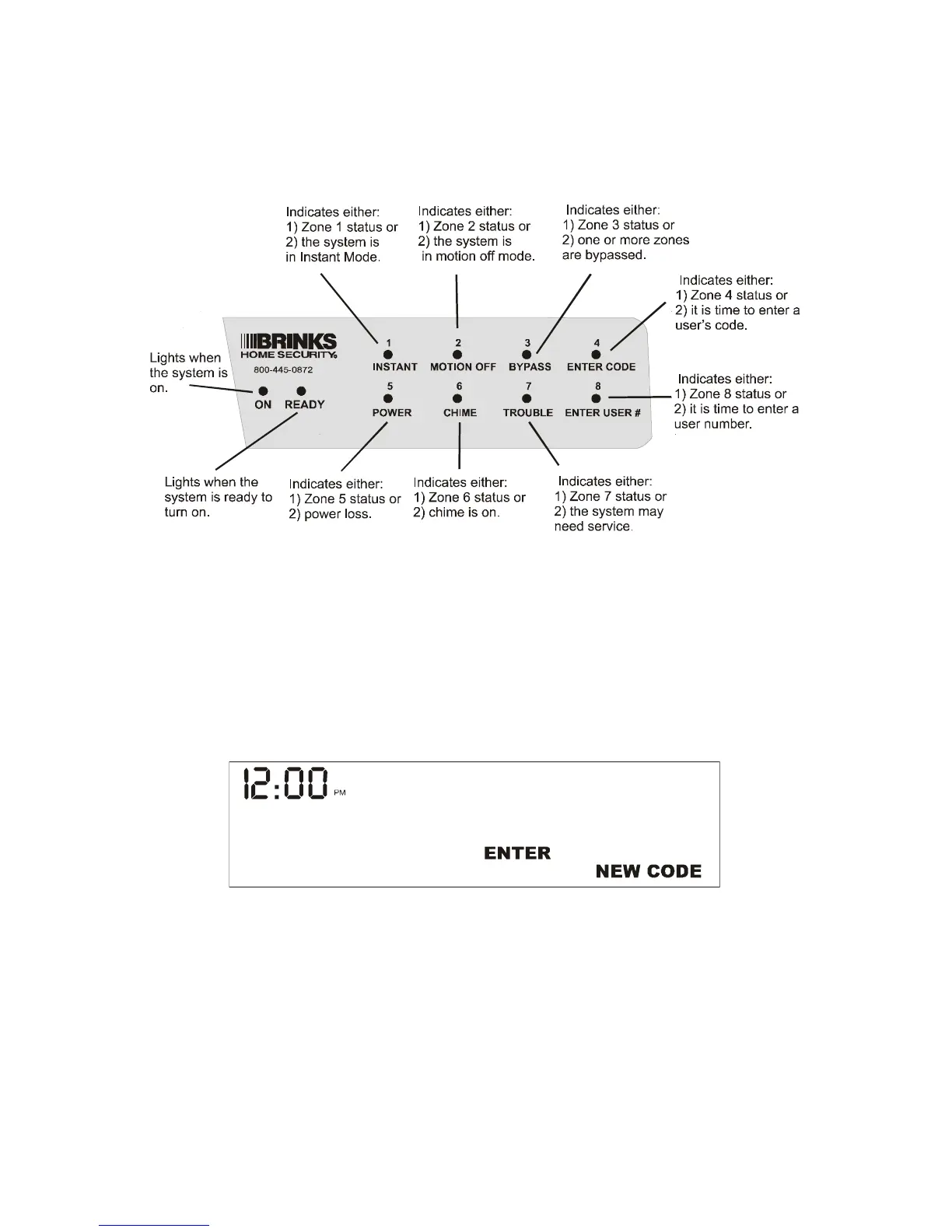
Status Display (Standard Keypad)
The illustration below shows the functions of the keypad’s lights.
Message Window (Premium Keypad)
The Premium Keypad communicates with you by lighting the words and
phrases in the message window. The words that make up the message
may be on different lines, or separated by other words.
For example, while you are changing an auxiliary user code, you will see
the following message window:
The words “ENTER” and “NEW CODE” are lit. This means that you
should enter the new user code.


 To Next Page