10
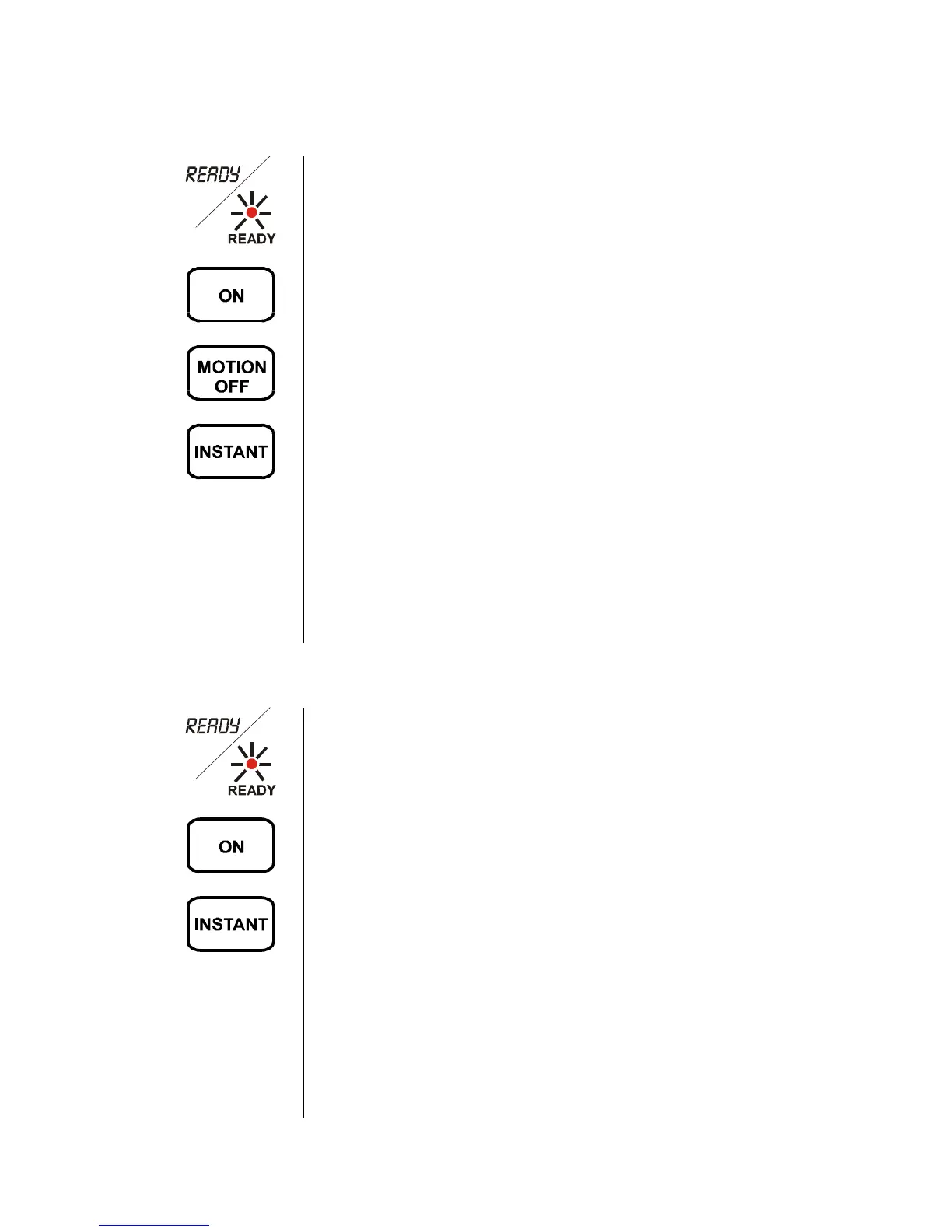
Turning the System On with Motions Turned Off / Instant Mode
1. Close all of the doors and windows and make
sure that the message window reads READY
or the READY light is lit. (If not, see page 11.)
2. Press the ON key.
3. Press the MOTION OFF key.
4. Press the INSTANT key.
The ON light turns on. The Premium Keypad
reads ON, MOTION OFF, and INSTANT. The
Standard Keypad’s ON, MOTION OFF and
INSTANT lights are lit.
Do not leave the building, or open any
protected windows without first turning the
system off.
Turning the System On in Instant Mode
1. Close all of the doors and windows and make
sure that the message window reads READY
or the READY light is lit. (If not, see page 11.)
2. Press the ON key.
3. Press the INSTANT key.
The ON light turns on. The Premium Keypad
reads ALL ON, INSTANT. The INSTANT light
of the Standard Keypad turns on.
Do not leave the building, open any
protected windows, or move in front of the
motion detector without first turning the
system off.


 To Next Page