6
Using The Keypad
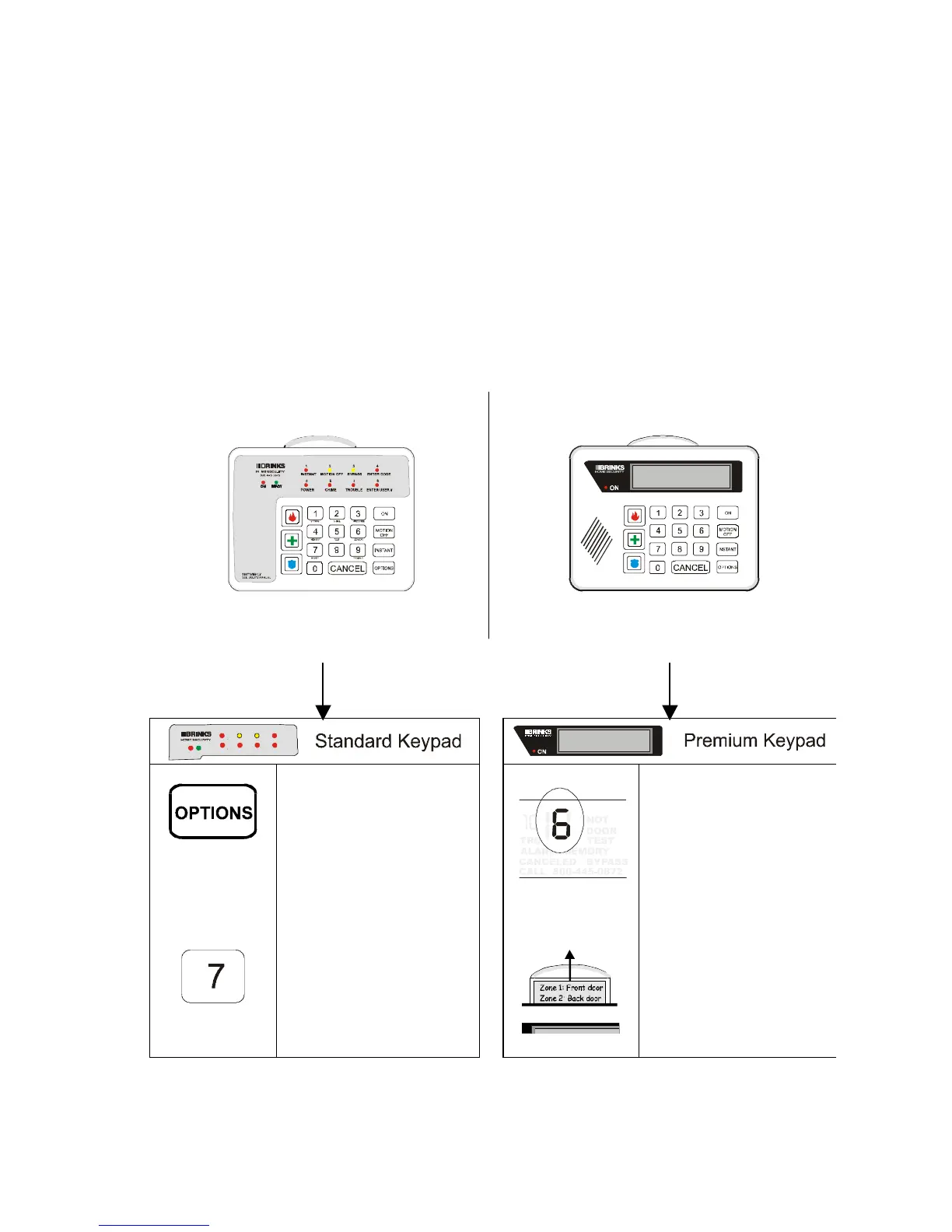
The Brink’s Home Security system in your home may have a Standard
Keypad, or a Premium Keypad. Both types of keypads can be used to
turn the system on or off, or to test or customize it. For some
procedures, the keypads’ commands are slightly different. In those
cases, this manual contains two sets of instructions, like those shown
below. If you are using a Standard Keypad, follow the instructions on the
left. If you are using a Premium Keypad, follow the instructions on the
right.
If the keypad looks like this:
Follow the instructions for the
Standard Keypad
If the keypad looks like this:
Follow the instructions for the
Premium Keypad
1. Press the OPTONS
key.


 To Next Page