15
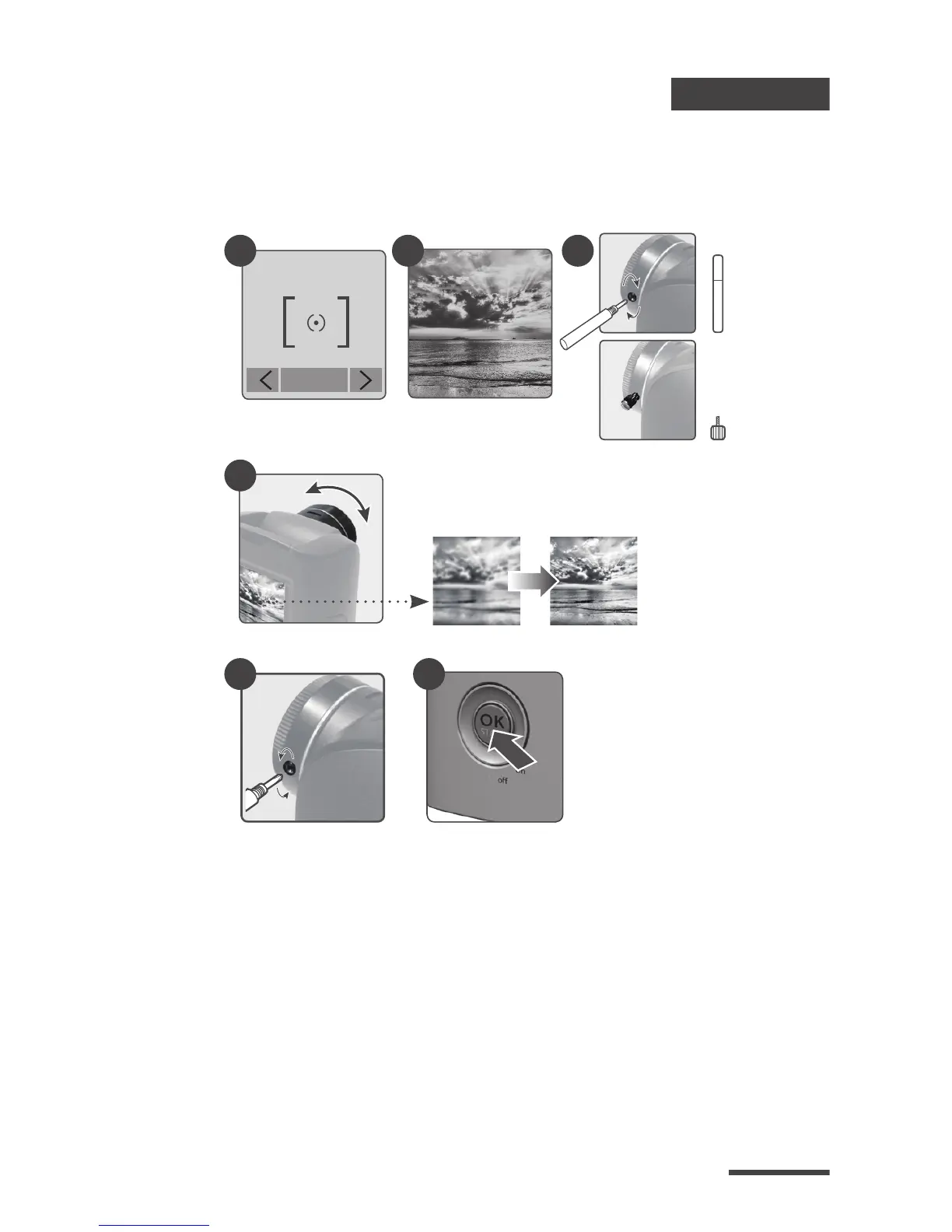
Focus Mode
In this mode, the camera will enlarge the preview
image, so you can adjust the lens focus easily.
1.
2.
3.
4.
5.
Select and enter “Focus” mode.
See the enlarge preview image.
Use the screwdriver to loosen the screw and adjust the
lens focus.
Finished adjustment, using screw driver to tighten the
screw.
Press “OK” to exit focus mode.
2
3-1
3-2
4 5
Adjust the lens focus
Page 5
Page 5
Focus
OK
1



 To Next Page