EasyManua.ls Logo

BRIO CLBL520SC - User Manual

BRIO CLBL520SC
12 pages
Print Icon
To Next Page IconTo Next Page
Loading...
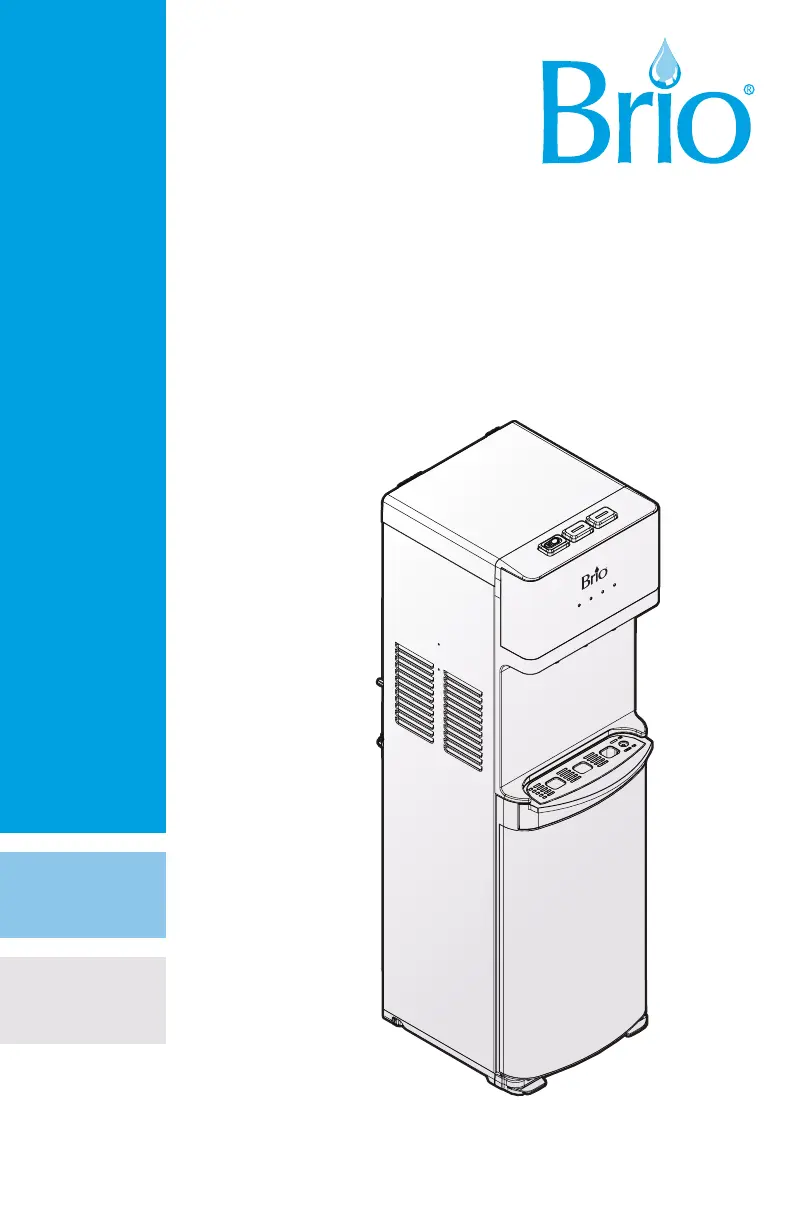
Thank you for purchasing a Brio
®
water cooler
Please read and understand this manual before operating your water dispenser
Retain this manual for future use
INSTRUCTION MANUAL
WATER DISPENSER
MODEL NO. CLBL520SC

Questions and Answers

Summary

Safety Information

Intended Use

Product Features Overview

Indicator Panel Description

Explains the meaning of indicator lights on the dispenser's panel, including power and self-cleaning.

Product Dimensions

Provides the height, width, and depth measurements of the water dispenser.

Operational Specifications

Details temperature ranges, tank capacity, and flow rates for dispensing hot and cold water.

Installation Guide

Determine Installation Location

Guidance on selecting a suitable, stable, and well-ventilated location near a power outlet.

Install Drip Tray and Grid

Instructions for attaching the drip tray and its grid securely to the dispenser unit.

Connect a Water Bottle

Step-by-step process for preparing and connecting the water bottle, including 3- and 5-gallon types.

Operating the Water Dispenser

Turn Dispenser On;Off

Steps to power on or off the dispenser and activate heating and cooling systems.

Dispense Cold Water

How to dispense cold water, including notes on chilling time and operation.

Dispense Hot Water and Activate Child Safety Lock

Instructions for dispensing hot water, including the use of the child safety lock feature.

Change the Water Bottle

Procedure for replacing an empty water bottle, including precautions and best practices.

Troubleshooting Common Issues

Cold Water Not Cold

Solutions for when the cold water is not dispensing at the correct temperature.

Hot Water Not Hot

Troubleshooting steps for when the hot water is not heating properly.

Nightlight Not Working

Steps to resolve issues if the dispenser's nightlight is not functioning.

Dispenser Noisy

Explanation for normal operational noise and how to address excessive noise.

Bottle Leaking

Checks to perform if the water bottle or dispenser is leaking.

Dispenser Not Dispensing Water

Solutions for when the dispenser fails to dispense water, including air removal.

Cleaning and Maintenance

Use Self-Cleaning Ozone Feature

Instructions on how to activate and use the weekly self-cleaning ozone feature.

Care and Maintenance

General advice for keeping the dispenser clean, dry, and in good working condition.

Product Warranty Information

How to Obtain Warranty Service

Steps to follow for returning parts and claiming service under the limited warranty.

Warranty Limitations and Exclusions

Details what is not covered by the warranty, including misuse and accidental damage.

Summary

Safety Information

Intended Use

Product Features Overview

Indicator Panel Description

Explains the meaning of indicator lights on the dispenser's panel, including power and self-cleaning.

Product Dimensions

Provides the height, width, and depth measurements of the water dispenser.

Operational Specifications

Details temperature ranges, tank capacity, and flow rates for dispensing hot and cold water.

Installation Guide

Determine Installation Location

Guidance on selecting a suitable, stable, and well-ventilated location near a power outlet.

Install Drip Tray and Grid

Instructions for attaching the drip tray and its grid securely to the dispenser unit.

Connect a Water Bottle

Step-by-step process for preparing and connecting the water bottle, including 3- and 5-gallon types.

Operating the Water Dispenser

Turn Dispenser On;Off

Steps to power on or off the dispenser and activate heating and cooling systems.

Dispense Cold Water

How to dispense cold water, including notes on chilling time and operation.

Dispense Hot Water and Activate Child Safety Lock

Instructions for dispensing hot water, including the use of the child safety lock feature.

Change the Water Bottle

Procedure for replacing an empty water bottle, including precautions and best practices.

Troubleshooting Common Issues

Cold Water Not Cold

Solutions for when the cold water is not dispensing at the correct temperature.

Hot Water Not Hot

Troubleshooting steps for when the hot water is not heating properly.

Nightlight Not Working

Steps to resolve issues if the dispenser's nightlight is not functioning.

Dispenser Noisy

Explanation for normal operational noise and how to address excessive noise.

Bottle Leaking

Checks to perform if the water bottle or dispenser is leaking.

Dispenser Not Dispensing Water

Solutions for when the dispenser fails to dispense water, including air removal.

Cleaning and Maintenance

Use Self-Cleaning Ozone Feature

Instructions on how to activate and use the weekly self-cleaning ozone feature.

Care and Maintenance

General advice for keeping the dispenser clean, dry, and in good working condition.

Product Warranty Information

How to Obtain Warranty Service

Steps to follow for returning parts and claiming service under the limited warranty.

Warranty Limitations and Exclusions

Details what is not covered by the warranty, including misuse and accidental damage.

BRIO CLBL520SC Specifications

General IconGeneral
Child Safety LockYes
Noise Level≤ 45dB
Water Temperature OptionsHot, Cold
Hot Water Temperature≥90°C
Cold Water Temperature5-10°C
Frequency60Hz
Net Weight12.5 kg

Related product manuals