EasyManua.ls Logo

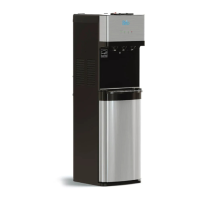
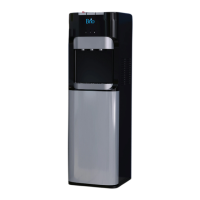
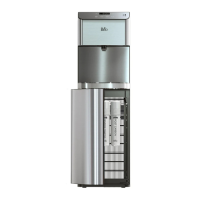
BRIO CLPOU520UVF2 - User Manual

BRIO CLPOU520UVF2
14 pages
Print Icon
To Next Page IconTo Next Page
Loading...
Thank you for purchasing a Brio
®
water cooler
Please read and understand this manual before operating your water dispenser
Retain this manual for future use
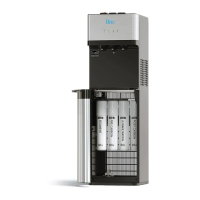
INSTRUCTION MANUAL
WATER DISPENSER
MODEL NO. CLPOU520UVF2
Question and Answer IconNeed help?

Do you have a question about the BRIO CLPOU520UVF2 and is the answer not in the manual?

Summary

Safety Information

General Safety Precautions

Follow basic safety precautions during assembly, installation, and operation to prevent injury from high temperatures and electrical hazards.

Ventilation and Obstruction Warnings

Keep ventilation openings clear of obstructions to ensure proper appliance function and heat dissipation.

Operational and Environmental Guidelines

Adhere to environmental limits, avoid mechanical defrosting, and follow proper power-off procedures for safe operation.

Intended Use

Product Features

Product Components Overview

Identifies and describes the main parts and components of the water dispenser unit using numbered labels.

Indicator Panel Description

Explains the function of each light on the dispenser's indicator panel for status monitoring.

Product Dimensions

Provides the height, width, and depth specifications of the water dispenser in centimeters and inches.

Package Contents

Package Contents List

Lists all items included in the product package, with corresponding labels and quantities.

Materials Needed

Required Tools

Specifies the tools required for installation, such as a wrench.

Installation

Determine Installation Location

Guidelines for selecting a suitable location, ensuring proper placement and airflow.

Connect to the Cold Water Supply

Step-by-step instructions for connecting the dispenser to the cold water line, including cautions.

Flush the Filters

Procedure for flushing new filters before installation to remove any residual particles.

Install the Filters and Complete the Installation

Instructions for installing the flushed filters and connecting the water inlet.

Operation

Turn the Dispenser On;Off

Steps to power the dispenser on and off, including activating cooling and heating systems.

Dispense Cold Water

Instructions on how to dispense cold water and notes on chilling time.

Dispense Hot Water and Activate Child Safety Lock

Guide to dispensing hot water safely, including the child safety lock feature.

Troubleshooting

Cleaning and Maintenance

Sanitizing Procedure

Instructions for sanitizing the dispenser every three months.

Removing Mineral Deposits

Procedure for removing mineral deposits every six months using citric acid.

Clean the Dispenser

Detailed steps for cleaning the water dispenser, including removing parts and using a cleaning solution.

Filter Replacement Schedule

Filter Specifications

Details on filter capacity, flow rate, suggested PSI, and temperature range for sediment and carbon filters.

Replace the Filters

Instructions for replacing filters, including identifying end-of-life indicators and flushing new filters.

Care and Maintenance

General advice for keeping the dispenser in good condition, including placement and long-term storage.

Warranty

Summary

Safety Information

General Safety Precautions

Follow basic safety precautions during assembly, installation, and operation to prevent injury from high temperatures and electrical hazards.

Ventilation and Obstruction Warnings

Keep ventilation openings clear of obstructions to ensure proper appliance function and heat dissipation.

Operational and Environmental Guidelines

Adhere to environmental limits, avoid mechanical defrosting, and follow proper power-off procedures for safe operation.

Intended Use

Product Features

Product Components Overview

Identifies and describes the main parts and components of the water dispenser unit using numbered labels.

Indicator Panel Description

Explains the function of each light on the dispenser's indicator panel for status monitoring.

Product Dimensions

Provides the height, width, and depth specifications of the water dispenser in centimeters and inches.

Package Contents

Package Contents List

Lists all items included in the product package, with corresponding labels and quantities.

Materials Needed

Required Tools

Specifies the tools required for installation, such as a wrench.

Installation

Determine Installation Location

Guidelines for selecting a suitable location, ensuring proper placement and airflow.

Connect to the Cold Water Supply

Step-by-step instructions for connecting the dispenser to the cold water line, including cautions.

Flush the Filters

Procedure for flushing new filters before installation to remove any residual particles.

Install the Filters and Complete the Installation

Instructions for installing the flushed filters and connecting the water inlet.

Operation

Turn the Dispenser On;Off

Steps to power the dispenser on and off, including activating cooling and heating systems.

Dispense Cold Water

Instructions on how to dispense cold water and notes on chilling time.

Dispense Hot Water and Activate Child Safety Lock

Guide to dispensing hot water safely, including the child safety lock feature.

Troubleshooting

Cleaning and Maintenance

Sanitizing Procedure

Instructions for sanitizing the dispenser every three months.

Removing Mineral Deposits

Procedure for removing mineral deposits every six months using citric acid.

Clean the Dispenser

Detailed steps for cleaning the water dispenser, including removing parts and using a cleaning solution.

Filter Replacement Schedule

Filter Specifications

Details on filter capacity, flow rate, suggested PSI, and temperature range for sediment and carbon filters.

Replace the Filters

Instructions for replacing filters, including identifying end-of-life indicators and flushing new filters.

Care and Maintenance

General advice for keeping the dispenser in good condition, including placement and long-term storage.

Warranty

BRIO CLPOU520UVF2 Specifications

General IconGeneral
Water FiltrationYes
UV SterilizationYes
ColorWhite
TypeBottom Loading Water Dispenser
Water TemperaturesHot, Cold, Room Temperature
MaterialPlastic, Stainless Steel
Power Consumption100W

Related product manuals