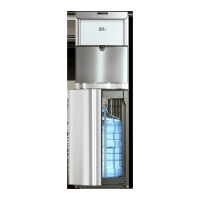
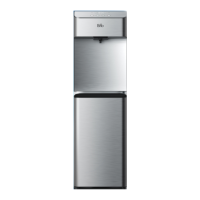
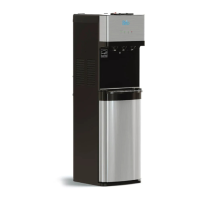
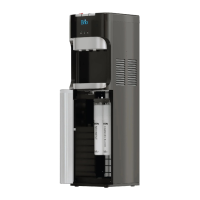
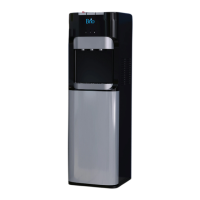
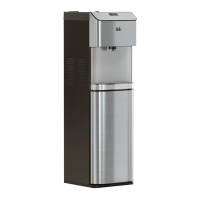
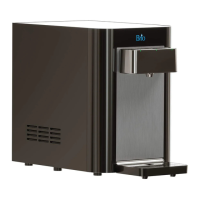
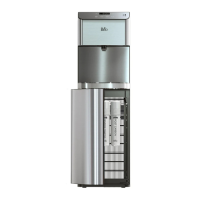
This document describes the Brio Point of Use Water Dispenser, Model No.: CLPOU720UVR04X, a sophisticated appliance designed to provide filtered hot and cold water for various indoor settings. The dispenser is intended for household and similar applications, including staff kitchen areas, farmhouses, hotels, motels, bed-and-breakfasts, and catering environments. It is not designed for outdoor use or in areas where a water jet might be used for cleaning.
Function Description
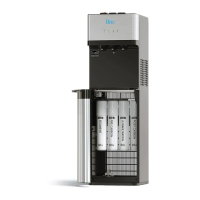
The Brio water dispenser offers a continuous supply of filtered hot and cold water directly from your cold water supply line. It incorporates a multi-stage filtration system, including sediment, carbon block, reverse osmosis (RO), and post-carbon filters, to remove impurities, reduce chlorine taste and odor, and eliminate up to 99% of contaminants like arsenic, lead, fluoride, and heavy metals. The RO filter assembly also includes a drain line connection to dispose of rejected water to the sewer.
The dispenser features a touch panel display for easy operation and monitoring. Users can set the clock, adjust cold and hot water temperatures, and check the total dissolved solids (TDS) of the water. A UV cleaning cycle runs continuously to maintain hygiene within the dispenser.
Usage Features
The dispenser is designed for user convenience and safety.
- Temperature Control: Users can set the desired cold water temperature within a range of 39°F to 59°F (4°C to 15°C) and hot water temperature between 174°F and 194°F (79°C to 90°C). The clock and temperature settings are easily adjustable via up and down arrow buttons and confirmed with a lock button.
- Water Dispensing: Cold water can be dispensed by pressing the cold water button or by using the touchless motion sensor, which activates when a hand is held over it for one second. Hot water dispensing requires pressing the hot water button.
- Child Safety Feature: To prevent accidental hot water dispensing and potential burns, the dispenser is equipped with a child safety lock feature. This feature must be disabled by pressing the lock button before dispensing hot water and can be re-enabled afterward.
- Filter Monitoring: The touch panel includes indicators for the lifetime of the PP+C1+C2 filters (PCB indicator) and the RO filter (RO indicator), alerting users when filters need replacement. The TDS button allows users to check the total dissolved solids in the water, with the display showing readings before and after water enters the system.
- Installation: The dispenser connects directly to a cold water supply line, and the RO filter assembly requires a drain line connection. The installation process involves connecting a feed water adapter to the cold water supply, installing a drain saddle for waste water, flushing the filters, and then installing them into the dispenser cabinet. The dispenser should be placed on a hard, flat, and level surface, away from direct sunlight, and with adequate airflow around its back.
- Power Management: The dispenser has separate switches for the cold and hot water systems, allowing users to turn them on or off independently. It is important to ensure the tanks are filled with water before activating the heating or cooling systems to prevent dry heating.
- Troubleshooting: The manual provides guidance for common issues such as cold or hot water not being dispensed, noisy operation, or water leakage. For instance, if the cold water is not cold, users are advised to check power connections, ensure proper ventilation, and verify the cold water switch is in the "On" position. If the dispenser is not dispensing water due to ice blockage, turning off the cold water switch for several hours can resolve the issue.
Maintenance Features
Regular maintenance ensures the longevity and optimal performance of the Brio water dispenser.
- Filter Replacement: The dispenser uses four filters: sediment, carbon block, reverse osmosis (RO), and post-carbon. The manual provides a filter replacement schedule, recommending replacement every 6 months or 950 gallons for sediment, carbon block, and post-carbon filters, and every 6 months or 1,900 gallons for the RO filter. The filter element indicator lights on the touch panel flash when replacement is due. The replacement process involves shutting off the water supply, flushing the new filters, installing them in the correct order (sediment, carbon block, RO, post-carbon from left to right), and then resetting the indicators by pressing the up arrow button.
- UV Cleaning Cycle: The dispenser features a continuous UV cleaning cycle. This cycle operates for 40 minutes (indicated by a flashing UV light), turns off for 140 minutes, and then restarts, as long as the dispenser is plugged in and both hot and cold water switches are on. This helps maintain internal hygiene.
- General Care: The dispenser should be kept in a dry, cool place, away from direct sunlight. It requires at least 8 inches (20 cm) of clearance from the wall at the back to ensure proper ventilation. Users are advised not to place the dispenser on paper or foam, or anything flammable nearby.
- Drip Tray Cleaning: The drip tray and grid should be emptied and cleaned as needed to prevent overflow and maintain cleanliness.
- Extended Non-Use: If the dispenser will not be used for more than 24 hours, it is recommended to turn off the hot and cold water switches to save power and drain any remaining water.
- Professional Servicing: Service should only be performed by a certified technician to ensure proper functioning and safety. The appliance is not suitable for cleaning by a water jet.
The Brio Point of Use Water Dispenser is designed to be a reliable and convenient source of purified hot and cold water, with features that prioritize user safety, ease of use, and effective water filtration.

 Need help?
 General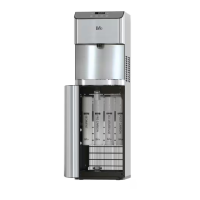

 To Next Page