EasyManua.ls Logo

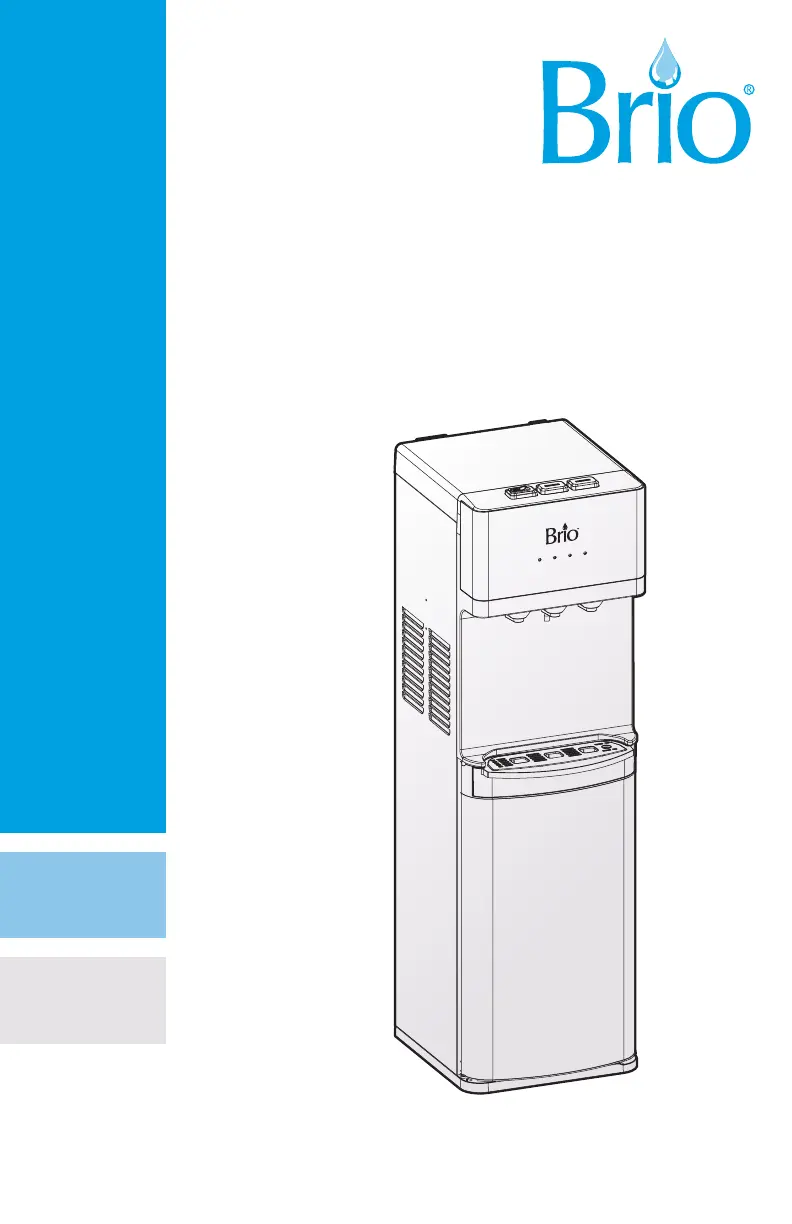
BRIO CLPOU520UVF4 - User Manual

BRIO CLPOU520UVF4
15 pages
Print Icon
To Next Page IconTo Next Page
Loading...
Thank you for purchasing a Brio
®
water cooler
Please read and understand this manual before operating your water dispenser
Retain this manual for future use
INSTRUCTION MANUAL
WATER DISPENSER
MODEL NO. CLPOU520UVF4

Questions and Answers

Summary

SAFETY INFORMATION

General Safety Precautions

Read guide before assembly, installation, and operation to reduce risk of injury.

High Temperature Water Safety

Dispenses high temperatures; exercise basic precautions like proper assembly, indoor use, grounded outlets.

Operational Environment and Ventilation

Keep ventilation clear, avoid mechanical defrosting, operate within temperature/humidity limits.

INTENDED USE

Suitable Applications

Appliance for household, shops, offices, hotels, B&Bs, and catering.

Usage Restrictions

Not for persons with reduced capabilities without supervision; not for children unsupervised.

PRODUCT FEATURES

Indicator Panel Overview

Explains power, hot water, cold water, and water indicator lights.

Physical Dimensions

Provides height, width, and depth of the water dispenser.

Component Identification

Lists and identifies parts of the dispenser with numbers from diagrams.

PACKAGE CONTENTS

Included Parts List

Details all items included in the package with quantities.

MATERIALS NEEDED

Required Tools

Lists necessary tools for installation, such as a wrench.

INSTALLATION

Determine Installation Location

Place dispenser upright on a hard, level surface in a cool, shaded location near an outlet.

Connect to Cold Water Supply

Connect feed water adapter to cold water line, shut-off valve with tube to adapter.

Flush the Filters

Filter Flushing Procedure

Follow procedure every time filters are replaced, ensuring water supply is off before beginning.

Install Filters and Complete Installation

Filter Installation Steps

Twist filters into housings, connect water inlet, turn on supply, ensure valve is on.

OPERATION

Powering the Dispenser On;Off

Plug in, turn on/off switch, run water, flip cooling and heating switches to On.

Dispensing Cold Water

Press glass against cold water faucet; takes about 1 hour to chill.

Dispensing Hot Water and Child Safety Lock

Press red lock button and paddle to dispense hot water; unit dispenses at high temperatures.

TROUBLESHOOTING

Cold and Hot Water Issues

Addresses cold/hot water not being optimal, checking power, airflow, and switches.

Operational Problems

Covers nightlight, noise, leakage, and no water dispensing issues.

CLEANING AND MAINTENANCE

Sanitizing the Dispenser

Sanitize every 3 months using a disinfectant following manufacturer directions.

Removing Mineral Deposits

Remove mineral deposits every 6 months using citric acid crystals and hot water.

Clean the Dispenser

Detailed Cleaning Steps

Unplug unit, remove covers, rinse separator, create cleaning solution, drain, reinstall.

FILTER MANAGEMENT

Filter Replacement Schedule and Procedure

Details filter lifespans, functions, replacement steps, and indicator lights.

Filter Specifications

Provides capacity, flow rate, PSI, and temperature for different filter types.

Care and Maintenance

General Care Guidelines

Keep dispenser dry, cool, away from direct sun, avoid flammable items, do not use outdoors.

Storage and Interruption Procedures

Tips for saving power during long periods of non-use and steps for when water supply is interrupted.

WARRANTY

Limited Warranty Coverage

One-year warranty on parts for defects in material/workmanship, limited to repair/replacement.

Exclusions from Warranty

Excludes damages from accident, abuse, misuse, improper installation, or lack of routine maintenance.

Warranty Disclaimers and Legal Rights

States this is the only express warranty, disclaims implied warranties, and outlines customer legal rights.

Summary

SAFETY INFORMATION

General Safety Precautions

Read guide before assembly, installation, and operation to reduce risk of injury.

High Temperature Water Safety

Dispenses high temperatures; exercise basic precautions like proper assembly, indoor use, grounded outlets.

Operational Environment and Ventilation

Keep ventilation clear, avoid mechanical defrosting, operate within temperature/humidity limits.

INTENDED USE

Suitable Applications

Appliance for household, shops, offices, hotels, B&Bs, and catering.

Usage Restrictions

Not for persons with reduced capabilities without supervision; not for children unsupervised.

PRODUCT FEATURES

Indicator Panel Overview

Explains power, hot water, cold water, and water indicator lights.

Physical Dimensions

Provides height, width, and depth of the water dispenser.

Component Identification

Lists and identifies parts of the dispenser with numbers from diagrams.

PACKAGE CONTENTS

Included Parts List

Details all items included in the package with quantities.

MATERIALS NEEDED

Required Tools

Lists necessary tools for installation, such as a wrench.

INSTALLATION

Determine Installation Location

Place dispenser upright on a hard, level surface in a cool, shaded location near an outlet.

Connect to Cold Water Supply

Connect feed water adapter to cold water line, shut-off valve with tube to adapter.

Flush the Filters

Filter Flushing Procedure

Follow procedure every time filters are replaced, ensuring water supply is off before beginning.

Install Filters and Complete Installation

Filter Installation Steps

Twist filters into housings, connect water inlet, turn on supply, ensure valve is on.

OPERATION

Powering the Dispenser On;Off

Plug in, turn on/off switch, run water, flip cooling and heating switches to On.

Dispensing Cold Water

Press glass against cold water faucet; takes about 1 hour to chill.

Dispensing Hot Water and Child Safety Lock

Press red lock button and paddle to dispense hot water; unit dispenses at high temperatures.

TROUBLESHOOTING

Cold and Hot Water Issues

Addresses cold/hot water not being optimal, checking power, airflow, and switches.

Operational Problems

Covers nightlight, noise, leakage, and no water dispensing issues.

CLEANING AND MAINTENANCE

Sanitizing the Dispenser

Sanitize every 3 months using a disinfectant following manufacturer directions.

Removing Mineral Deposits

Remove mineral deposits every 6 months using citric acid crystals and hot water.

Clean the Dispenser

Detailed Cleaning Steps

Unplug unit, remove covers, rinse separator, create cleaning solution, drain, reinstall.

FILTER MANAGEMENT

Filter Replacement Schedule and Procedure

Details filter lifespans, functions, replacement steps, and indicator lights.

Filter Specifications

Provides capacity, flow rate, PSI, and temperature for different filter types.

Care and Maintenance

General Care Guidelines

Keep dispenser dry, cool, away from direct sun, avoid flammable items, do not use outdoors.

Storage and Interruption Procedures

Tips for saving power during long periods of non-use and steps for when water supply is interrupted.

WARRANTY

Limited Warranty Coverage

One-year warranty on parts for defects in material/workmanship, limited to repair/replacement.

Exclusions from Warranty

Excludes damages from accident, abuse, misuse, improper installation, or lack of routine maintenance.

Warranty Disclaimers and Legal Rights

States this is the only express warranty, disclaims implied warranties, and outlines customer legal rights.

BRIO CLPOU520UVF4 Specifications

General IconGeneral
Dispensing MethodPush Button
Cooling SystemCompressor Cooling
Water FiltrationYes
UV SterilizationYes
Water TemperatureHot, Cold, Room
Voltage110V/60Hz
Power Consumption100W Cooling
Dimensions (W x D x H)12.2 x 14.2 x 19.7 inches (31 x 36 x 50 cm)
MaterialStainless Steel, Plastic
Child Safety LockYes

Related product manuals