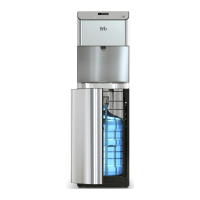
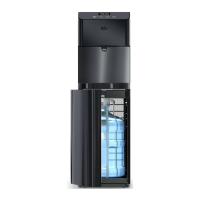
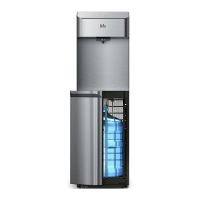
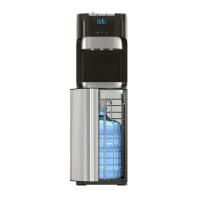
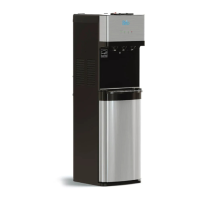
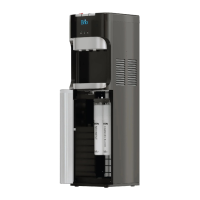
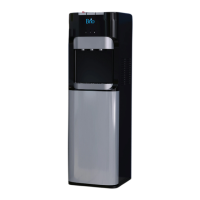
This document provides an instruction manual for the Brio Water Dispenser, model number CLBL720SC. It outlines safety information, intended use, product features, installation, operation, troubleshooting, cleaning, maintenance, and warranty details.
Function Description:
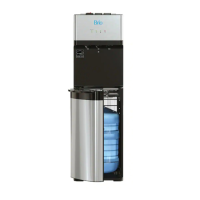
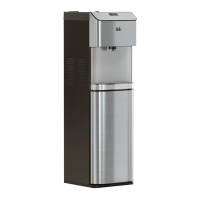
The Brio Water Dispenser is designed to provide hot, cold, and room temperature water from 3- or 5-gallon (12- or 19-liter) water bottles. It is intended for household and similar applications such as staff kitchen areas, offices, farmhouses, hotels, motels, residential environments, bed and breakfast establishments, and catering services. The dispenser features a bottom-loading design, where the water bottle is placed inside a cabinet at the base of the unit, eliminating the need to lift heavy bottles onto the top. It incorporates a self-cleaning ozone feature to sanitize the tanks and water lines, ensuring clean and safe drinking water. The unit also includes a child safety lock for hot water dispensing to prevent accidental burns.
Important Technical Specifications:
- Model Number: CLBL720SC
- Dimensions:
- Height: 104.0 cm (40.9 in.)
- Width: 31.0 cm (12.2 in.)
- Depth: 34.0 cm (13.4 in.)
- Operating Environment:
- Temperature: 4°C~40°C (39°F~104°F)
- Humidity: ≤90%
- Cold Water Dispensing:
- Temperature Range: 39°-59°F / 4°-15°C
- Tank Capacity: 2.5 L/H
- Flow Rate: 1.2 L/min
- Hot Water Dispensing:
- Temperature Range: 174°-194°F / 79°-90°C
- Tank Capacity: 4 L/H
- Flow Rate: 1.2 L/min
- Power: Requires a properly grounded outlet. Do not use an extension cord.
- Water Bottle Compatibility: Compatible with 3- or 5-gallon (12- or 19-liter) water bottles.
Usage Features:
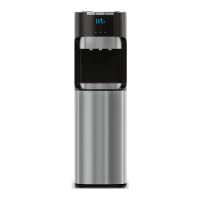
The dispenser is operated via a touch panel display located at the top of the unit.
- Touch Panel Display (1): Shows the time, water temperature settings, bottle replacement indicator, and self-cleaning mode status.
- Water Tap (2): Dispenses water.
- Drip Tray and Grid (3): Collects spills and is removable for cleaning.
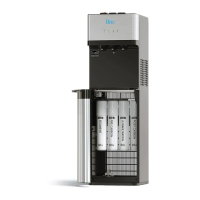
- Water Bottle Cabinet (4): Houses the water bottle at the bottom of the unit.
- Bottle Adapter (5): Connects to the water bottle neck.
- Water Line (6): Connects the bottle adapter to the dispenser's internal system.
- Bottle Adapter Tube (7): Extends into the water bottle to draw water.
- Self-Cleaning Switch (8): Activates the ozone self-cleaning feature.
- Nightlight Switch (9): Controls the nightlight.
- Cold Water Switch (10): Activates the cold water cooling system.
- Hot Water Switch (11): Activates the hot water heating system.
- Condenser (12): Part of the cooling system.
- Drain Outlet (13): For draining water from the system.
- Up Arrow Button (1): Used to set the clock time and increase temperature settings.
- Down Arrow Button (3): Used to set the clock time and decrease temperature settings.
- Lock Button (4): Locks the hot water button and confirms temperature and time settings.
- Hot Water Button (5): Dispenses hot water.
- Ambient Water Button (6): Dispenses room temperature water.
- Cold Water Button (7): Dispenses cold water.
- Clock Setting: The clock can be set by pressing and holding the up and down arrow buttons for 3 seconds, then using the cold water button for minutes, hot water button for hours, and arrow buttons to adjust. The hot water lock button confirms the setting.
- Temperature Setting: Cold water temperature can be set between 39°-59°F (4°-15°C) by holding the down arrow button for 3 seconds and using the arrow buttons. Hot water temperature can be set between 174°-194°F (79°-90°C) by holding the up arrow button for 3 seconds and using the arrow buttons. The lock button confirms the setting.
- Child Safety Lock: The hot water tap has a child safety feature that requires pressing the lock button before dispensing hot water.
- Water Bottle Change Indicator: An icon on the display blinks when the water bottle needs to be replaced.
- Bottom-Loading Design: Water bottles are loaded into a cabinet at the bottom, making bottle changes easier and safer. The dispenser will not pump water if the cabinet door is not completely closed.
Maintenance Features:
- Self-Cleaning Ozone Feature: This feature should be used weekly to sanitize the tanks and water lines. It is activated by pressing and holding the self-cleaning switch (8) for 5 seconds. The cycle takes 90 minutes, during which ozone is produced to kill bacteria and biofilms. Users are advised not to dispense or drink water during this cycle to avoid an odd taste.
- General Care:
- Keep the dispenser in a dry, cool place, away from direct sunlight.
- Ensure at least 20 cm (8 in.) of free airflow behind the dispenser.
- Do not place the dispenser on paper or foam, or near flammable materials.
- Do not use outdoors or in areas where it can be splashed by water.
- For periods of non-use longer than 24 hours, turn off heating and refrigerating switches and drain any remaining water to save power.
- Clean the cabinet, controls, bottle probe, and spout with a clean soft cloth and a food-grade sanitizer or bleach each time the water bottle is changed.
- Empty and clean the drip tray, grid, and float as needed.
- Troubleshooting: The manual provides solutions for common issues such as cold water not being cold, hot water not being hot, nightlight not working, noisy dispenser, leaking bottle, and no water dispensing. For persistent issues, customer service can be contacted at +1 844-257-4103.


 To Next Page
 General