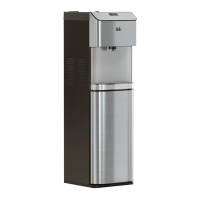
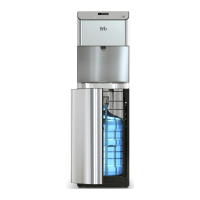
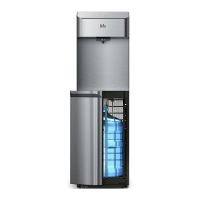
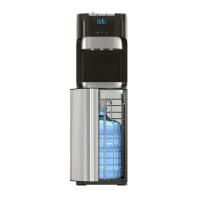
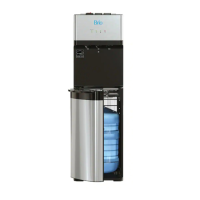
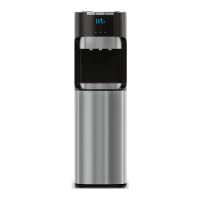
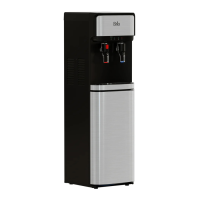
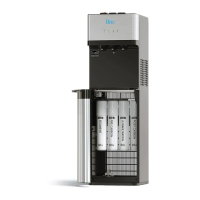
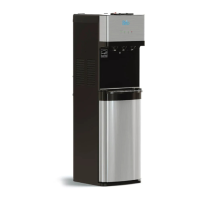
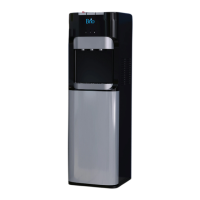
This document is a setup manual for a Brio Bottom-Load Water Dispenser, Model No.: CLBL720SCBLK. It provides comprehensive instructions for installation, operation, and maintenance, along with safety information and warranty details.
Function Description:
The Brio Bottom-Load Water Dispenser is designed to provide instant access to cold, room temperature, and hot water. It is intended for household use and similar applications such as staff kitchen areas, offices, farmhouses, hotels, motels, bed and breakfast establishments, and catering services. The bottom-load design allows for easy replacement of 3- or 5-gallon water bottles, which are stored discreetly within a cabinet at the base of the dispenser. The unit features a touch panel display for controlling settings and dispensing water, and it includes a self-cleaning ozone feature for sanitization. A child safety lock is integrated for hot water dispensing to prevent accidental burns.
Important Technical Specifications:
- Model No.: CLBL720SCBLK
- Dimensions:
- Height: 104.0 cm (40.9 in.)
- Width: 31.0 cm (12.2 in.)
- Depth: 34.0 cm (13.4 in.)
- Operating Environment:
- Temperature: 4°C~40°C (39°F~104°F)
- Humidity: ≤90%
- Water Bottle Compatibility: 3- or 5-gallon (12- or 19-liter) water bottles.
- Dispensing Cold Water:
- Temperature Range: 39°F-59°F (4°C-15°C)
- Tank Capacity: 2.5 L/H
- Flow Rate: 1.2 L/min
- Cooling Time: Approximately 1 hour to reach chilled temperature.
- Dispensing Hot Water:
- Temperature Range: 174°F-194°F (79°C-90°C)
- Tank Capacity: 4 L/H
- Flow Rate: 1.2 L/min
- Heating Time: Approximately 15-20 minutes to reach hottest temperature.
- Power: The unit requires a properly grounded outlet. An extension cord should not be used.
- Ventilation: Requires at least 20 cm (8 in.) of free airflow from a wall at the back and on all sides.
Usage Features:
- Touch Panel Display: A central interface for controlling the dispenser. It shows the time, water temperature settings, and indicators for bottle replacement and self-cleaning mode.
- Up/Down Arrow Buttons: Used to set the clock time and adjust hot/cold water temperature settings.
- Lock Button: Locks the hot water button for child safety and confirms temperature/time settings.
- Hot Water Button: Dispenses hot water (requires lock button press first).
- Ambient Water Button: Dispenses room temperature water.
- Cold Water Button: Dispenses cold water.
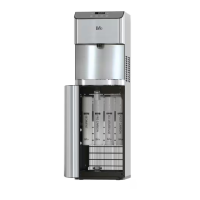
- Bottom-Load Design: Water bottles are loaded into a cabinet at the bottom, eliminating the need for heavy lifting and reducing the risk of spills. The bottle adapter tube ensures the water is drawn from the bottom of the bottle.
- On/Off Switches: Separate switches on the back of the dispenser for cooling and heating systems, allowing users to conserve energy when not needing hot or cold water.
- Clock Setting: Users can set the current time on the display.
- Temperature Adjustment: The cold water temperature can be set between 39°F and 59°F, and the hot water temperature between 174°F and 194°F.
- Child Safety Lock: A safety feature for hot water dispensing, requiring a button press to disable before hot water can be dispensed, preventing accidental burns.
- Bottle Indicator Icon: Flashes on the display when the water bottle needs to be replaced.
- Nightlight Switch: A dedicated switch for the nightlight feature.
- Drip Tray and Grid: Collects spills and is easy to install and clean.
Maintenance Features:
- Self-Cleaning Ozone Feature: Activated by pressing and holding the self-cleaning switch for 5 seconds. This feature injects ozone into the water system to kill bacteria and biofilms. The cycle takes 90 minutes, during which water should not be dispensed or consumed. The ozone icon blinks during this process.
- Regular Cleaning:
- The cabinet, controls, bottle probe, and spout should be cleaned with a clean soft cloth and a food-grade sanitizer or bleach each time the water bottle is changed.
- The drip tray, grid, and float should be emptied and cleaned as needed.
- Air Removal: After installing a new bottle, air should be removed from the tanks by dispensing at least 4 cups (1 liter) of water from each tap before initial use.
- Dry Heating Prevention: It is crucial not to turn on the heating and cooling switches until a water bottle is properly connected to prevent damage to the unit.
- Storage: When not in use for more than 24 hours, it is recommended to turn off the heating and refrigerating switches and drain any remaining water to save power.
- Placement: Keep the dispenser in a dry, cool place away from direct sunlight. Avoid placing it on paper or foam, which can cause water creepage, or near flammable materials.
- Troubleshooting Guide: The manual includes a section to help users diagnose and resolve common issues such as non-cold/hot water, nightlight not working, noisy operation, bottle leaks, or no water dispensing.
- Professional Service: Service should only be performed by a certified technician. The appliance is not suitable for cleaning with a water jet.

 Need help?
 General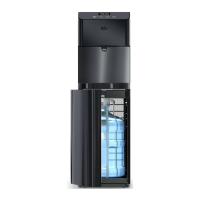

 To Next Page