EasyManua.ls Logo

BRIO CLCTPOU520UVF2 - User Manual

BRIO CLCTPOU520UVF2
16 pages
Print Icon
To Next Page IconTo Next Page
Loading...
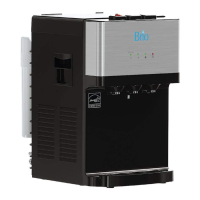
Counter-Top
Point of Use
Water Dispenser
Setup Manual
Model No.: CLCTPOU520UVF2

Questions and Answers

  • R
    Ryan MillerAug 4, 2025
    Why is the cold water not cold in my BRIO Water Dispenser?
    • S
      Samuel MartinAug 4, 2025
      It can take up to one hour after setup for the BRIO Water Dispenser to dispense cold water. Also, ensure that the power cord is properly connected to a working outlet and the green power switch on the back of the dispenser is On. Make sure the back of the dispenser is at least 20 cm from the wall and there is free airflow on all sides.
  • L
    Lisa OrozcoAug 10, 2025
    What to do if there is water leakage from my BRIO Water Dispenser?
    • C
      Crystal LongAug 10, 2025
      If you detect a water leak in your BRIO Water Dispenser, check all water connections and tubes to ensure everything is properly connected. If the water and PE pipes have burst, replace them.
  • T
    Tyler SloanAug 16, 2025
    Why is the hot water not hot in my BRIO CLCTPOU520UVF2?
    • J
      Joshua PenaAug 16, 2025
      It takes 15-20 minutes after setup for the BRIO Water Dispenser to dispense hot water. Ensure the power cord is properly connected to a working outlet and the red power switch on the back of the dispenser is On.
  • C
    Christopher WoodAug 22, 2025
    Why is my BRIO CLCTPOU520UVF2 Water Dispenser so noisy?
    • M
      Mark HallAug 22, 2025
      Ensure your BRIO Water Dispenser is located on a level surface. The heating tube may generate a slight noise, which is normal.
  • J
    James MontgomeryAug 28, 2025
    How to fix the nightlight on my BRIO Water Dispenser?
    • M
      Matthew OnealAug 28, 2025
      Make sure the power cord is properly connected to a working outlet and the nightlight power switch on the back of the BRIO Water Dispenser is On.

Summary

Safety Information

General Safety Precautions

Covers essential safety rules for operating the water dispenser, including proper installation and handling.

Hot Water Hazards

Highlights risks associated with dispensing hot water and emphasizes supervision for children.

Environmental and Operational Safety

Details safe operating environment, ventilation, and handling guidelines to prevent damage or hazards.

Intended Use

Product Features

Package Contents

Materials Needed

Installation

Determine Installation Location

Guide on selecting a suitable location for the dispenser, considering ventilation and outlet proximity.

Install the Dispenser

Instructions for securing the dispenser and attaching the grounding bracket for stability.

Install the Filters and Tubing

Steps for attaching mounting brackets, filter housings, and connecting filter tubes.

Connect to the Cold Water Supply

Detailed steps for connecting the unit to the cold water line, including adapter and valve usage.

Flush the Filters and Complete the Installation

Procedure for flushing new filters and finalizing the dispenser setup process.

Operation

Turn the Dispenser On;Off

Steps to power on the dispenser and activate its cooling and heating systems.

Dispense Cold Water

Instructions on how to dispense cold water from the dispenser's tap.

Dispense Hot Water and Activate Child Safety Lock

How to dispense hot water safely using the child lock feature.

Clean the Dispenser

Filter Replacement Schedule

Replace the Filters

Filter Specifications

Care and Maintenance

Warranty

BRIO CLCTPOU520UVF2 Specifications

General IconGeneral
BrandBRIO
ModelCLCTPOU520UVF2
CategoryWater Dispenser
LanguageEnglish

Related product manuals