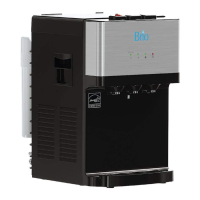
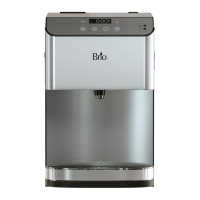
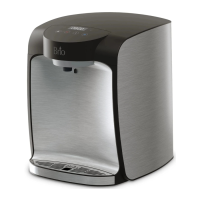
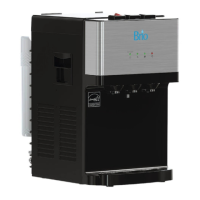
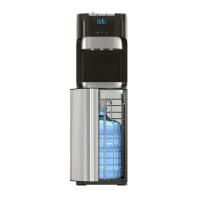
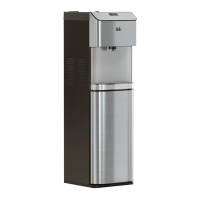
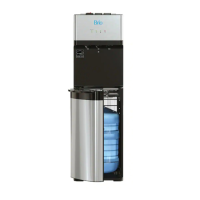
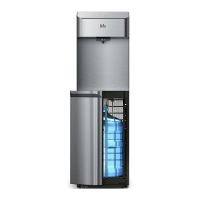
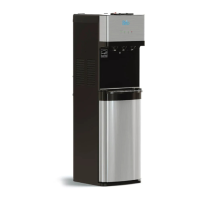
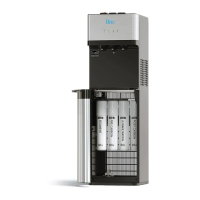
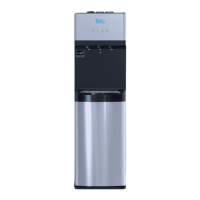
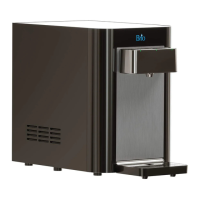
The Brio Water Dispenser, model CLCTPOU620UVF2, is a sophisticated appliance designed for household and similar applications, providing convenient access to filtered hot, cold, and ambient water. This countertop unit is engineered for indoor use, offering a reliable and safe water dispensing solution for various environments such as staff kitchens, farmhouses, hotels, motels, bed and breakfast establishments, and catering services. It is not intended for outdoor use or in areas where a water jet could be used for cleaning.
Function Description
The primary function of the Brio Water Dispenser is to filter and dispense water at three different temperatures: hot, cold, and ambient. It utilizes a two-stage filtration system, comprising a sediment filter and a carbon + ultra filtration filter, to purify the incoming cold water supply. The sediment filter performs a coarse filtration, removing mud, sand, iron, rust, and other suspended impurities from the original water. Following this, the carbon + ultra filtration filter further reduces chlorine, taste, odor, lead, and cysts, ensuring clean and great-tasting water.
The dispenser connects directly to a cold water supply line, eliminating the need for bottled water. Water flows through the filtration system into internal tanks for heating and cooling. The hot water feature is capable of reaching high temperatures, suitable for beverages like tea or instant meals, and is equipped with a child safety lock to prevent accidental dispensing. The cold water feature chills water to a refreshing temperature, while the ambient water option provides filtered water at room temperature.
An indicator panel on the front of the dispenser provides visual feedback on the operational status and filter life. It includes illuminated icons for hot, cold, and ambient water selection, a child lock indicator, and lights to signal the status of both the sediment and carbon + ultra filtration filters. A UV icon illuminates when the UV purification system is active, adding an extra layer of sanitation.
Usage Features
Operating the Brio Water Dispenser is straightforward, designed for user convenience and safety.
Installation:
The dispenser requires proper assembly and installation on a hard, flat, and level surface, away from direct sunlight and at least 20 cm (8 inches) from a wall to ensure adequate airflow. It connects to a cold water supply line using a feed water adapter and a shut-off valve with tubing. It is crucial to connect only to a cold water supply line, as hot water can severely damage the filters. The drip tray must be securely in place to prevent spills. The dispenser should not be plugged into an outlet until the entire installation process is complete.
Filter Flushing and Installation:
Before initial use and after every filter replacement, the filters must be flushed. This involves connecting a filter to a filter housing, attaching a shut-off valve tube to the left side of the housing, and a filter flushing tube to the right side. The open end of the flushing tube is placed over a sink or receptacle to collect water. Each filter should be flushed for a minimum of 5 minutes, or until the water runs clear, to remove any accumulated dust or odors from the new filters. Once flushed, the filters are twisted clockwise into their respective housings inside the dispenser cabinet: the sediment filter on the left and the carbon + ultra filtration filter on the right. The safety plug from the water inlet hole on the back of the dispenser is removed, and the shut-off valve tube is connected. Finally, the main water supply is turned on, ensuring the valve in the tube is open.
Turning On/Off:
After installation and flushing, the dispenser is plugged in, and the main On/Off switch is turned to "On." It is important to allow the internal tanks to fill with water before activating the hot and cold switches to prevent dry heating. Water should be run through both the cold and hot water taps until it begins to dispense steadily. The cooling system is activated by flipping the cooling switch to "On," and similarly, the heating system is activated by flipping the heating switch to "On." If the dispenser is turned off, it should sit idle for 3 minutes before being turned on again.
Dispensing Water:
- Cold Water: To dispense cold water, press the cold water button on the control panel and then press a drinking glass or container against the water outlet. The cooling light will turn off once the water is fully chilled, which typically takes about an hour after activation.
- Hot Water: The hot water feature includes a child safety lock. To dispense hot water, press the hot water button on the control panel, then press a drinking glass or container against the water outlet. The heating light will turn off once the water reaches its hottest temperature, usually within 15-20 minutes after activation. To disable hot water, press the child lock button on the control panel. Users are cautioned about the high temperature of hot water to prevent severe burns, and children should never dispense hot water without proper supervision. The heating feature can be disabled by switching the heating convenience switch to "Off."
- Ambient Water: To dispense ambient water, press the ambient water button on the control panel.
Filter Indicators:
The indicator panel features lights for both filters. When a filter approaches the end of its life, its indicator light will blink red. Once the filter has reached its full lifespan, the light will remain solid red, signaling that it needs replacement. After replacing filters, the filter reset button must be pressed until the red indicator light turns off.
Safety Precautions:
The dispenser is designed with several safety features and warnings. It must always be used with properly grounded outlets, and extension cords should be avoided. The power cord should never be unplugged by pulling on the cord itself, but by grasping the plug. If the supply cord is damaged, it must be replaced by a certified technician. The dispenser should not be immersed in water or other liquids, and it must be unplugged prior to cleaning. Ventilation openings must be kept clear of obstruction. The appliance should operate within temperatures of 4°C to 40°C (39°F to 104°F) and humidity ≤90%. It should never be turned upside down or leaned more than 45°.
Maintenance Features
Regular cleaning and maintenance are essential to ensure the longevity and optimal performance of the Brio Water Dispenser.
Sanitizing:
The dispenser should be sanitized every 3 months. This involves using a separately purchased disinfectant and following the manufacturer's directions for proper use.
Removing Mineral Deposits:
Mineral deposits should be removed every 6 months. This process involves mixing 4 liters of water with 200g of citric acid crystals. This solution is then injected into the machine, ensuring it can flow out of the hot water tap. The power is switched on, and the solution is allowed to heat for about 10 minutes. After 30 minutes, the liquid is drained, and the machine is cleaned by dispensing fresh water two or three times.
Filter Replacement:
Filters should be replaced according to the recommended schedule: every 6 months or after 950 gallons for both the sediment and carbon + ultra filtration filters. It is crucial to use only new filters designed specifically for this dispenser, as other types can damage the machine and void the warranty. The replacement process involves shutting off the water supply, removing the old filters, and installing new ones (sediment on the left, carbon block on the right). After installation, the new filters must be flushed following the instructions in the "Flush the Filters" section, and the filter reset button pressed until the indicator light turns off.
General Care:
- The dispenser should be kept in a dry and cool place, avoiding direct sunshine.
- Maintain at least 20 cm (8 inches) of space behind the dispenser for proper airflow.
- Never place the dispenser on paper or foam, which could retain water and cause creepage.
- Flammable materials should not be placed near the machine.
- The dispenser is not suitable for outdoor use or in areas prone to water splashes.
- If the dispenser will not be used for more than 24 hours, turn off the heating and refrigerating switches to save power and drain any remaining water.
- In case of a water supply cut-off, shut off the water supply to the dispenser and turn the dispenser off. When the water supply is restored, re-open the water supply, turn the dispenser on, and allow it to run to discharge any sediment.
By adhering to these usage and maintenance guidelines, users can ensure a continuous supply of clean, safe, and temperature-controlled water from their Brio Water Dispenser.


 To Next Page
 General