5
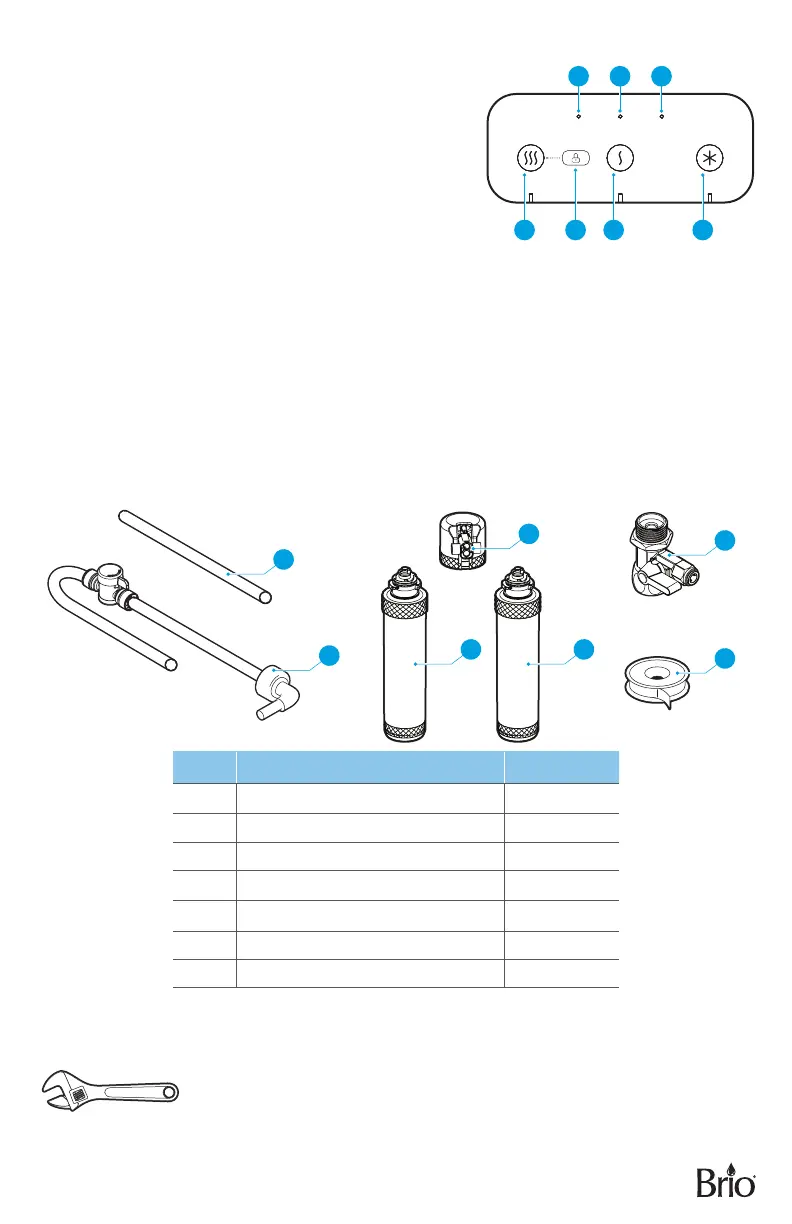
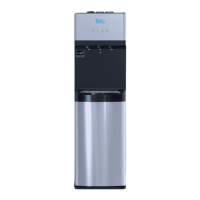
Indicator Panel Description
1. Hot Water Button – Press to activate the hot water
feature. The Hot icon illuminates to indicate hot water
feature is selected and working.
2. Child Lock Button – Press to activate the child safety
lock feature. This de-activates the hot water feature.
3. Ambient Water Button – Press to activate the ambient
water feature. The Ambient icon illuminates to
indicate that ambient water is selected.
4. Cold Water Button – Press to activate the cold water
feature. The Cold icon illuminates to indicate that the
cold water feature is selected and working.
5. Filter 1 (Sediment) Indicator Light – This light ashes
when the Sediment lter has expired and needs to be replaced.
6. Filter 2 (Carbon +Ultra ltration) Indicator Light – This light ashes when the Carbon +Ultra
ltration lter has expired and needs to be replaced.
7. UV – The UV icon illuminates when the UV is working.
PACKAGE CONTENTS
A
B
F
C
D E
G
PART DESCRIPTION QUANTITY
A Filter ushing tube 1
B Shut-off valve tube (7 ft.) 1
C Filter housing (for lter ushing) 1
D Sediment lter 1
E Carbon +Ultra Filtration lter 1
F Feed water adapter (with extra nut) 1
G Plumber’s tape 1
MATERIALS NEEDED
Wrench
1
5 6 7
32 4


 To Next Page