© 2023 Brivo Systems LLC. All rights reserved. PUB-Brivo ACS-SDC-E Installation Manual_v1.2
10
Brivo ACS-SDC-E Installation Manual
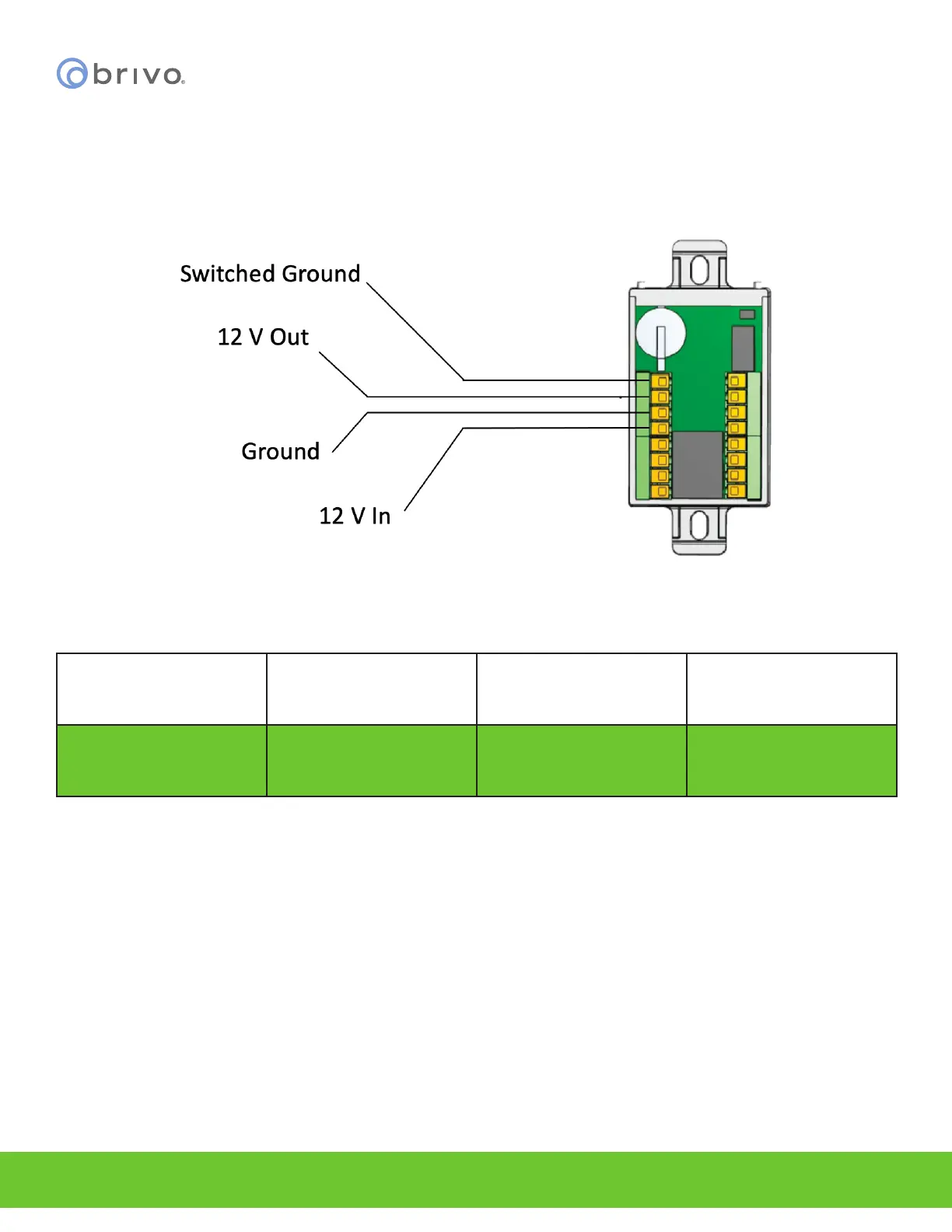
OPTIONAL: If not using Power over Ethernet, wire the 12V DC In and Ground wires to an external 12V DC Power
Supply
1. Use 18 AWG or 22 AWG wire (see table on Page 5) to connect the appropriate input power wires to
the ACS-SDC-E unit.
Connecting optional External Power to the ACS-SDC-E
Model Circuit Voltage (VDC) Current (A)
Brivo B-ACS-SDC-E Input 12VDC 800mA
Tamper
When triggered, the ACS-SDC-E will generate a tamper event to Brivo Access. It will be visible in the real time event
interface and can be congured to generate email notications. Tamper for ACS-SDC-E is motion triggered. Once
triggered, the ACS-SDC-E will stop after a period of time (10 to 15 seconds) with the reader at rest. In order for the
tamper alarm to be audible, an OSDP reader must be attached to the ACS-SDC-E unit and the tamper alarm will
sound through the attached OSDP reader.



 To Next Page