How to use on Switch
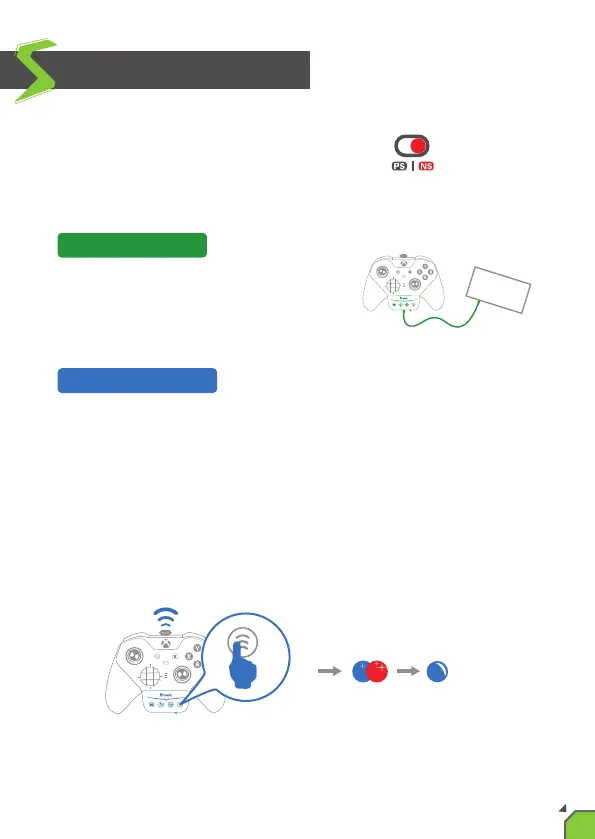
Toggle the "PS4/Xbox One/Switch slide switch"
to where it is labeled "NS".
Simply connect the controller to console
via X One SE's "Upgrade/Charge port".
The first me you use the X One SE, you need to pair it with the wireless
controller: go to the "Controller" screen on your console. Aer waking
up the controller, press and hold the “Hold/Wireless pairing buon” of
X One SE for 2 seconds to make the LED of X One SE blink red and blue
alternately, and wait for a few seconds unl the LED of X One SE shows
a constant blue light. Aer that, you only need to wake up the controller
every me you use the X One SE.
Wired Connecon:
Wireless Connecon:
2s
07


 To Next Page