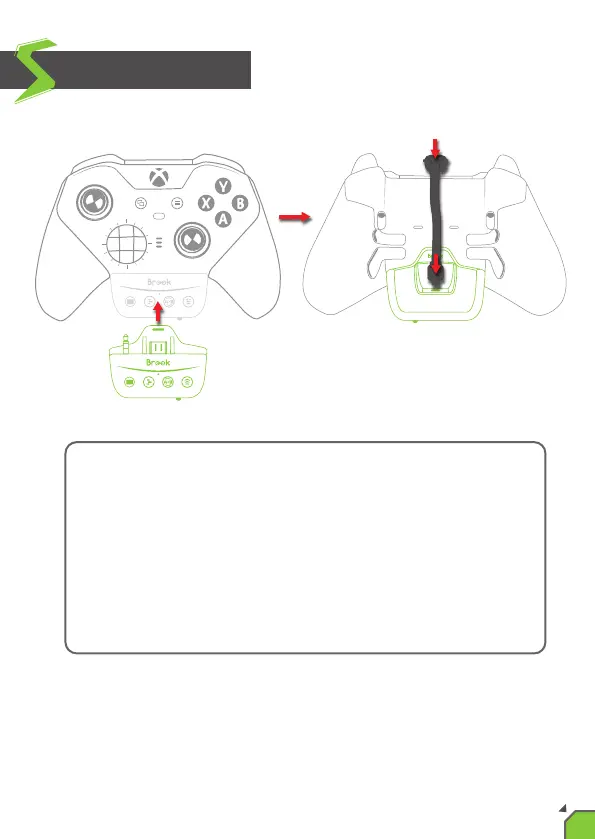
1. Plug the X One SE into the lower connector of the controller.
2. Flip over to the back of the controller.
3. Insert the Micro-USB end of the X One SE cable into the back
connector of the X One SE.
4. Press and hold the cable so that it is flat against the controller.
5. Insert the Type-C end of the X One SE cable into the top connector
of the controller.
1
2
3
4
5
How to install
03


 To Next Page