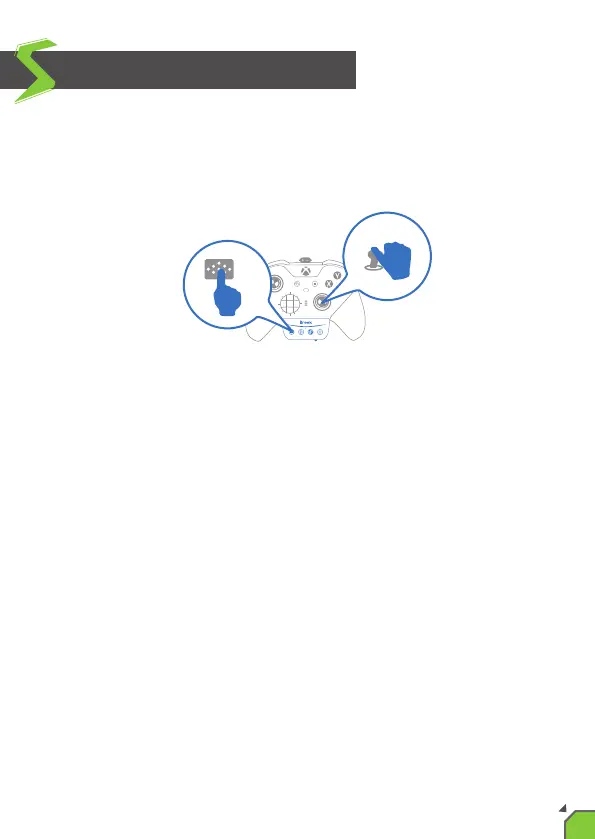
When using on PS4, press and hold the X One SE's "Capture/Touchpad
Simulate buon” and the controller's right analog sck(RS) to simulate
touchpad operaon.
The default mode of “Capture/Touchpad Simulate buon” is "Easy
mode", and with RS, you can simulate pressing the touchpad.
However, you can enter "Full mode" temporarily by holding down the
“Capture/Touchpad Simulate buon” ; in this mode, you can simulate
more complete touchpad operaon; RS simulates the track of sliding on
the touchpad, and RSB simulates pressing the touchpad.
If you release the “Capture/Touchpad Simulate buon” in "Full mode", it
will return to "Easy mode" again.
Use of Simulated Touchpad
09


 To Next Page